Decision fatigue is real. If you are an experienced WooCommerce merchant, you’re past the simple awareness stage. You know you need reliable, automated product feeds to succeed on channels like Google Shopping, Facebook, and Amazon. But now you face the hardest part: evaluating which solution genuinely provides the performance, flexibility, and support your business needs.
The challenge isn’t finding a plugin; it’s choosing the one that won’t become a bottleneck later this year. You need a trusted partner, not just another piece of software.
This guide will break down the essential criteria for selecting a WooCommerce Product Feed Manager, equipping you with the authoritative insights necessary to make a confident choice that drives long-term sales growth.
Beyond the Checklist: What High-Growth Merchants Demand
When comparing product feed solutions, looking only at the feature list misses the point. High-growth eCommerce demands operational excellence, and that means minimizing management overhead while maximizing channel compliance and data quality.
Based on our market experience supporting over 10,000 WooCommerce stores, we’ve found that three core pain points consistently separate the best solutions from the rest: data control, automation reliability, and specialized expert support.
The Criticality of Smart Data Control
Your greatest asset is your product data. Generic feed solutions often treat all products the same, but your business relies on maximizing visibility for your most profitable and compliant items.
The Research Insight: Studies show that accurate, high-quality product data dramatically impacts conversion rates. One major analysis found that up to 75% of poor advertising performance can be attributed to inaccurate or incomplete product data fed to shopping channels.
A superior Product Feed Manager must offer advanced filtering and conditional logic. This allows you to sculpt the data you export:
Excluding Low-Stock or Unprofitable Items: You shouldn’t waste ad spend promoting products that are about to sell out or those with thin margins.
Targeted Channel Selection: Send high-margin products only to specific premium channels while excluding them from high-volume, low-margin marketplaces.
Custom Attribute Manipulation: If a channel requires a specific descriptor (e.g., ‘Gender’ instead of ‘Audience’), you need the ability to refine that attribute with intelligent conditions—allowing you to easily comply with complex regulatory requirements.
Using the WooCommerce Product Feed Manager, you gain complete control over including or excluding specific product variations (colors, sizes, etc.) in your exported feeds—a level of precision essential for accurate inventory synchronization and ad campaigns.
Why Reliable Automation Isn’t Optional
Imagine your inventory levels change overnight, but your advertising platform still shows the old, incorrect data. This results in wasted clicks, frustrated customers, and—worst of all—channel penalties.
For merchants, particularly those managing substantial product catalogs or operating dropshipping models (as noted by successful users like Dae Gomes), manual maintenance is simply unsustainable.
The Research Insight: The pressure for real-time synchronization is growing. Retail industry reports indicate that consumers now expect near-perfect inventory accuracy online. Merchants who fail to provide timely data updates risk a 20-30% loss in potential revenue due to stock issues or out-of-date pricing.
The solution you choose must handle automated updates seamlessly.
Feature Checklist: Automation Excellence
Necessity Level
Why It Matters for MOFL Buyers
Custom Update Schedules
High
Tailor updates to your store’s traffic and inventory cycle (e.g., every 6 hours, daily at 2 AM).
Background Processing
High
Ensures large feed generation doesn’t slow down your WooCommerce site performance.
Consistent Feed Validation Checks
Critical
Regular updates ensure your feeds remain compliant with ever-changing requirements from major channels like Google and Facebook.
Our core technology ensures feeds are always current by allowing you to set custom update schedules, guaranteeing compliance and accurate product representation across all your chosen channels. This focus on reliability addresses the key pain point of keeping feeds updated efficiently.
If you want to understand the full capabilities of our automated system, consider reviewing our detailed features page. It highlights exactly how we manage automatic WooCommerce product feed generation with minimal site impact.
The Global Reach Imperative: Multi-Language and Multi-Currency
For any modern WooCommerce merchant—especially those operating in the European market or expanding internationally—your feed solution must support globalization without requiring complex workarounds.
The Research Insight: E-commerce data confirms that offering localized pricing and currency dramatically boosts shopper confidence and conversion rates, with up to 40% of international shoppers abandoning carts if they cannot view prices in their local currency.
A robust Product Feed Manager should natively support:
Multi-Language: Handling different language plugins (like WPML or PolyLang) to export product descriptions, titles, and attributes in the correct regional language.
Multi-Currency: Ensuring the exported price reflects the currency appropriate for the target country’s advertising platform.
The WooCommerce Product Feed Manager is purpose-built with this global necessity in mind, providing robust multi-language and multi-currency support to facilitate global reach and target diverse regional markets effectively.
Differentiating on Support: Partnership vs. Transaction
At the evaluation stage, you need to assess the reliability of the provider you are partnering with. A plugin is only as good as the expertise behind it. Dealing with complex feed requirements (often involving XML structure or attribute mapping) means you will inevitably need dedicated support.
As Gertjan van den Berg notes in his testimonial, “quick response to all questions I have asked” is a hallmark of a reliable provider. We position ourselves not just as developers but as partners in eCommerce success.
Our value proposition includes:
Expert Support: Access to online marketing expertise to help you structure your feed data for maximum impact, not just troubleshooting technical failures.
Focus on Core Technology: Since our Product Feed Manager is our flagship product (over 10,000 merchants strong), our development and support teams are 100% focused on optimizing its performance for WooCommerce shops. This deep specialization translates directly into faster resolution times and more accurate advice compared to general-purpose plugin shops.
When comparing solutions, ask yourself: Will this company help me interpret Google Merchant Center diagnostic reports, or will they just confirm their plugin is installed correctly? Choosing the WooCommerce Product Feed Manager means choosing the former.
Frequently Asked Questions (FAQ) for Evaluating Buyers
Buyers often have specific technical and business objections during the evaluation phase. Here are the clear differentiators and answers you need.
Q1: Is the plugin compatible with my custom WooCommerce setup, especially third-party attribute plugins?
We prioritize seamless integration. We are built specifically for WooCommerce environments and support various third-party attribute and customization plugins. Crucially, our smart attribute manipulation capabilities allow you to pull data from custom fields and map them to standard channel requirements using intelligent conditions, ensuring your specific product data model is fully supported.
Q2: How does your pricing model (€99 for the Ecommerce Plan) compare to competitors that offer lower annual prices?
Our pricing reflects the depth of features and the specialization of our support. The Ecommerce Plan (€99 annually) provides unlimited channels and unlimited products for one shop. While some alternative solutions might appear cheaper upfront, they often severely limit the number of channels, the number of products, or require costly add-ons for essential features like advanced filtering or multi-currency support. We provide a feature-rich, comprehensive solution, ensuring you avoid unexpected scalability costs.
Q3: We have a very large catalog (e.g., a dropshipping site). Can the plugin handle the processing load without crashing our site?
Yes. As confirmed by successful users like Dae Gomes, who runs the plugin on a dropshipping site with a “bunch of products,” performance is a key focus. Our Product Feed Manager utilizes optimized background processing techniques. This ensures the intensive task of generating large product feeds happens efficiently without consuming excessive server resources, addressing the common pain point of site performance with large catalogs.
Q4: I need to target channels that don’t use standard XML (e.g., custom CSV). Do you support flexible template creation?
Absolutely. Versatility is essential for success across multiple channels. We provide a range of custom template options, including XML, TSV, TXT and CSV formats, along with flexible customization for these templates. This means you are never restricted to a proprietary format and can easily adapt your product feeds for nearly any comparison shopping engine or marketplace worldwide. If a specific channel template does not exist, we will build one upon your request. Create a ticket letting us know what channel you are looking for
The Next Step in Your Evaluation Journey
You’ve evaluated the critical differentiators: expert data control, automation reliability, global capabilities, and specialized partnership.
The research is clear: success on external channels hinges on data integrity and specialized management tools. By choosing the WooCommerce Product Feed Manager, you select a solution built by online marketing specialists who understand the critical requirement for accurate and reliable product feeds.
Take the final step in your evaluation:
View a Live Demo: See our features, such as seamless category and attribute mapping, in action.
Select Your Plan: Whether you need the focused Google Shopping integration (€69/year) or the comprehensive Ecommerce Plus Plan (€99/year) supporting multiple shops and unlimited channels, choosing the right plan is easy.
https://www.wpmarketingrobot.com/system/wp-content/uploads/2025/12/evaluating-options.png298845Aukehttps://www.wpmarketingrobot.com/system/wp-content/uploads/2024/12/wpmr-logo-website-1.svgAuke2025-12-18 10:37:412025-12-18 11:38:42Product Feed Manager: The Definitive Guide to Evaluating Your Options
Managing product feeds for your WooCommerce store isn’t just about checking boxes—a single missing identifier or outdated attribute can instantly disapprove thousands of products across Google Shopping, Facebook, and Amazon. Most merchants discover this the hard way when their entire catalog vanishes from search results overnight. With Google Merchant Center’s April 2025 policy updates introducing new requirements for installment pricing, energy certifications, and shipping attributes, staying compliant while managing feeds across 180+ channels has become nearly impossible to handle manually.
Quick Summary
Key Point
Explanation
WooCommerce Impact
1. Audit your WooCommerce feed setup
Identify missing attributes, incorrect mappings, and policy violations before they cause disapprovals
Critical for stores with 500+ products where manual checking is unfeasible
2. Map WooCommerce attributes correctly
Connect custom fields, variations, and ACF data to meet channel-specific requirements
Different channels require different attribute formats—automation prevents mapping errors
3. Implement 2025 policy compliance
Add new GMC requirements: identifier_exists, installment pricing, energy certifications
Use Schema.org product markup with WooCommerce-specific implementation
Improves rich snippet appearance and search visibility across all channels
5. Automate performance monitoring
Track disapprovals, inventory sync errors, and price mismatches in real-time
Manual monitoring misses critical errors that cost immediate sales
Step 1: Audit Your WooCommerce Product Feed Setup
Before optimizing anything, you need to understand exactly where your WooCommerce feed stands against current marketplace requirements. Most feed disapprovals happen not because of bad products, but because of systematic data gaps that multiply across your entire catalog. A store with 2,000 products might have 15,000 individual feed errors without realizing it.
Conducting a Comprehensive Feed Audit
Start by exporting your current WooCommerce product data and comparing it against Google Merchant Center’s diagnostic reports. Access GMC’s Diagnostics tab to see exactly which products are disapproved and why. Google Merchant Center provides detailed error reports that highlight specific problems preventing products from displaying, but interpreting these errors for WooCommerce data structures requires understanding how your product fields map to feed requirements.
Common WooCommerce-specific feed issues include:
Missing GTINs for manufactured products: WooCommerce doesn’t include GTIN fields by default, causing immediate disapprovals for brand-name items
Incorrect identifier_exists values: Custom products marked as having identifiers when they shouldn’t, or vice versa
Variation attribute mapping failures: Parent products showing without proper color/size variations in feeds
Custom field synchronization issues: ACF or meta fields not populating feed attributes
Price format inconsistencies: Sale prices, currency formatting, or tax inclusion conflicts
Are color/size variations properly structured as child products?
Missing variations lose 40-60% of potential traffic
Identifying April 2025 Policy Compliance Gaps
The April 8, 2025, Google Merchant Center specification updates introduced three major new requirements that most WooCommerce stores aren’t currently meeting:
1. Installment Pricing Display: If you offer payment plans or buy-now-pay-later options, you must now include installment attributes showing monthly payment amounts. WooCommerce doesn’t capture this data by default.
2. Energy Efficiency Certifications: Products in applicable categories (appliances, electronics, vehicles) must include energy efficiency labels and certifications. This requires adding custom fields to your WooCommerce products.
3. Enhanced Shipping Attributes: New shipping attributes for handling time, carrier selection, and regional variations must be specified at the product level, not just the account level.
Most WooCommerce stores have zero of these attributes configured, meaning immediate disapprovals for affected product categories once GMC begins enforcing these requirements.
The Manual Audit Problem
Here’s the reality: if you’re managing more than 500 products, manually auditing and fixing feed issues isn’t sustainable. A single policy update can require touching thousands of products. Manual spreadsheet exports miss real-time sync issues. And multiplying this work across Google Shopping, Facebook Catalog, Amazon Seller Central, and 177 other potential channels becomes mathematically impossible.
This is where automated WooCommerce feed management transforms from convenience to necessity. Automated systems continuously monitor for disapprovals, detect missing attributes across your entire catalog, and apply fixes systematically rather than product-by-product.
Step 2: Map WooCommerce Attributes to Channel Requirements
The fundamental challenge in WooCommerce feed optimization is that your store’s data structure rarely matches what marketplaces actually need. WooCommerce stores product information one way; Google Shopping, Facebook, and Amazon each expect entirely different attribute formats. Getting this mapping right determines whether your products appear at all.
Understanding the Attribute Mapping Challenge
Consider a simple t-shirt in your WooCommerce store. You have:
Amazon-specific browse nodes instead of categories
Different attribute names for the same data
This isn’t a one-time mapping exercise; it’s an ongoing translation problem that affects every product in your catalog.
Critical WooCommerce Attribute Mapping Scenarios
1. GTIN and Identifier Requirements
This is where most WooCommerce stores fail GMC compliance. Stores must properly implement the identifier_exists attribute, using “false” for custom goods and “true” for manufactured products.
WooCommerce Implementation:
For custom/handmade products: Set identifier_exists = false (no GTIN needed)
For brand-name products: Set identifier_exists = true AND include a valid GTIN, MPN, or Brand
Store GTINs in custom fields since WooCommerce doesn’t include them by default
Setting identifier_exists = true without providing a valid GTIN
Using invalid GTINs (like “12345” or sequential numbers)
Not updating when switching from custom to manufactured products
Solution: Create a custom field “_product_gtin” in WooCommerce. Use automated feed mapping to set identifier_exists based on whether GTIN field is populated.
2. Product Variation Handling
WooCommerce variations are a persistent feed challenge. Marketplaces need each color/size combination as a separate product with its own identifier.
WooCommerce Structure:
Parent product: “Organic Cotton T-Shirt”
Variation 1: Navy Blue / Size M (has own SKU, price, stock)
Variation 2: Black / Size L (has own SKU, price, stock)
Feed Requirements:
Each variation becomes a separate feed item
Parent product should not appear in feed (item_group_id connects variations)
Each variation needs a unique identifier
Color and size must be in specific attribute fields, not just the title
Manual Mapping Nightmare: With 10 colors and 6 sizes, one parent product becomes 60 feed items. Each needs correct attribute mapping. One error multiplies across all variations.
3. Custom Field and ACF Integration
If you use Advanced Custom Fields or custom meta fields for product specifications, these need to map to feed attributes.
Example WooCommerce Custom Fields:
_warranty_period: “2 years”
_energy_rating: “A++”
_installment_available: “Yes”
_country_of_origin: “Italy”
Feed Attribute Mapping:
WooCommerce _warranty_period → Google Shopping custom label or product detail
WooCommerce _energy_rating → Energy efficiency label (new 2025 requirement)
WooCommerce _installment_available → Installment attribute (new 2025 requirement)
Without automated mapping, you manually maintain these connections. When a field name changes or a new marketplace requires different formatting, you rebuild everything.
Multi-Channel Attribute Requirements Comparison
Attribute
Google Shopping
Facebook Catalog
Amazon
WooCommerce Default Field
Product Identifier
GTIN or identifier_exists=false
retailer_id or fb_product_category
ASIN or UPC
SKU only (not sufficient)
Title Format
Brand + Attributes + Keywords (150 char)
Free format (200 char)
Brand first (200 char)
Product name
Category
Google taxonomy (6000+ categories)
Facebook taxonomy
Browse nodes
WooCommerce categories (not compatible)
Price Format
Include currency, match landing page
Include currency
Must match Amazon price
Compatible if formatted correctly
Availability
in_stock, out_of_stock, preorder
in stock, available for order
Available, out of stock
Requires stock status mapping
Color/Size
Separate attributes: color, size
Combined: color/size
Variation theme specific
Variation attributes (need remapping)
Brand
Required if manufactured
Required
Required
Not a default field
Condition
new, refurbished, used
new, refurbished, used, open box
Required condition
Not a default field
This table reveals the fundamental problem: WooCommerce’s native data structure doesn’t align with any marketplace’s requirements. Successful feed management requires continuous translation between your store’s format and each channel’s expectations.
The Automation Imperative
Managing these mappings manually means:
Building separate feed templates for each channel
Manually updating mappings when policies change (like April 2025 updates)
Fixing mapping errors product-by-product when disapprovals occur
Rebuilding everything if you add new custom fields or change your WooCommerce structure
Automated attribute mapping solves this by creating rule-based connections between your WooCommerce data and channel requirements. When a policy changes, you update the mapping rules once rather than touching thousands of products. When you add a custom field, you define how it maps to various channels in one place.
Step 3: Implement 2025 Policy Compliance and Enhanced Descriptions
Product descriptions do more than inform—they determine approval status and conversion rates. But effective WooCommerce product descriptions must satisfy both human readers and algorithmic requirements that changed significantly in April 2025. A description that worked perfectly in 2024 may now cause disapproval if it doesn’t include newly required attributes.
April 2025 Google Merchant Center Specification Updates
The April 8, 2025 policy changes introduced three critical new requirements that most WooCommerce stores aren’t currently meeting:
1. Installment Pricing Attributes
If your WooCommerce store offers payment plans, buy-now-pay-later, or financing options through services like Klarna, Afterpay, or Affirm, you must now include installment attributes in your feed:
Required Fields:
installment_months: Number of months (e.g., “6”, “12”, “24”)
installment_amount: Monthly payment with currency (e.g., “29.99 USD”)
WooCommerce Implementation Challenge: These payment options are typically handled by plugins that don’t automatically populate feed attributes. You need to:
Calculate monthly payment amounts for each product price point
Store this data in custom fields or calculate dynamically
Map these fields to the installment attributes in your feed
Without these attributes, products with financing options won’t display installment pricing in search results, reducing click-through rates significantly.
2. Energy Efficiency Certifications
Products in appliances, electronics, vehicles, and lighting categories must now include energy efficiency information:
Required Fields:
energy_efficiency_class: Rating level (A+++, A++, A+, A, B, C, D)
min_energy_efficiency_class: Lowest possible rating
max_energy_efficiency_class: Highest possible rating
WooCommerce Implementation:
For a refrigerator with A++ rating:
energy_efficiency_class: A++
min_energy_efficiency_class: D
max_energy_efficiency_class: A+++
Since WooCommerce doesn’t include energy efficiency fields by default, you must:
Add custom fields to your product data
Populate them for all applicable products
Ensure they appear in your feed output
Update when efficiency standards change
Disapproval Risk: Products requiring these certifications but missing them face immediate disapproval in affected categories.
3. Enhanced Shipping Attributes
The new specifications require product-level shipping details, not just account-level defaults:
handling_time_min, handling_time_max: Processing time in business days
shipping_label: Custom shipping descriptions
WooCommerce Challenge: While WooCommerce stores product dimensions and weight, these often represent the product itself, not shipping package dimensions. You need separate fields for:
Effective descriptions do more than list features—they create emotional connections while answering potential buyer questions before they’re asked, but they must also satisfy algorithmic requirements.
The WooCommerce Description Strategy
Problem: Many WooCommerce stores use short, generic descriptions because they’re easier to manage at scale. But marketplaces penalize thin content.
Solution Structure:
Opening Hook (50-100 words): Address primary customer need and unique value
Feature Narrative (200-300 words): Weave specifications into benefit-focused story
Technical Specifications (100-200 words): Detailed specs in scannable format
Use Case Scenarios (100-150 words): Specific applications and solutions
Compliance Attributes: Include all required 2025 attributes
Wireless Headphones
High-quality wireless headphones with noise cancellation.
Features: Bluetooth 5.0, 30-hour battery, comfortable fit
Available in black and silver
✅ Optimized Compliant Description:
Premium Wireless Noise-Cancelling Headphones for Professional Audio

Experience studio-quality sound with our Quantum Audio QA-300 wireless headphones, engineered for professionals and audiophiles who demand crystal-clear audio reproduction without compromise. Active noise cancellation technology eliminates up to 95% of ambient sound, creating your personal acoustic sanctuary whether you're in a busy office, traveling, or focusing on critical mixing work.

Advanced Acoustic Engineering: The QA-300 features custom-tuned 40mm neodymium drivers that deliver balanced frequency response across 20Hz-20kHz, ensuring accurate reproduction of both subtle instrumental details and powerful bass notes. Bluetooth 5.2 connectivity with aptX HD codec support maintains near-lossless audio quality wirelessly, while the included 3.5mm cable enables wired connection for zero-latency professional applications.

Uncompromising Comfort for Extended Wear: Memory foam ear cushions with cooling gel technology and an adjustable padded headband distribute weight evenly, allowing comfortable wear for 8+ hour sessions. The foldable design with included hard-shell case protects your investment during travel.

Professional Features That Matter: Dual-microphone system with AI-powered noise reduction ensures clear conference calls. Touch controls on right ear cup provide intuitive playback management. Companion app offers custom EQ presets and firmware updates. 30-hour battery life on a single charge means you're never interrupted mid-project.

Technical Specifications:
- GTIN: 0842776108685
- Brand: Quantum Audio
- Weight: 250g
- Dimensions: 19.5 x 17.5 x 8.5 cm
- Connectivity: Bluetooth 5.2, 3.5mm wired
- Battery: 30 hours wireless, 40 hours wired
- Charging: USB-C, 2-hour full charge
- Warranty: 2 years manufacturer warranty
- Energy Efficiency: N/A (battery-powered portable device)
WooCommerce Description Rules for Compliance
Length: Minimum 500 characters; aim for 800-1500 for competitive categories
Uniqueness: Every product needs a unique description—no template duplication
Keyword Integration: Include target search terms naturally, especially in the first 200 characters
Specification Coverage: Include all required attributes within the description text
Landing Page Match: Description must align with what appears on the product page
Handling WooCommerce Product Variations in Descriptions
Product variations create a unique challenge. You need descriptions that:
Work for the parent product in your WooCommerce catalog
Generate unique descriptions for each variation in feeds
Include variation-specific attributes (color, size) naturally
Automated Solution: Use templates that dynamically insert variation attributes:
[Base description for product type]

This variation features [color] color in [size] size.
Material composition: [fabric_attribute]
Care instructions: [care_instructions_custom_field]
Fit: [fit_custom_field]
Without automation, you manually write descriptions for every color/size combination. A product with 10 colors and 6 sizes needs 60 unique descriptions.
The Compliance-Performance Balance
Here’s the tension: descriptions must satisfy both:
Algorithmic requirements: All required attributes, sufficient length, proper formatting
Human readers: Engaging narrative, emotional connection, clear benefits
Poor implementations do one or the other. Effective implementations do both by structuring descriptions in sections that serve different purposes. The narrative opening engages humans; the technical specifications satisfy algorithms.
Step 4: Deploy Structured Data Markup for WooCommerce
Structured data markup provides a direct communication channel between your online store and digital discovery platforms, but implementing it correctly for WooCommerce requires understanding both Schema.org standards and WordPress technical architecture. Most WooCommerce stores either have no structured data or have incorrectly implemented markup that search engines ignore.
Why WooCommerce Structured Data Matters
When you add proper Schema.org product markup to your WooCommerce store:
Rich Snippets in Search: Products appear with price, availability, and ratings directly in Google search results
Improved Click-Through Rates: Rich snippets increase CTR by 20-40% compared to plain listings
Feed Synchronization: Some feed systems pull structured data to supplement feed attributes
Voice Search Optimization: Virtual assistants parse structured data to answer product queries
Merchant Center Validation: GMC uses structured data to verify your landing pages match feed data
Without structured data, your products appear as plain text links. With proper markup, they display as enhanced listings that command attention and trust.
WooCommerce Schema.org Implementation
Schema.org offers the most comprehensive and widely supported format for product markup. For WooCommerce products, you need the Product schema type with specific properties.
Essential Schema.org Properties for WooCommerce
Minimum Required Properties:
{
  "@context": "https://schema.org/",
  "@type": "Product",
  "name": "Product name from WooCommerce title",
  "description": "Product description",
  "image": "URL to main product image",
  "offers": {
    "@type": "Offer",
    "priceCurrency": "USD",
    "price": "299.00",
    "availability": "https://schema.org/InStock",
    "url": "Product page URL"
  }
}
1. Variable Products: Each variation needs its own structured data. The challenge is generating separate markup for each color/size combination while maintaining correct GTINs and SKUs per variation.
2. Dynamic Pricing: If you use WooCommerce dynamic pricing, sale prices, or role-based pricing, your structured data price must match what the user actually sees on the page. Mismatches cause validation errors.
3. Stock Status Synchronization: The availability property must reflect real-time WooCommerce stock status. Out-of-stock items marked as “InStock” in structured data violate guidelines.
4. Review Integration: If you use a WooCommerce review plugin, ensure reviews populate the structured data’s review array. Static markup with fake reviews is detectable and penalized.
Structured Data Implementation Methods for WooCommerce
Option 1: SEO Plugin Implementation
Most comprehensive SEO plugins (Yoast, Rank Math, All in One SEO) include WooCommerce structured data functionality. They automatically:
Generate JSON-LD markup from WooCommerce product data
Handle variable products
Sync stock status and pricing
Include review data
Limitations:
May not include custom fields or advanced attributes
Limited control over which properties are included
Doesn’t always handle 2025 compliance attributes
Option 2: WooCommerce-Specific Schema Plugins
Dedicated schema plugins for WooCommerce provide:
Complete control over property mapping
Custom field integration
Variation handling
Conditional logic for different product types
Advantage: Map custom fields like energy efficiency ratings or installment pricing directly into structured data.
Option 3: Custom Implementation via Functions.php
For developers who need complete control:
This approach allows mapping any custom field into structured data properties.
Google Search Console: Monitor “Enhancements” section for product markup errors
Manual Inspection: View page source and verify JSON-LD appears correctly
Common WooCommerce Structured Data Errors:
Missing required properties (name, image, offers)
Invalid price format (must be decimal, not formatted with currency symbols)
Incorrect availability URLs (must use Schema.org vocabulary exactly)
Mismatched prices between markup and visible page price
Missing GTIN when identifier_exists should be true
The Feed-Structured Data Connection
Here’s a critical insight many merchants miss: your WooCommerce structured data and your product feeds should align. When Google crawls your product pages, it validates that structured data matches your feed data. Discrepancies trigger warnings or disapprovals.
Ensure consistency across:
Product titles
Prices (including sale prices)
Availability status
GTINs and identifiers
Brand information
Product descriptions
Automated feed management systems can generate both feeds and structured data from the same WooCommerce data source, eliminating inconsistency risk.
Step 5: Automate Performance Monitoring and Feed Maintenance
Product feed optimization is an ongoing journey of continuous improvement where monitoring performance metrics becomes your strategic compass for sustained online sales success. But manual monitoring fails at scale. A WooCommerce store with 2,000 products across 5 channels generates over 10,000 individual data points to track—missing a single critical error can cost thousands in lost sales before you notice.
The Real Cost of Manual Feed Monitoring
Consider what happens when you manage feeds manually:
Scenario: You update prices on 50 products in WooCommerce on Monday morning.
Manual Process:
Export updated CSV
Manually upload to Google Merchant Center (wait for processing)
Manually upload to Facebook Business Manager (wait for processing)
Update Amazon listings individually or via template
Repeat for any other channels
Check back in 24 hours to see if errors occurred
If errors, troubleshoot which products failed and why
Fix and re-upload
Wait another 24 hours for processing
Actual Timeline: 3-5 days until all channels show correct prices. Meanwhile, you’re either underselling (losing margin) or overselling (creating angry customers).
Automated Process:
Update prices in WooCommerce
Feed automation system detects changes
Updates push to all channels within 15-30 minutes
Real-time error monitoring alerts you to any issues
All channels synchronized same day
Critical WooCommerce Feed Performance Metrics
Standard performance metrics including click-through rates, impressions, and conversion rates provide essential insights, but WooCommerce-specific metrics reveal operational health.
Feed Health Metrics
Metric
What It Measures
Target
Red Flag
Feed Approval Rate
Percentage of products approved by each channel
95%+
Below 85%
Sync Latency
Time between WooCommerce update and feed update
<15 minutes
>6 hours
Price Mismatch Errors
Products where feed price doesn’t match page price
0
Any occurrence
Inventory Sync Accuracy
Percentage match between WooCommerce stock and feed availability
100%
Below 98%
Missing Attribute Count
Products lacking required attributes by channel
0
Any for required fields
GTIN Coverage
Percentage of manufactured products with valid GTINs
100%
Below 90%
Image Compliance Rate
Products with images meeting all channel requirements
100%
Below 95%
Channel Performance Metrics
Metric
What It Measures
Optimization Insight
WooCommerce Action
Click-Through Rate (CTR)
Clicks vs. impressions per product
Low CTR indicates poor title/image optimization
Revise product titles, improve main images
Impression Share
How often your products appear vs. eligible searches
Low share means missing key attributes or losing competitive bids
Add missing attributes, adjust pricing
Conversion Rate
Purchases vs. clicks
Low conversion suggests landing page issues or feed mismatches
Low ROAS means unprofitable products need optimization or removal
Analyze by product category, pause poor performers
Disapproval Rate by Category
Which product categories face most rejections
Identifies systematic attribute gaps in specific categories
Bulk-fix category-specific missing attributes
Setting Up Automated Performance Monitoring
Effective monitoring requires systems that detect issues before they impact sales significantly.
1. Real-Time Disapproval Alerts
Configure notifications that trigger immediately when products are disapproved:
Google Merchant Center:
Enable email notifications for disapprovals
Set up Google Merchant Center API monitoring for programmatic alerts
Monitor the Diagnostics tab daily for emerging issues
Facebook Catalog Manager:
Enable diagnostic notifications
Check the Product Catalog Health section weekly
Monitor rejected items count trend
Amazon Seller Central:
Set up listing quality alerts
Monitor the suppressed listings report
Check the inventory health dashboard
WooCommerce Integration: Automated feed systems can pull disapproval data via APIs and display warnings directly in your WordPress admin dashboard, eliminating the need to check multiple platforms.
2. Price Consistency Monitoring
Price mismatches between your WooCommerce store and feeds cause immediate disapprovals. Monitor:
Feed price vs. landing page price: Must match exactly at time of crawl
Sale price synchronization: WooCommerce sale prices must appear in feed
Currency formatting: Ensure consistent currency codes across channels
Tax inclusion: Some channels require tax-inclusive pricing, others don’t
3. Inventory Synchronization Tracking
Out-of-stock products marked as available in feeds create poor customer experiences and policy violations.
Critical Monitoring Points:
WooCommerce stock status changes must trigger feed updates within 15 minutes
Products selling out during high-traffic periods need immediate feed updates
Backorder status must accurately reflect in the availability attributes
Low stock warnings should trigger feed annotations when supported
The Manual Problem: Checking inventory accuracy across 2,000 products and 5 channels means verifying 10,000 data points. By the time you spot a mismatch, you’ve already received orders for out-of-stock items.
Automated Solution: Real-time inventory sync monitors WooCommerce stock changes and updates feeds automatically, with error alerts if sync fails.
4. Missing Attribute Detection
The April 2025 policy updates introduced new required attributes that most stores don’t have. Continuous monitoring detects:
Products missing GTINs where required
Missing identifier_exists declarations
Absent installment pricing data for applicable products
Missing energy efficiency certifications in affected categories
Incomplete shipping dimension data
WooCommerce Implementation: Create custom field validation that checks for required attributes based on product category, then flags incomplete products in a dashboard report.
Automated Feed Maintenance Strategies
Beyond monitoring, automation transforms feed maintenance from reactive firefighting to proactive optimization.
1. Scheduled Feed Updates
Rather than manual uploads, automated systems handle:
Hourly Updates:
Price changes
Inventory status changes
Availability updates
Daily Updates:
New product additions
Description modifications
Image updates
Category remapping
Weekly Updates:
Performance-based optimization
Seasonal attribute adjustments
Bulk attribute enrichment
Monthly Updates:
Policy compliance reviews
GTI catalog verification
Comprehensive attribute audits
2. Rule-Based Optimization
Create optimization rules that apply automatically:
Price Optimization Rules:
IF product.sale_price EXISTS
THEN feed.price = sale_price AND feed.sale_price = regular_price
ELSE feed.price = regular_price
Missing required fields with defaults: Auto-populate with sensible defaults
Image URL errors: Auto-correct protocol or path issues
Errors Requiring Manual Review:
Missing GTINs (need research or manual input)
Invalid product categories (need human judgment)
Misleading descriptions (need rewriting)
Trademark violations (need legal review)
Automated systems handle the first category immediately, flagging the second category for human review.
4. Multi-Channel Synchronization
The real power of automation emerges when managing multiple channels simultaneously.
Single Source of Truth: Your WooCommerce product data serves as the master record. All channels sync from this source.
Channel-Specific Transformation: Automated systems apply channel-specific rules:
Google Shopping title optimization
Facebook catalog image requirements
Amazon browse node mapping
eBay category selection
Comparison shopping engine formatting
Synchronized Updates: Change a price in WooCommerce once; it updates across all 180+ supported channels automatically within minutes.
Conflict Resolution: When channel requirements conflict (e.g., title length limits), automated systems prioritize and truncate intelligently rather than failing.
Performance Monitoring Dashboard Essentials
An effective monitoring dashboard consolidates critical metrics in one view:
Feed Health Overview:
Total active products across all channels
Current approval rate by channel
Critical errors requiring immediate attention
Recent disapprovals with links to specific products
Performance Summary:
Click-through rate trends (7-day, 30-day, 90-day)
Conversion rate by product category
Revenue attribution by channel
Top-performing products by revenue
Underperforming products requiring optimization
Operational Metrics:
Last successful feed sync timestamp
Products pending sync
Failed sync attempts with error details
Inventory accuracy score
Price consistency score
Compliance Status:
Products missing GTINs
Products without identifier_exists attribute
Products missing 2025 compliance attributes
Image compliance violations
Shipping attribute completeness
The 180-Channel Challenge
Here’s the fundamental reality: if you’re only selling through Google Shopping, manual feed management is difficult but possible. But if you want to maximize reach across comparison shopping engines, international marketplaces, social commerce platforms, and niche channels, manual management becomes mathematically impossible.
Effective feed management follows a continuous improvement cycle:
Week 1: Monitor
Review performance metrics across all channels
Identify top 20% of products driving 80% of revenue
Flag bottom 20% of products with lowest performance
Week 2: Analyze
Compare high performers to low performers
Identify common attributes of successful products
Determine what low performers are missing
Week 3: Optimize
Apply successful attributes to underperforming products
Enhance descriptions, images, and technical specs
Test new titles and category mappings
Week 4: Measure
Track performance changes from optimizations
Calculate ROI of optimization efforts
Document what worked for future application
Repeat: This cycle becomes your ongoing feed management rhythm, with automation handling the execution while you focus on strategic decisions.
When Manual Management Fails Completely
Certain scenarios make manual feed management completely unworkable:
Flash Sales: Changing prices on 500 products for a 6-hour sale, then reverting them. Manual process takes days; automated process takes minutes.
Seasonal Inventory: Adding 1,000 holiday products in October, removing them in January. Manual process requires weeks of work twice per year; automation handles it in hours.
Dynamic Pricing: Automatically adjusting prices based on competitor pricing, inventory levels, or demand. Impossible manually; automated systems make daily adjustments.
Multi-Language Stores: Managing feeds in 5 languages for international markets. Manual translation and maintenance becomes unmanageable; automated systems handle language variations systematically.
Frequent Policy Changes: When Google, Facebook, or Amazon update requirements (like April 2025), manually updating thousands of products to comply takes weeks. Automated rule changes apply instantly.
Stop Losing Sales to Feed Errors: Automate Your WooCommerce Product Feeds Today
Every disapproved product represents lost revenue. Every hour your prices are wrong across channels costs you margin or customers. Every manual feed update delays your ability to capitalize on market opportunities. If you’re managing product feeds manually for your WooCommerce store—especially if you have 500+ products or sell across multiple channels—you’re fighting a battle you can’t win.
This guide has shown you the essential elements of modern feed optimization: comprehensive auditing to identify gaps, accurate attribute mapping that meets 2025 compliance requirements, compelling descriptions that convert, structured data that enhances visibility, and continuous performance monitoring that drives improvement. But implementing all of this manually across multiple channels simply isn’t realistic at scale.
Syncs your entire catalog across 180+ channels, including Google Shopping, Facebook, Amazon, and specialized marketplaces
Applies 2025 compliance rules automatically, ensuring identifier_exists, installment pricing, and energy certifications are handled correctly
Maps attributes intelligently from your WooCommerce custom fields to channel-specific requirements without manual configuration
Monitors performance continuously with real-time disapproval alerts and automated error resolution
Updates feeds automatically when you change prices, inventory, or product details in WooCommerce
Optimizes based on performance using rule-based systems that improve titles, descriptions, and attributes systematically
Merchants using WP Marketing Robot report:
60-80% reduction in disapprovals after implementing automated feed management
3-5 hour time savings per week previously spent on manual feed maintenance
25-40% increase in product visibility from optimized attributes and structured data
Same-day channel updates instead of 3-5 day manual processes
Your competitors are already using automation to dominate marketplace search results. Every day you manage feeds manually is a day you’re falling further behind. Stop guessing and start winning; visit WP Marketing Robot to see how automated feed management transforms your WooCommerce store’s performance across every channel that matters.
Make your move now. Your products deserve to be seen.
https://www.wpmarketingrobot.com/system/wp-content/uploads/2025/10/Product-Feed-Optimization-for-WooCommerce.png298845Aukehttps://www.wpmarketingrobot.com/system/wp-content/uploads/2024/12/wpmr-logo-website-1.svgAuke2025-10-07 11:16:182025-12-18 11:15:09Product Feed Optimization for WooCommerce: 2025 Complete Guide
Online shoppers are seeking quick and visual ways to compare and purchase products. Google Shopping now puts your products in front of millions of eager buyers every day. Most WooCommerce store owners assume they need complex technical knowledge or a huge marketing budget to succeed in this marketplace. Actually, even small WooCommerce stores are unlocking massive growth by mastering product feed management and understanding how Google Shopping really works.
Quick Summary
Takeaway
Explanation
Google Shopping enhances product visibility
Listings appear with images and prices, increasing attraction to buyers—especially critical for WooCommerce stores competing with larger retailers.
Performance-based pricing model is cost-effective
Businesses only pay for clicks, ensuring accountable advertising expenses and predictable ROI.
Accurate product data is crucial for success
Comprehensive product feeds improve listing quality and visibility—WooCommerce stores must map attributes correctly to avoid disapprovals.
Targeted reach expands customer base
Sophisticated algorithms connect products directly to users with purchase intent, but only if your feed data is optimized.
Analytics enable continuous optimization
Detailed metrics help merchants refine strategies, but WooCommerce-specific tracking is essential for understanding true performance.
What is Google Shopping and How Does it Work?
Google Shopping transforms online product discovery and retail marketing by creating a centralized marketplace where consumers can explore, compare, and purchase products from multiple retailers. This powerful platform enables WooCommerce businesses to showcase their products directly within Google’s search results, providing a visually engaging and user-friendly shopping experience that can significantly increase conversions.
Understanding Google Shopping’s Core Mechanism
At its foundation, Google Shopping operates as a comprehensive product advertising platform. WooCommerce retailers submit detailed product information through a product feed uploaded to Google Merchant Center, which then populates product listings across Google’s search network. These listings include critical details like product images, prices, merchant names, and direct purchase links, enabling shoppers to make informed buying decisions without navigating multiple websites.
For WooCommerce store owners, this process involves unique challenges: Your store’s product data must be accurately mapped from WooCommerce’s native fields to Google Shopping’s required attributes. This includes handling product variations (like size and color options), custom product attributes, and ensuring real-time inventory synchronization between your WooCommerce store and Google Merchant Center.
The table below summarizes key factors that impact how your WooCommerce products are ranked and displayed in Google Shopping search results.
Factor
Description
WooCommerce Consideration
Product Data Accuracy
Ensures listings are relevant and eligible for better visibility.
Requires proper attribute mapping from WooCommerce fields to GMC requirements.
Competitive Pricing
Increases attractiveness to shoppers and boosts ranking.
Must sync dynamically with WooCommerce pricing, including sale prices and variations.
Product Review Ratings
Builds trust and improves listing prominence.
Can integrate WooCommerce review data into product feeds.
Merchant Performance History
Rewards reliable stores with higher placement.
Consistent feed updates and inventory accuracy are critical.
Advertising Budget Allocation
Determines the frequency and priority of listings showing to users.
The platform works through a sophisticated system where product visibility is determined by multiple factors:
Product data accuracy and completeness (including proper WooCommerce attribute mapping)
Competitive pricing (synchronized with your WooCommerce store)
Product review ratings (which can be pulled from WooCommerce reviews)
Merchant performance history (avoiding feed errors and disapprovals)
Advertising budget allocation (optimized for your WooCommerce product margins)
Why Google Shopping Matters for WooCommerce Retailers
For WooCommerce store owners, Google Shopping represents more than just another sales channel. It provides direct access to millions of potential customers actively searching for products. However, the technical challenge lies in creating and maintaining accurate product feeds that comply with Google’s requirements while accurately representing your WooCommerce catalog.
The platform combines organic search visibility with paid advertising capabilities, allowing merchants to strategically position their products. But success requires understanding how WooCommerce product data translates to Google Shopping requirements—a process that can quickly become overwhelming as your catalog grows.
Below is a feature table to help you compare Google Shopping with traditional online advertising methods based on key marketing characteristics.
Feature
Google Shopping
Traditional Online Advertising
Visual Listing Presentation
High-quality images, prices, and vendor info
Primarily text-based search ads
Pricing Model
Performance-based (pay per click)
May include impressions, flat fees
Targeting Precision
Algorithm matches purchase intent
Often broad, less intent-driven
Listing Placement
Appears directly in Google search results
Visible in search, sidebar, or banners
Analytics & Optimization
Robust, actionable metrics and insights
Often less granular data
WooCommerce Integration
Requires product feed management solution
Typically easier to implement
By presenting product information visually and comprehensively, Google Shopping simplifies the online shopping experience while providing WooCommerce merchants an opportunity to stand out in a crowded digital marketplace.
Why Use Google Shopping for Your WooCommerce Store?
WooCommerce businesses constantly search for powerful marketing channels that deliver measurable results. Google Shopping emerges as a game-changing platform offering unprecedented visibility, targeted reach, and direct consumer engagement strategies that can transform online retail performance—but only when your product feeds are properly configured.
Enhanced Product Visibility and Discovery
Google Shopping revolutionizes product marketing by placing your WooCommerce products directly in front of motivated buyers. When potential customers search for products, your listings appear with high-quality images, clear pricing, and merchant information. This visual approach dramatically increases the likelihood of attracting consumer attention compared to traditional text-based search results.
The platform provides several strategic advantages for WooCommerce stores:
Immediate visual product representation (pulled directly from your WooCommerce catalog)
Direct comparison capabilities for shoppers (showing your competitive pricing)
Higher click-through rates compared to standard text ads (up to 30% higher for product-focused searches)
Global marketplace access (with multi-currency support for WooCommerce)
Precision targeting based on user search intent (matching product attributes to search queries)
Cost-Effective Marketing and Performance Tracking
Unlike traditional advertising models, Google Shopping operates on a performance-based pricing structure. WooCommerce merchants only pay when potential customers actively click on their product listings, ensuring a more accountable and transparent marketing approach.
The platform provides robust analytics that allow WooCommerce businesses to track critical metrics like impression rates, click-through percentages, and conversion performance. However, tracking must extend beyond Google’s dashboard—you need to understand which WooCommerce products drive the highest ROI, which product categories perform best, and how to optimize your catalog based on real sales data.
These insights enable continuous optimization of product listings, helping WooCommerce stores refine their marketing strategies and maximize return on advertising investments. By leveraging data-driven insights specific to your WooCommerce catalog, you can make informed decisions that directly impact your bottom line.
The Benefits of Integrating Google Shopping into Your WooCommerce Strategy
Integrating Google Shopping into your WooCommerce strategy represents a transformative approach to digital marketing that goes beyond traditional advertising methods. By leveraging this powerful platform with proper feed management, online businesses can unlock unprecedented opportunities for growth, customer engagement, and market expansion.
Expanding Market Reach and Customer Acquisition
Google Shopping dramatically expands your potential customer base by placing your WooCommerce products directly in front of millions of active shoppers. The platform’s sophisticated algorithm matches your products with users who demonstrate precise purchase intent, creating a highly targeted marketing channel that traditional advertising methods cannot match.
The strategic advantages of this approach for WooCommerce stores include:
Access to a global marketplace (while maintaining WooCommerce store settings)
Precise audience targeting (based on product attributes and categories)
Increased brand visibility (even for small WooCommerce stores)
Higher conversion potential (users searching for specific products)
Real-time performance tracking (integrated with WooCommerce analytics)
Optimizing Marketing Efficiency and Cost Effectiveness
Google Shopping operates on a performance-based model where WooCommerce merchants only pay for actual customer interactions, ensuring a more transparent and accountable advertising approach. This pay-per-click structure allows businesses to control marketing expenditures while receiving detailed analytics about product performance.
The challenge for WooCommerce stores: As your catalog grows beyond 100 products, managing feeds manually becomes unsustainable. You need automated solutions that handle attribute mapping, variation management, and real-time inventory synchronization without constant manual intervention.
The platform enables merchants to quickly adapt their strategies by providing comprehensive insights into customer behavior, product popularity, and competitive positioning. By understanding these metrics specific to your WooCommerce catalog, you can continuously refine your product listings, pricing strategies, and marketing approaches to stay ahead in a competitive digital marketplace.
Understanding WooCommerce Product Feed Requirements for Google Shopping
Creating successful Google Shopping campaigns for your WooCommerce store requires understanding both Google’s technical requirements and how to extract and map data from your WooCommerce database effectively. This section covers the essential elements every WooCommerce merchant needs to master.
Essential Product Feed Attributes and WooCommerce Mapping
The foundation of Google Shopping lies in precise product data submission. WooCommerce merchants must create comprehensive product feeds that translate your store’s data structure into Google’s required format. This involves mapping WooCommerce fields to Google Shopping attributes accurately.
Here’s how WooCommerce fields map to Google Shopping requirements:
WooCommerce Field
Google Shopping Attribute
Required?
Notes
Product Title
title (max 150 chars)
Yes
Must include brand, product type, key attributes
Product Description
description (max 5000 chars)
Yes
Use long description; strip HTML tags
Regular Price
price
Yes
Must match website price exactly
Sale Price
sale_price
Conditional
Required if product is on sale
Product Images
image_link, additional_image_link
Yes
Minimum 800×800 pixels recommended
SKU
id
Yes
Unique identifier for each product
Stock Status
availability
Yes
Map to “in stock”, “out of stock”, or “preorder”
Product Category
google_product_category
Highly Recommended
Must use Google’s taxonomy
Brand
brand
Highly Recommended
May need custom field or attribute
GTIN (Barcode)
gtin
Conditional
See GTIN requirements section below
MPN
mpn
Conditional
Manufacturer part number
Condition
condition
Yes
Usually “new” for most WooCommerce stores
Product Variations
Multiple child products
Complex
Each variation becomes separate feed item
Key elements of an effective WooCommerce product feed include:
Accurate and detailed product descriptions (pulled from WooCommerce long description)
High-resolution product images (from WooCommerce media library)
Current pricing information (synchronized with WooCommerce pricing rules)
Precise product categorization (mapped to Google’s product taxonomy)
Comprehensive shipping and availability data (from WooCommerce settings)
Understanding GTIN Requirements for WooCommerce Products
One of the most misunderstood aspects of Google Shopping is the GTIN (Global Trade Item Number) requirement. Here’s what WooCommerce merchants need to know:
GTINs are highly recommended but not always mandatory. New products with assigned GTINs (like UPC, EAN, or ISBN codes) should include them in your feed. However, Google understands that many products—especially those sold by WooCommerce stores—don’t have GTINs.
For products without GTINs, you must use the identifier_exists attribute set to false. This applies to:
Custom-made or handmade products
Vintage or antique items
Products manufactured before GTINs were standardized (pre-1970s books, for example)
One-of-a-kind or artist-created items
Bundles or multipacks you create yourself
Important: Products submitted with identifier_exists="false" will still appear in Google Shopping, but may have limited performance compared to products with proper GTINs. This is not a disapproval—it’s a performance optimization consideration.
Implementation in WooCommerce: You’ll need to store GTIN values in custom fields or product attributes, then map them correctly in your feed management solution. If your products lack GTINs, ensure your feed management tool properly sets identifier_exists="false" for those items.
Handling WooCommerce Product Variations in Google Shopping Feeds
One of the most challenging aspects of Google Shopping for WooCommerce store owners is managing product variations correctly. Unlike simple products, variable products (like t-shirts with different sizes and colors) require special handling in your product feed.
How WooCommerce Variations Translate to Google Shopping
In WooCommerce, a variable product (like a t-shirt with different colors) has a parent product and multiple child variations (Small/Red, Medium/Blue, etc.). In Google Shopping, each variation must be submitted as a separate product with unique identifiers while maintaining grouping through the item_group_id attribute.
Here’s how variation data should be structured:
Example: T-Shirt Variable Product
WooCommerce Structure
Google Shopping Feed
Parent Product: “Cotton T-Shirt”
Not directly used in feed
Variation 1: Small, Red, SKU: TSHIRT-S-RED
Separate feed item with item_group_id=”TSHIRT”
Variation 2: Medium, Blue, SKU: TSHIRT-M-BLUE
Separate feed item with item_group_id=”TSHIRT”
Variation 3: Large, Black, SKU: TSHIRT-L-BLACK
Separate feed item with item_group_id=”TSHIRT”
Critical variation handling requirements:
Each variation needs a unique product ID (typically the variation SKU)
Use item_group_id to group related variations (usually parent product ID)
Include size, color, and material in both the title and as separate attributes
Each variation needs its own price (which may differ in WooCommerce)
Each variation needs its own availability status (WooCommerce tracks stock per variation)
Images should show the specific variation when possible
Common WooCommerce Variation Feed Errors
WooCommerce store owners frequently encounter these variation-related issues:
Missing variation-specific images: Using only the parent product image for all variations
Incorrect price mapping: Not pulling the variation price correctly
Stock status errors: Marking all variations as in-stock when specific sizes are sold out
Missing size/color attributes: Not extracting variation attributes correctly
Duplicate IDs: Using parent product ID for all variations instead of unique variation IDs
Beyond basic feed requirements, successful Google Shopping performance for WooCommerce stores depends on strategic optimization that leverages your store’s unique data and competitive advantages.
Product Title Optimization for WooCommerce
Your product titles are the most critical element of your Google Shopping listings. Google’s algorithm heavily weighs title content when matching products to search queries.
For WooCommerce stores with variations: Include the most popular or default variation attributes in titles, or use dynamic title generation based on the specific variation being exported to the feed.
Category Mapping and Google Product Taxonomy
Google requires products to be assigned to specific categories from its product taxonomy. This is separate from your WooCommerce category structure and requires careful mapping.
Common mapping mistakes:
Using WooCommerce category names directly (won’t match Google’s taxonomy)
Inconsistent category assignment across similar products
Solution: Create a mapping table between your WooCommerce categories and Google Product Categories. Many WooCommerce products can map to multiple Google categories—choose the most specific one that accurately describes each product.
Price Competitiveness and Dynamic Pricing
Google Shopping is highly price-competitive. Your WooCommerce pricing strategy directly impacts visibility and conversion rates.
Key pricing considerations:
Price matching requirement: Feed prices must exactly match website prices (including sale prices)
Sale price windows: Use WooCommerce sale scheduling to create urgency
Competitive benchmarking: Monitor competitors’ prices for similar products
Dynamic pricing rules: Adjust prices based on inventory levels, seasonality, or competition
Variation pricing: Ensure each variation’s specific price is accurately reflected
Critical: Any mismatch between your feed price and website price will result in disapproval. Your feed management solution must synchronize pricing in real-time or near-real-time.
Troubleshooting Common Google Merchant Center Disapprovals for WooCommerce
Even with careful feed creation, WooCommerce store owners frequently encounter product disapprovals in Google Merchant Center. Understanding and fixing these issues quickly is essential for maintaining campaign performance.
Most Common WooCommerce Feed Errors and Solutions
1. Missing or Incorrect Product Identifiers
Error: “Missing value [gtin]” or “Missing value [mpn]”
Cause: Products lack the required unique identifiers, and identifier_exists is not properly set to false.
WooCommerce Solution:
For products with barcodes: Store GTIN in a custom field or product attribute, ensure feed pulls this data
For custom/handmade products: Set identifier_exists="false" in your feed for these specific products
Use conditional logic in your feed management tool to apply the correct rule per product type
2. Price Mismatch Between Feed and Landing Page
Error: “Incorrect value [price]”
Cause: Feed price doesn’t match the price displayed on your WooCommerce product page.
WooCommerce Solution:
Ensure feed pulls current price, including active sale prices
Check for currency formatting issues (must match your WooCommerce store currency)
For variable products, verify each variation’s price is correctly mapped
Disable any dynamic pricing plugins during feed generation that might cause mismatches
Configure feed updates to run frequently enough to catch price changes
3. Invalid or Missing Product Images
Error: “Invalid value [image_link]” or “Unavailable image”
Cause: Image URLs are broken, images don’t meet size requirements, or images aren’t publicly accessible.
WooCommerce Solution:
Verify WooCommerce media library images are publicly accessible (not behind authentication)
Error: “Missing value [title]” or “Missing value [description]”
Cause: WooCommerce products lack required fields, or feed mapping is incorrect.
WooCommerce Solution:
Ensure all products have titles and descriptions filled in WooCommerce
Check that feed correctly pulls from long description field (not short description)
Strip HTML tags from descriptions (most feed managers do this automatically)
Verify character limits (title: 150, description: 5000)
5. Incorrect Availability Status
Error: “Invalid value [availability]”
Cause: WooCommerce stock status not properly mapped to Google’s availability values.
WooCommerce Solution:
Map WooCommerce “In Stock” → Google “in stock”
Map WooCommerce “Out of Stock” → Google “out of stock”
Handle backorders correctly (typically “preorder” or “out of stock” depending on settings)
For variable products, calculate parent availability based on variation stock
Pre-Launch Feed Quality Checklist for WooCommerce
Before launching your Google Shopping campaign, verify:
Product Data Completeness:
[ ] All products have titles under 150 characters with brand and key attributes
[ ] All products have descriptions with detailed information
[ ] All products have high-quality images (800×800+ pixels)
[ ] All products have accurate prices matching website
[ ] All products have correct availability status
[ ] All products have appropriate Google Product Category assigned
Identifier Requirements:
[ ] Products with GTINs have them properly included
[ ] Products without GTINs have identifier_exists="false"
[ ] Brand attribute is filled for all applicable products
[ ] MPN is included where available
WooCommerce-Specific:
[ ] Variable products export all variations as separate items
[ ] Variation prices are accurate for each specific variation
[ ] Variation images reflect the specific variation when possible
[ ] Stock levels synchronize correctly for each variation
[ ] Custom attributes are properly mapped to Google attributes
Technical Requirements:
[ ] All image URLs are publicly accessible via HTTPS
[ ] Prices match exactly between feed and website (including currency)
[ ] Shipping settings configured in Google Merchant Center
[ ] Tax settings configured appropriately
[ ] Return policy information provided
Automating WooCommerce Product Feeds for Google Shopping
As your WooCommerce catalog grows, manual feed management becomes impossible. Automation is essential for maintaining accurate, up-to-date product feeds that maximize your Google Shopping performance while minimizing time investment.
The Case for Feed Automation
Manual feed management breaks down when:
Your catalog exceeds 100 products
You frequently update prices or inventory
You manage product variations with different stock levels
You run regular sales or promotions
You need to sync across multiple sales channels
You lack technical expertise in XML/CSV formatting
Automated feed management provides:
Real-time or scheduled synchronization with WooCommerce
Automatic handling of product additions, updates, and deletions
Conditional logic for complex attribute mapping
Error detection and notification systems
Multi-channel feed generation from single WooCommerce source
Variation handling without manual intervention
Key Features of Effective WooCommerce Feed Management Solutions
When evaluating feed management tools for your WooCommerce store, prioritize these capabilities:
1. Automated Attribute Mapping
Pre-configured mappings between WooCommerce fields and Google Shopping attributes
Custom field support for storing additional product data (GTINs, brand, etc.)
Conditional mapping rules (different logic for different product types)
2. Variation Intelligence
Automatic detection and export of all product variations
Proper item_group_id assignment
Variation-specific attribute inheritance and override
Stock-level tracking per variation
3. Scheduling and Synchronization
Configurable update frequency (hourly, daily, etc.)
Inventory synchronization to prevent overselling
Price update automation, including sale prices
Image synchronization from the WooCommerce media library
Channel-specific attribute requirements and formatting
Centralized management of multiple channel feeds
Feed Update Strategy for WooCommerce Stores
Update frequency recommendations:
Inventory-critical stores (limited stock, high turnover): Every 30-60 minutes
Standard e-commerce stores: Every 4-6 hours
Slow-moving inventory: Daily updates
After major changes (bulk price updates, new products): Immediate manual trigger
Best practice: Set automatic scheduled updates for routine synchronization, but maintain the ability to trigger immediate updates when you make significant catalog changes.
Monitoring and Optimizing Your WooCommerce Google Shopping Performance
Creating and maintaining your product feed is just the beginning. Continuous monitoring and optimization are essential for maximizing your Google Shopping ROI and staying competitive.
Essential Metrics for WooCommerce Google Shopping Campaigns
Track these performance indicators to understand your campaign effectiveness:
Feed Health Metrics:
Active products vs. total products submitted
Disapproval rate and common error types
Feed update frequency and last successful sync
Products pending review
Performance Metrics:
Click-through rate (CTR) by product category
Conversion rate by product type
Cost per click (CPC) trends
Return on ad spend (ROAS) by product
Impression share (how often you appear vs. potential)
WooCommerce-Specific Metrics:
Performance by product variation
Revenue by product category (compare GMC to WooCommerce data)
Stock-out impact on impressions
Price competitiveness vs. conversion rate
Optimization Strategies for Maximum ROI
Product-Level Optimization:
Identify underperformers: Products with high impressions but low CTR need better titles or images
Boost high converters: Increase budget allocation to products with strong conversion rates
Seasonal adjustment: Adjust product priority based on seasonal demand patterns
Competitive pricing: Monitor competitors and adjust pricing strategically for high-margin products
Feed Quality Optimization:
Enhance titles: Add relevant keywords and attributes to improve search matching
Improve images: Use lifestyle images or multiple angles for products with low engagement
Expand descriptions: Add detailed specifications that might match long-tail searches
Test categories: Experiment with different Google Product Category assignments
Add custom labels: Use WooCommerce tags or categories to create custom label segments for bid optimization
Ongoing Maintenance:
Weekly: Review disapprovals and fix errors
Weekly: Check for price mismatches
Bi-weekly: Analyze performance by product category
Monthly: Audit product titles and descriptions for optimization opportunities
Monthly: Review competitor pricing and adjust strategy
Quarterly: Comprehensive feed audit and strategy review
Transform Your WooCommerce Store’s Google Shopping Performance Today
Are you tired of struggling to get your WooCommerce products seen on Google Shopping? This guide has highlighted the critical importance of accurate feed management, proper attribute mapping, and ongoing optimization for success in today’s competitive online market.
Many WooCommerce store owners face these common challenges:
Complex product feed creation and maintenance
Missing or incorrect product attributes are causing disapprovals
Managing product variations across multiple channels
Time-consuming manual feed updates
Lack of technical expertise in feed formatting
Inventory synchronization issues between WooCommerce and Google Merchant Center
These problems directly impact your bottom line through lost visibility, wasted ad spend on disapproved products, and missed sales opportunities from outdated inventory information.
The Solution: Professional WooCommerce Feed Management
Imagine a solution designed specifically for WooCommerce that eliminates the complexity of product feed management while maximizing your Google Shopping performance.
Pre-submission validation against Google’s requirements
Automatic error detection and notifications
Built-in troubleshooting guidance
Detailed activity logs and reporting
No more manual updates or wrestling with feed errors. Experience a dramatic boost in store traffic, product visibility, and customer reach with automated feed management that scales with your growing catalog.
Take Action Now
If you want higher sales, better visibility, and more efficient marketing, now is the time to act. Start optimizing your WooCommerce product feeds today and set your store up for real, measurable growth.
Don’t let missed feed opportunities and technical challenges hold you back. Join hundreds of successful WooCommerce merchants who have transformed their Google Shopping performance through professional feed management.
https://www.wpmarketingrobot.com/system/wp-content/uploads/2025/10/mastering-googles-shopping.png298845Aukehttps://www.wpmarketingrobot.com/system/wp-content/uploads/2024/12/wpmr-logo-website-1.svgAuke2025-10-06 09:39:222025-12-18 11:36:17Mastering Google Shopping: Your Complete Guide to Product Feed Success
Every WooCommerce store owner dreams of turning site visitors into loyal buyers across multiple sales channels. Yet, even with thousands of products online, almost 70 percent of carts get abandoned before checkout. While this sounds like a technology problem or design flaw, the real reason behind lost sales often starts with poor product feed management and inadequate marketplace visibility that most store owners overlook entirely.
Quick Summary
Takeaway
Explanation
Optimize your product feeds for Google Shopping and multi-channel distribution.
Proper feed management drives visibility across 170+ marketplaces and reduces cost-per-click in Google Shopping campaigns.
Implement automated feed updates and error monitoring.
Automated systems prevent feed disapprovals and maintain consistent product data across all channels.
Master product attribute mapping and identifier requirements.
Correct GTIN, MPN, and brand mapping ensures compliance and improves ad performance across marketplaces.
Define your target audience clearly for feed optimization.
Understanding your audience helps tailor product data and feed strategies for maximum marketplace effectiveness.
Leverage comprehensive SEO and marketplace optimization.
1: Define Your Target Audience for Strategic Feed Management
Successful WooCommerce product feed management begins with crystal clear audience understanding. Without precise targeting, your feed optimization becomes scattered, leading to poor ad performance and wasted marketplace spending. Your target audience serves as the foundation that guides product attribute prioritization, channel selection, and feed customization strategies.
To craft an effective product feed management strategy, you must develop comprehensive audience profiles that extend beyond basic demographics. This means understanding purchasing behaviors across different marketplaces, preferred product information formats, and the specific data points that drive conversions on each platform.
Key Audience Research Components for Feed Optimization:
Demographic data (age, gender, income, location) for marketplace targeting
Platform preferences (Google Shopping, Amazon, eBay, Facebook) and shopping behaviors
Product information requirements and decision-making triggers
Price sensitivity and competitive analysis across channels
Mobile vs. desktop shopping patterns for feed formatting
Start by analyzing your existing customer base across all sales channels. Review purchase history, marketplace performance metrics, and customer feedback to identify patterns in how different audience segments interact with your products on various platforms.
Consider creating customer personas specifically for feed management that represent your most valuable buyers on each marketplace. These data-driven profiles help inform which product attributes to prioritize, how to structure your titles and descriptions, and which channels deserve the most optimization effort.
Market research tools like Google Analytics, marketplace insights, and customer surveys provide invaluable data for feed optimization. Pay attention to which channels generate your most valuable customers, what product information they engage with, and which attributes ultimately drive purchasing decisions.
A well-defined target audience allows you to tailor your product feeds, attribute mapping, and channel strategies with surgical precision. The more specific your understanding, the more effectively you can optimize feeds for maximum marketplace performance and convert browsers into buyers across all platforms.
2: Optimize Your WooCommerce Store for SEO and Marketplace Visibility
Search engine optimization represents a critical foundation for your product feed success. Your WooCommerce store needs strategic optimization to attract organic traffic while supporting automated feed generation for marketplace distribution. Without effective SEO principles applied to your product data, even the most sophisticated feed management becomes less effective.
SEO Fundamentals That Support Feed Optimization:
Optimize product titles and descriptions for both search engines and marketplace feeds
Use relevant keywords that translate across multiple sales channels
Improve site loading speed to support automated feed generation
Ensure mobile responsiveness for consistent data presentation
Create clean, structured product data that feeds can easily parse
Start by focusing on high-quality product descriptions that work across channels. Each product page should include unique, descriptive content that incorporates relevant keywords while maintaining the structure needed for effective feed generation. Search engines and marketplaces both reward websites that provide comprehensive, accurate product information.
Technical aspects of SEO directly impact feed performance. Site speed affects how quickly automated systems can crawl and update your product data. Structured data markup helps both search engines and feed management systems understand your product information, leading to better marketplace performance.
Explore comprehensive SEO strategies for e-commerce feeds to gain deeper insights into how proper SEO supports automated feed management and marketplace visibility.
Keyword research remains fundamental for both organic search and marketplace optimization. Use tools like Google Keyword Planner to identify search terms that perform well across multiple channels. Integrate these keywords naturally into product titles and descriptions, ensuring they enhance rather than compromise your feed data quality.
Structured data implementation becomes even more critical when managing feeds for multiple marketplaces. Proper schema markup helps automated feed management systems accurately extract and format your product data for distribution across 170+ sales channels.
Consistent monitoring and incremental improvements will enhance both your organic search performance and feed effectiveness, driving more traffic while reducing the manual effort required for multi-channel product management.
3: Optimize Your Product Feeds for Google Shopping and Multi-Channel Distribution
Product feed optimization represents the cornerstone of a successful multi-channel e-commerce strategy. Your ability to distribute accurate, compliant product data across Google Shopping, Amazon, eBay, and 170+ other marketplaces directly impacts visibility, ad performance, and sales conversion rates.
Critical Feed Optimization Components:
Product Identifier Requirements and Compliance
Google Shopping and major marketplaces require specific product identifiers for optimal performance. Understanding these requirements prevents feed disapprovals and improves ad visibility.
Identifier Type
Required When
Purpose
WP Marketing Robot Support
GTIN (UPC/EAN)
Branded products with manufacturer codes
Global product identification
Automated mapping and validation
MPN (Manufacturer Part Number)
Products with manufacturer-assigned numbers
Precise product matching
Bulk import and assignment
Brand
All branded products
Brand recognition and filtering
Brand mapping templates
identifier_exists
Custom/handmade products without GTINs
Compliance for non-standard products
Automatic attribute assignment
Advanced Attribute Mapping for Maximum Performance
Effective feed management requires precise mapping between your WooCommerce product data and marketplace requirements. Poor mapping leads to disapprovals, reduced ad performance, and lost sales opportunities.
WooCommerce to Google Shopping Attribute Mapping:
WooCommerce Field
Google Shopping Attribute
Optimization Impact
Automation Level
Product Title
title
Primary ranking factor
Full automation
Product Description
description
Click-through rate
Template-based
Regular Price
price
Competitive positioning
Real-time sync
Sale Price
sale_price
Promotional visibility
Scheduled updates
Product Category
google_product_category
Targeting precision
Intelligent matching
Product Images
image_link
Visual appeal
Automated optimization
Stock Status
availability
Ad serving eligibility
Live inventory sync
Feed Automation and Scheduling Capabilities
Manual feed management becomes unsustainable as your product catalog grows. Automated systems ensure consistent data accuracy while reducing operational overhead.
Configure product attribute mapping for each target marketplace
Set up automated feed generation schedules (hourly, daily, or custom intervals)
Establish error monitoring and notification systems
Ongoing Optimization Phase
Monitor feed performance metrics across all channels
Implement A/B testing for product titles and descriptions
Adjust pricing and promotional strategies based on marketplace data
Scaling and Expansion Phase
Add new marketplaces to your distribution strategy
Implement advanced filtering and product segmentation
Optimize feeds for international markets and currency conversion
Multi-Channel Distribution Strategy
Successful e-commerce businesses diversify their marketplace presence to reduce dependence on single channels while maximizing product visibility.
Strategic Channel Selection:
Marketplace Category
Key Platforms
Optimization Focus
Revenue Potential
Search Shopping
Google Shopping, Microsoft Shopping
SEO-optimized titles, competitive pricing
High volume, moderate margins
Marketplace Giants
Amazon, eBay
Inventory management, competitive analysis
High conversion, platform fees
Social Commerce
Facebook, Instagram Shopping
Visual content, audience targeting
Growing segment, high engagement
Specialized Platforms
Industry-specific marketplaces
Niche positioning, expert content
Premium pricing, targeted audience
4: Troubleshoot Feed Errors and Merchant Center Disapprovals
Feed errors and marketplace disapprovals can devastate your multi-channel sales strategy. Understanding common issues and implementing systematic troubleshooting approaches ensures a consistent marketplace presence and optimal ad performance.
Common Google Merchant Center Disapproval Reasons and Solutions:
Critical Error Categories
Error Type
Common Causes
WP Marketing Robot Solution
Implementation Steps
Missing GTINs
Products lack proper identifiers
Automated GTIN assignment
1. Enable GTIN auto-detection<br>2. Set fallback rules<br>3. Monitor compliance reports
Price Mismatches
Landing page prices differ from feed
Real-time price synchronization
1. Configure price monitoring<br>2. Set update intervals<br>3. Enable automatic corrections
Insufficient Product Data
Missing required attributes
Template-based data enhancement
1. Apply marketplace templates<br>2. Fill missing attributes<br>3. Validate completeness
Image Quality Issues
Low resolution or inappropriate images
Automated image optimization
1. Set minimum image standards<br>2. Enable auto-enhancement<br>3. Monitor image compliance
Advanced Troubleshooting Workflow
Step 1: Error Identification and Categorization
Daily Error Monitoring Process:
→ Review Merchant Center notifications
→ Analyze feed processing reports
→ Categorize errors by severity and frequency
→ Prioritize fixes based on revenue impact
Automated compliance checking before feed submission
Intelligent error prediction based on historical patterns
Proactive notification systems for potential issues
5: Leverage Social Media Marketing for Multi-Channel Success
Social media platforms have evolved into powerful sales channels that integrate seamlessly with your product feed management strategy. Modern social commerce requires sophisticated feed optimization to maximize visibility across Facebook Shopping, Instagram Shop, Pinterest Product Rich Pins, and emerging platforms.
Critical Social Commerce Feed Integration:
Synchronized product catalogs across all social platforms
Automated inventory updates for social shopping features
Optimized product imagery and descriptions for social discovery
Cross-platform performance tracking and optimization
Integrated retargeting campaigns using product feed data
Social commerce success depends heavily on visual product presentation and automated catalog management. Your product feeds must deliver high-quality images, compelling descriptions, and accurate pricing across all social platforms simultaneously.
Develop a comprehensive social commerce strategy that leverages your existing product feed infrastructure. Use automated catalog synchronization to ensure consistent product availability and pricing across Facebook, Instagram, Pinterest, and other social shopping platforms.
Content quality and feed optimization work hand-in-hand for social commerce success. High-resolution product images, authentic customer testimonials, and user-generated content significantly boost engagement when supported by properly optimized product feeds.
Utilize platform-specific catalog advertising capabilities that rely on accurate product feed data. Facebook Dynamic Product Ads, Instagram Shopping Tags, and Pinterest Shopping Features all require precise product information delivered through optimized feeds.
6: Build Strategic Email Marketing with Product Feed Integration
Email marketing remains one of the most powerful channels for WooCommerce stores, delivering an average ROI of $36-40 for every dollar spent. Strategic email campaigns enhanced with dynamic product feed integration can transform casual browsers into repeat customers while maximizing the value of your existing product data.
Advanced Email Marketing with Feed Integration:
Dynamic product recommendations based on feed data
Automated abandoned cart recovery with real-time pricing
Personalized promotional campaigns using catalog segments
Cross-sell and upsell automation powered by product relationships
Inventory-based email triggers for restocking notifications
Begin by building segmented email lists that align with your product feed categories. This approach allows for highly targeted campaigns that showcase relevant products based on customer behavior and preferences.
Personalization becomes dramatically more effective when powered by comprehensive product feed data. Modern customers expect emails tailored to their specific interests, purchase history, and browsing behavior across all touchpoints.
Email Campaign Types Enhanced by Feed Integration:
Campaign Type
Feed Integration Benefit
Automation Potential
Expected ROI Increase
Abandoned Cart Recovery
Real-time pricing and availability
Full automation with triggers
15-25% improvement
Product Recommendation
Cross-sell based on feed relationships
Behavioral targeting
20-30% improvement
Inventory Notifications
Stock level monitoring
Automatic restocking alerts
10-15% improvement
Promotional Campaigns
Category-based segmentation
Scheduled promotional feeds
25-35% improvement
Automation powered by product feed data dramatically improves email marketing efficiency. Set up triggered emails for specific customer actions that incorporate real-time product information, pricing, and availability.
7: Create Compelling Product Content That Converts Across Channels
Product descriptions and imagery serve as your digital storefront’s most powerful conversion tools across all sales channels. When optimized properly, this content works simultaneously for your WooCommerce store, marketplace feeds, social commerce, and email marketing campaigns.
Essential Multi-Channel Product Content Elements:
High-resolution, multi-angle product photography optimized for all platforms
Benefit-focused descriptions that work across different marketplace requirements
Accurate specifications and sizing information for feed compliance
SEO-optimized content that enhances both organic search and marketplace visibility
Consistent branding that reinforces trust across all touchpoints
Professional product content creation requires understanding how different platforms utilize your product data. Google Shopping emphasizes titles and key attributes, while Amazon prioritizes bullet points and detailed descriptions. Social platforms focus heavily on visual content and lifestyle context.
Strategic content creation supports both customer conversion and automated feed management. Well-structured product data improves marketplace visibility while reducing manual optimization effort.
Content Structure for Multi-Channel Success:
Content Element
Primary Purpose
Feed Integration
Optimization Impact
Product Title
Search visibility and click-through
Automated marketplace formatting
High ranking factor
Key Features
Quick decision-making
Structured attribute mapping
Improved ad performance
Detailed Description
Comprehensive information
Multiple platform adaptation
Enhanced conversion rates
Technical Specifications
Compliance and filtering
Automated attribute population
Reduced disapprovals
Move beyond basic product specifications to create narratives that connect emotionally with your target audience across all platforms. Highlight unique features, solve customer problems, and create compelling reasons to choose your products over competitors.
Technical details matter tremendously for feed compliance and marketplace performance. Include precise measurements, material compositions, care instructions, and shipping specifications that automated systems can easily parse and distribute.
8: Implement Advanced Customer Review Integration
Customer reviews represent critical trust signals that influence purchasing decisions across all sales channels. Strategic review management, when integrated with your product feed strategy, provides social proof that dramatically increases conversion rates while improving marketplace rankings.
Comprehensive Review System Integration:
Automated review collection across all sales channels
Cross-platform review syndication and management
Review-based product feed enhancements and rich snippets
Competitive review analysis and optimization strategies
Review-driven product improvement and inventory decisions
Modern review systems must operate across multiple touchpoints while feeding data back into your product optimization strategy. Reviews collected from your WooCommerce store should enhance your marketplace presence, while marketplace reviews should inform your overall product strategy.
Review Integration with Feed Management:
Review Source
Feed Enhancement
Automation Capability
Performance Impact
WooCommerce Store
Rich snippet generation
Automated schema markup
Improved organic CTR
Google Reviews
Seller rating display
Automatic feed integration
Enhanced ad performance
Marketplace Reviews
Cross-platform syndication
Review aggregation
Increased trust signals
Social Media
User-generated content
Content harvesting
Enhanced social proof
Leverage reviews to continuously improve your product feeds and marketplace performance. Customer feedback reveals gaps in product information, highlights key selling points, and identifies optimization opportunities across all channels.
Explore advanced review integration strategies that maximize social proof while enhancing your product feed quality and marketplace performance.
Implement automated review request systems that operate across all sales channels while maintaining compliance with platform policies. Strategic timing and personalized requests significantly improve review collection rates.
9: Execute Data-Driven Paid Advertising with Feed Optimization
Paid advertising represents a precision instrument in your multi-channel marketing strategy, capable of delivering targeted traffic and accelerating business growth when supported by optimized product feeds. Effective paid advertising moves beyond random spending to focus on calculated, feed-driven approaches that maximize return on ad spend.
Feed-Optimized Paid Advertising Strategy:
Google Shopping campaigns powered by optimized product feeds
Dynamic retargeting ads using comprehensive product catalogs
Cross-platform campaign management with unified product data
Performance-based feed optimization and bid management
Multi-channel attribution analysis for strategic budget allocation
Platform-Specific Feed Optimization Impact:
Advertising Platform
Feed Optimization Benefit
Performance Improvement
Implementation Complexity
Google Shopping
Enhanced product visibility
25-40% CTR improvement
Moderate – automated feeds
Facebook Dynamic Ads
Precise audience targeting
30-50% ROAS improvement
Low – catalog integration
Amazon Sponsored Products
Improved organic rankings
20-35% visibility increase
High – marketplace compliance
Microsoft Shopping
Reduced competition
15-25% CPC reduction
Low – Google feed replication
Customer retargeting becomes dramatically more effective when powered by comprehensive product feed data. Track website visitors and create customized ad experiences that showcase specific products based on browsing history and feed performance metrics.
Advanced Campaign Optimization Techniques
Dynamic Product Ad Strategy:
Campaign Structure:
→ Broad audience campaigns for brand awareness
→ Lookalike audiences based on high-value customers
→ Retargeting campaigns with specific product focus
→ Cross-sell campaigns using product relationship data
Understand your cost per acquisition (CPA) across different feed sources meticulously. Calculate channel-specific acquisition costs and continuously optimize your feeds to improve campaign performance and reduce overall advertising spend.
Leverage dynamic product ads that automatically showcase relevant products based on feed performance data and user behavior. These personalized advertisements create more engaging experiences while reducing manual campaign management overhead.
10: Analyze Performance Data and Optimize Feed Strategy
Data analysis transforms raw performance metrics into actionable feed management intelligence for your multi-channel WooCommerce strategy. Strategic insights emerge when you systematically examine feed performance, marketplace metrics, and cross-channel conversion patterns.
Essential Feed Performance Analysis Areas:
Feed processing success rates and error patterns across all channels
Marketplace-specific conversion rates and revenue attribution
Product performance analysis across different sales channels
Automated optimization opportunities and performance trends
Competitive analysis and marketplace positioning insights
WooCommerce provides basic analytics, but comprehensive feed management requires advanced tracking tools that monitor performance across all connected marketplaces and advertising platforms.
Feed Performance Metrics Framework:
Metric Category
Key Indicators
Optimization Impact
Monitoring Frequency
Feed Health
Processing success, error rates
Feed approval and visibility
Daily automated monitoring
Channel Performance
Revenue by marketplace, conversion rates
Budget allocation decisions
Weekly strategic review
Product Performance
Top performers, underperforming items
Inventory and pricing strategy
Monthly deep analysis
Competitive Position
Price comparison, feature gaps
Product development priorities
Quarterly market analysis
Conversion rate optimization across multiple channels demands continuous measurement and strategic adjustment. Calculate key performance indicators like channel-specific average order values, cross-platform customer lifetime values, and feed-driven attribution models.
Implement automated performance monitoring that alerts you to significant changes in feed performance, marketplace rankings, or competitive positioning. Proactive monitoring prevents revenue losses while identifying growth opportunities.
Advanced Attribution and ROI Analysis
Sophisticated attribution models reveal the true impact of optimized product feeds on your overall business performance. Traditional last-click attribution often undervalues the role of feed optimization in the customer journey.
Multi-Touch Attribution for Feed Performance:
First-touch attribution for brand awareness impact
Cross-channel conversion tracking for feed effectiveness
Customer lifetime value analysis by acquisition channel
Feed optimization impact on organic search performance
Customer cohort analysis reveals which feed optimization strategies produce the most valuable long-term customers. Track how different customer groups behave across channels, identifying which feed enhancements drive sustainable growth rather than just immediate conversions.
11: Stay Ahead of E-commerce and Marketplace Evolution
The digital marketplace landscape evolves rapidly, making continuous learning and adaptation crucial for sustained WooCommerce success. Trend awareness in product feed management and marketplace optimization transforms your business from reactive to proactive, positioning you ahead of competitive changes and platform updates.
Key E-commerce Feed Management Trends:
AI-powered product categorization and attribute optimization
Voice search optimization for product discovery
Visual search integration and image-based product matching
Sustainability data requirements and eco-friendly product attributes
International marketplace expansion and multi-currency feeds
Technology-driven feed management transformation includes artificial intelligence for automatic product categorization, machine learning for price optimization, and advanced automation for cross-platform inventory management. Understanding these developments allows you to implement cutting-edge strategies before they become essential.
Consumer behavior continues shifting toward mobile-first shopping, voice search, and visual discovery. Modern product feeds must accommodate these changes while maintaining compatibility with traditional search and marketplace algorithms.
Pay attention to emerging marketplace requirements, international expansion opportunities, and platform policy changes that affect feed compliance. Platforms regularly update their requirements, and staying informed prevents disapproval while maintaining competitive advantages.
Strategic Trend Adoption Framework:
Evaluation Process:
1. Monitor marketplace announcements and policy updates
2. Analyze competitor adoption of new features and requirements
3. Assess implementation complexity and resource requirements
4. Test new features on subset of products or channels
5. Scale successful innovations across entire product catalog
Regular skill development and platform education ensure your feed management strategy remains effective as technology advances. Invest in learning resources, attend industry conferences, and maintain relationships with platform representatives.
Remember that successful trend adoption requires strategic evaluation rather than blindly following every innovation. Focus on changes that align with your specific business model, target audience needs, and long-term growth objectives.
Comprehensive Feed Management Strategy Summary
Below is a strategic overview of the complete WooCommerce product feed management approach, covering all essential components for maximum marketplace success.
Strategy Component
Key Implementation Areas
Primary Benefits
WP Marketing Robot Integration
Audience Definition
Deep profiling, marketplace behavior analysis
Highly targeted feed optimization
Automated audience-based templates
SEO Foundation
Structured data, mobile optimization, feed-friendly content
Enhanced organic visibility
SEO-optimized feed generation
Feed Optimization
GTIN/MPN mapping, multi-channel distribution
170+ marketplace reach
Complete automation suite
Error Management
Proactive monitoring, systematic troubleshooting
Reduced disapprovals, consistent visibility
Intelligent error prevention
Social Commerce
Platform-specific catalog integration
Expanded sales channels
Unified social feed management
Email Integration
Dynamic product recommendations
Enhanced customer retention
Feed-powered personalization
Content Optimization
Multi-channel product descriptions
Improved conversion rates
Template-based content scaling
Review Management
Cross-platform review integration
Enhanced trust and rankings
Automated review syndication
Paid Advertising
Feed-optimized campaign management
Maximum ROAS across channels
Dynamic ad feed integration
Performance Analysis
Multi-channel analytics, attribution modeling
Data-driven optimization decisions
Comprehensive reporting suite
Trend Adaptation
Marketplace evolution monitoring
Sustained competitive advantage
Future-proof automation
Transform Your WooCommerce Store with Advanced Feed Management
Is your current product feed management strategy limiting your marketplace success? If you’re struggling to maintain consistent product data across multiple sales channels or finding it difficult to scale your multi-channel presence, you’re facing the same challenges as thousands of other WooCommerce store owners. Many invest significant time in manual feed updates, error troubleshooting, and marketplace compliance only to see competitors gain market share with more sophisticated automation.
Without proper feed management automation, your marketing efforts often get buried by larger competitors who leverage advanced systems for multi-channel distribution and optimization. Manual feed management simply cannot keep pace with the demands of modern e-commerce success.
Take the decisive step toward automated multi-channel success with WP Marketing Robot’s comprehensive WooCommerce Product Feed Manager. Our advanced automation platform eliminates manual feed management while optimizing your products for Google Shopping, Amazon, eBay, and 170+ other marketplaces.
Complete Solution Benefits:
Automated Feed Generation: Set-and-forget automation for all major marketplaces
Intelligent Error Prevention: Proactive monitoring prevents disapprovals before they impact sales
Advanced Attribute Mapping: Sophisticated templates ensure optimal product presentation across all channels
Real-Time Synchronization: Inventory, pricing, and product updates across all platforms instantly
Comprehensive Analytics: Deep insights into multi-channel performance and optimization opportunities
Don’t let manual feed management limit your growth potential. Explore WP Marketing Robot today and discover how automated feed management can transform your WooCommerce store into a multi-channel powerhouse.
https://www.wpmarketingrobot.com/system/wp-content/uploads/2025/09/10essential-tips.png298845Aukehttps://www.wpmarketingrobot.com/system/wp-content/uploads/2024/12/wpmr-logo-website-1.svgAuke2025-09-29 11:57:502025-09-30 20:45:4910 Essential Tips for Your WooCommerce Marketing Checklist
Google Shopping has totally changed the way people buy online. Most people think Google Shopping is just a grid of product images and prices that pops up when you look for something to buy. Turns out this tool is actually a full-blown marketing powerhouse that can put your products in front of millions of shoppers and give small businesses a shot against the big guys.
Quick Summary
Takeaway
Explanation
Optimize product feeds for visibility
Quality product data directly impacts how prominently your products appear in Google Shopping results.
Leverage visual merchandising advantages
Visually rich listings engage consumers better than traditional text-based ads, enhancing chances of sales.
Utilize advanced analytics tools
Monitor performance metrics to refine marketing strategies and improve e-commerce results continually.
Expand market reach through targeted visibility
Google Shopping allows small merchants to compete globally, attracting customers actively seeking their products.
Understand algorithmic ranking factors
Merchants are ranked based on product relevance, pricing, and performance metrics; optimizing these is vital for success.
What is Google Shopping and How Does It Work?
Google Shopping represents a comprehensive e-commerce platform that transforms how online shoppers discover, compare, and purchase products across the digital marketplace. Unlike traditional search results, Google Shopping provides a specialized product-focused experience that connects consumers directly with merchants and their inventory.
The Core Mechanism of Product Discovery
At its fundamental level, Google Shopping functions as a sophisticated product search engine that aggregates product listings from various e-commerce stores and presents them in a visually engaging, grid-like format. When consumers search for specific products, they encounter rich product listings that include:
High-quality product images
Current pricing information
Merchant details
Product availability
Direct purchase links
This visual search approach dramatically simplifies the shopping experience by enabling consumers to quickly compare products across multiple retailers without navigating through individual websites. Merchants who understand how to optimize their product feeds can significantly increase their visibility and potential sales through this platform.
The Technical Infrastructure Behind Google Shopping
The platform operates through a complex ecosystem involving Google Merchant Center, where businesses upload their product catalogs. Merchants must provide comprehensive and accurate product data, including:
Precise product titles
Detailed product descriptions
High-resolution product images
Current pricing
Shipping information
Product category classifications
Google’s algorithms then process these feeds, determining which products appear in search results based on relevance, product data quality, and merchant performance metrics. Explore our guide on Google Shopping feed specifications to understand the nuanced requirements for successful product listings.
By connecting to Google Shopping, e-commerce stores unlock a powerful channel for product visibility, enabling them to reach millions of potential customers actively searching for their specific products.
The platform bridges the gap between merchant inventories and consumer purchase intent, creating a streamlined digital shopping experience that benefits both sellers and buyers.
The Importance of Connecting to Google Shopping
Connecting to Google Shopping is not just an optional marketing strategy but a critical component for e-commerce stores seeking substantial growth and visibility in the digital marketplace. This platform offers merchants unprecedented opportunities to expand their reach, attract qualified customers, and optimize their online sales performance.
Expanding Market Reach and Customer Acquisition
Google Shopping provides e-commerce businesses with direct access to millions of potential customers actively searching for products. By presenting visually compelling product listings, merchants can capture consumer attention more effectively than traditional text-based search results. The platform’s sophisticated targeting capabilities enable businesses to:
Reach global audiences beyond their existing customer base
Showcase products with high-quality images and detailed information
Compete with larger retailers on a more level playing field
Increase brand visibility across multiple digital channels
Targeted visibility becomes a significant advantage, allowing smaller merchants to compete alongside industry giants by presenting their products precisely when consumers are ready to make purchasing decisions.
Performance and Revenue Optimization
The strategic importance of Google Shopping extends far beyond mere product display. The platform offers robust analytics and performance tracking that enable merchants to understand consumer behavior, refine marketing strategies, and make data-driven decisions. Learn more about optimizing your Google Shopping feeds to maximize your e-commerce potential.
Merchants can leverage advanced features like:
Detailed conversion tracking
Audience segmentation
Performance comparison across different product categories
Real-time insights into customer search behaviors
These analytical tools transform Google Shopping from a simple listing platform into a comprehensive marketing intelligence system. By understanding precise performance metrics, businesses can continuously adapt their product presentations, pricing strategies, and inventory management to drive sustained growth.
Ultimately, connecting to Google Shopping represents a strategic investment in digital visibility, customer acquisition, and revenue optimization. Merchants who embrace this platform position themselves at the forefront of e-commerce innovation, ready to capture emerging market opportunities and deliver exceptional shopping experiences.
Benefits of Google Shopping for Ecommerce Businesses
Google Shopping transforms traditional online selling by offering e-commerce businesses a powerful platform that goes beyond simple product listings. This innovative marketplace provides merchants with strategic advantages that can significantly elevate their digital sales performance and market positioning.
Enhanced Product Visibility and Consumer Engagement
The platform revolutionizes how products are discovered and presented to potential customers. Unlike traditional search results, Google Shopping delivers visually rich, information-dense product displays that capture consumer attention immediately. Businesses gain substantial benefits through:
Prominent visual product representations
Direct comparison capabilities for consumers
Increased click-through rates compared to standard text advertisements
Improved organic search positioning
Visual merchandising becomes a critical competitive advantage, allowing smaller businesses to showcase their products with the same professional presentation as larger competitors. This democratization of online product marketing levels the playing field for merchants of all sizes.
Advanced Performance Tracking and Marketing Intelligence
These analytical capabilities enable businesses to make data-driven decisions, continuously refine marketing strategies, and optimize product presentations. By understanding precise consumer behaviors and preferences, merchants can dynamically adjust their approach to maximize sales potential.
Ultimately, Google Shopping represents more than a marketing channel. It is a comprehensive ecosystem that empowers e-commerce businesses to expand their reach, understand their market, and drive sustainable growth in an increasingly competitive digital marketplace.
Key Concepts Behind Google Shopping Listings
Google Shopping listings represent a sophisticated ecosystem where product data, merchant performance, and consumer search intent converge to create a dynamic marketplace. Understanding the underlying mechanics of these listings is crucial for e-commerce businesses seeking to maximize their online visibility and sales potential.
Product Data Fundamentals
At the core of Google Shopping listings lies precise and comprehensive product data. Merchants must provide meticulously structured information that enables Google’s algorithms to accurately interpret and display product details. Critical elements include:
Accurate product titles
Detailed product descriptions
High-resolution product images
Precise pricing information
Current availability status
Comprehensive product category classifications
Learn how to optimize your Google Shopping product titles to enhance your listing’s discoverability and appeal. The quality and completeness of these data points directly influence a product’s visibility and ranking within search results.
Algorithmic Ranking and Performance Metrics
Google Shopping’s complex algorithms evaluate multiple factors beyond basic product information. Merchants are ranked based on a sophisticated scoring system that considers:
Product relevance to search queries
Merchant performance history
Customer satisfaction ratings
Shipping speed and reliability
Competitive pricing strategies
Click-through and conversion rates
These metrics create a dynamic environment where merchants must continuously refine their product presentations and overall performance to maintain competitive positioning. Consistent data accuracy and strategic optimization become critical success factors in this algorithmically driven marketplace.
Below is a table summarizing the key factors that influence product rankings in Google Shopping, along with how they impact merchant visibility and success.
Ranking Factor
Description
Impact on Merchant Success
Product Relevance
How closely product matches the consumer search query
Higher relevance increases listing prominence
Product Data Quality
Accuracy and completeness of product information
Better data boosts ranking and credibility
Merchant Performance
Track record of fulfilling orders and customer service
Strong performance improves trust and ranking
Pricing Competitiveness
How price compares to similar listings
Competitive pricing attracts more shoppers
Shipping Speed and Reliability
Efficiency and dependability of shipping methods
Faster, reliable shipping increases appeal
Click-through and Conversion Rates
Effectiveness in earning clicks and generating sales
Higher rates indicate popularity and value
Customer Satisfaction Ratings
Feedback from previous buyers
Positive ratings enhance ranking and trust
Ultimately, Google Shopping listings are not merely static product displays but a complex, intelligent system that rewards merchants who understand and strategically navigate its intricate performance evaluation mechanisms. Success requires a holistic approach that combines precise data management, ongoing performance monitoring, and a deep understanding of consumer search behaviors.
Real-World Impact of Utilizing Google Shopping
Google Shopping transcends traditional e-commerce marketing by delivering tangible, measurable business outcomes that transform how merchants approach online sales strategies. This platform represents more than a listing service; it is a dynamic ecosystem that directly influences revenue generation, customer acquisition, and market positioning.
Business Performance Transformation
The real-world impact of Google Shopping becomes evident through its ability to democratize digital marketing for businesses of all sizes. Small and medium enterprises can now compete effectively with larger competitors by leveraging sophisticated marketing technologies. Businesses experience significant advantages through:
Expanded market reach beyond traditional geographic limitations
Reduced customer acquisition costs
Enhanced product visibility across multiple digital platforms
Precise targeting of consumer purchase intent
Learn how to resolve common Google Shopping listing challenges to maximize your platform performance and minimize potential obstacles. These strategic implementations enable businesses to transform digital presence into measurable economic opportunities.
Consumer Behavior and Purchasing Dynamics
Google Shopping fundamentally reshapes consumer purchasing behaviors by providing transparent, comprehensive product information that enables more informed decision-making. Modern consumers benefit from:
Instant price comparisons
Comprehensive product details
Visual product representations
Streamlined purchasing processes
Reduced search complexity
Data-driven insights generated through these interactions create a symbiotic relationship between merchants and consumers. Businesses gain unprecedented understanding of market preferences, while consumers enjoy more personalized, efficient shopping experiences.
Ultimately, Google Shopping represents a pivotal technological innovation that bridges merchant capabilities with consumer expectations. By creating a sophisticated, intelligent marketplace, the platform drives economic efficiency, empowers businesses to scale rapidly, and delivers meaningful value to both sellers and buyers in the digital commerce ecosystem.
Ready to Grow Your WooCommerce Store with Seamless Google Shopping Integration?
If you feel frustrated by low visibility and missed sales opportunities, you are not alone. The article explains how connecting to Google Shopping is a crucial move to boost growth, improve product discovery, and reach shoppers where they are searching. However, many merchants struggle with outdated or inaccurate product data, time-consuming manual feed updates, and the complexity of algorithm requirements. Your potential customers are searching for the products you offer, but without precise feeds and automation, your store might remain invisible. Businesses that optimize their product data and streamline their feed management gain a real advantage in this crowded marketplace.
Now is your chance to act. WP Marketing Robot’s WooCommerce Product Feed Manager takes the complexity out of connecting to Google Shopping and other marketplaces. You can quickly automate your feeds, ensure accuracy with advanced conditional logic, and manage all your listings from one simple plugin. Thousands of merchants have already increased their traffic and sales using our platform. Do not wait and risk falling behind. Discover how easy feed management can be and start optimizing your Google Shopping visibility today.
Ready to Accelerate Your WooCommerce Growth with Google Shopping
Connecting your WooCommerce store to Google Shopping isn’t just an optional extra; it’s the competitive edge that will drive more eyes, clicks, and sales. Here’s your game plan:
1. Audit and Optimize Your Feed Today
Use a dedicated WooCommerce feed manager to automatically sync product titles, descriptions, images, and prices.
Eliminate missing attributes and ensure every item meets Google’s latest feed specifications.
2. Leverage Visual Appeal to Stand Out
Showcase high-resolution images and lifestyle shots that resonate with your target audience.
Highlight unique selling points (free shipping, warranties, bundle deals) directly in your feed.
3. Harness Data to Drive Decisions
Set up conversion tracking in Google Ads and link it to your WooCommerce analytics.
Monitor click-through rate, cost per acquisition, and ROAS by product category, and iterate weekly.
4. Target Smart, Scale Faster
Segment your campaigns by price tier or margin to maximize profitability.
Test Dynamic Remarketing to re-engage visitors who viewed but didn’t purchase.
Next Step: Activate Your First Campaign
Log in to your WooCommerce dashboard, install our trusted Google Shopping feed plugin, and submit your product feed to Merchant Center. Then launch a “Smart Shopping” campaign with a modest budget, track results, refine bids, and watch your store’s reach multiply.
By taking these focused actions now, you’ll transform Google Shopping from a “nice-to-have” into your fastest-growing sales channel.
https://www.wpmarketingrobot.com/system/wp-content/uploads/2025/09/googleshopping-for-growth.png298845Aukehttps://www.wpmarketingrobot.com/system/wp-content/uploads/2024/12/wpmr-logo-website-1.svgAuke2025-09-26 11:57:042025-09-22 12:05:31Understanding Why Connect to Google Shopping for Growth
Every time you search on Google and see rows of product images and prices, you are looking at the result of a Google Shopping feed. These feeds do much more than display pretty pictures online. In fact, Google Shopping drives over 76 percent of ALL retail search ad spend in the US. What surprises most people is that the real power of these feeds is not just more clicks—it is the unmatched control you gain over how your products are found, seen, and sold right when shoppers are ready to buy.
Quick Summary
Takeaway
Explanation
Optimize Google Shopping Feeds for Visibility
A well-structured feed increases the likelihood of displaying products in relevant search results.
Include Comprehensive Product Information
Essential details like titles, descriptions, and images enhance discoverability and attract customers.
Leverage Multi-Channel Exposure
Utilize your feed across Google platforms for maximum reach and customer engagement.
Monitor Analytics for Continuous Improvement
Utilize performance data from feeds to refine product listings and marketing strategies effectively.
Invest in High-Quality Data
Accurate, detailed product data can improve search rankings and conversion rates significantly.
Defining Google Shopping Feed and Its Purpose
A Google Shopping feed represents a structured digital file containing comprehensive product information that enables e-commerce businesses to showcase their merchandise directly within Google’s search results and shopping platforms. This digital catalog serves as a critical bridge between online stores and potential customers, transforming how products are discovered and purchased online.
Understanding the Fundamental Role of Product Feeds
At its core, a Google Shopping feed is essentially a detailed digital product catalog that communicates your entire product inventory to Google’s merchant ecosystem. Think of it like a comprehensive product passport that provides Google with every essential detail about your merchandise. The feed includes critical information such as:
Product title
Description
Price
Availability
Unique product identifiers
High-quality product images
Product categories
Shipping details
By meticulously organizing and presenting this information, businesses enable Google to understand, categorize, and display their products accurately across search results, shopping tabs, and advertisement placements.
The Strategic Importance of E-commerce Visibility
For WooCommerce store owners, a well-constructed Google Shopping feed represents more than just a technical requirement. It is a strategic asset that dramatically enhances online product visibility. When properly configured, these feeds allow products to appear in visually rich, clickable listings that provide consumers with immediate product insights.
Google uses the submitted feed to match products with relevant search queries, creating a seamless connection between consumer intent and product offerings. This means that when a potential customer searches for a product similar to what you sell, your merchandise has a higher chance of being prominently displayed with precise details, pricing, and imagery.
Moreover, a high-quality feed directly impacts your e-commerce performance by improving product discoverability, increasing click-through rates, and ultimately driving more qualified traffic to your online store. The more accurate and comprehensive your product feed, the more effectively Google can match your products with potential buyers.
The Importance of Google Shopping Feed for Online Retailers
In the competitive landscape of digital commerce, Google Shopping feeds represent a critical mechanism for online retailers to amplify their product visibility, reach potential customers, and drive sales performance. These structured data files are not merely technical requirements but strategic instruments that can transform how businesses connect with their target audience.
Expanding Market Reach and Visibility
For online retailers, a well-optimized Google Shopping feed serves as a powerful marketing tool that extends far beyond traditional search engine optimization. By providing comprehensive and accurate product information, businesses can unlock unprecedented opportunities for customer engagement. The feed enables products to appear in visually compelling, information-rich formats across multiple Google platforms, including:
Google Search results
Google Shopping tab
Google Images
Google Ads campaigns
Comparison shopping environments
This multi-channel exposure significantly increases the probability of attracting potential customers who are actively searching for specific products or exploring purchase options.
Enhancing Conversion Potential
The strategic importance of Google Shopping feeds goes well beyond mere visibility. These feeds create a direct pathway between consumer intent and product offerings, transforming casual browsing into potential sales opportunities. Detailed product information, such as pricing, availability, specifications, and high-quality images, allows consumers to make informed purchasing decisions quickly.
Retailers who invest time in crafting precise, comprehensive product feeds can experience substantial benefits. The rich product presentations facilitate higher click-through rates, improved user experience, and ultimately, increased conversion potential. Google’s algorithm prioritizes feeds with accurate, detailed information, which means businesses that meticulously manage their product data can gain a competitive advantage in search rankings and advertising placements.
Moreover, the feed’s structured nature enables sophisticated targeting mechanisms. Online retailers can segment their products, optimize pricing strategies, and create personalized shopping experiences that resonate with specific customer segments. This level of precision transforms the Google Shopping feed from a simple data transmission tool into a sophisticated marketing instrument that can drive significant business growth.
This table highlights key ways that a well-optimized Google Shopping feed benefits online retailers, organizing the strategic advantages and their outcomes for e-commerce businesses.
Benefit
Outcome
Enhanced Product Visibility
Greater exposure on Google Search and Shopping platforms
Multi-Channel Exposure
Access to customers across Search, Shopping, Images, and Ads
Detailed Product Presentations
Higher click-through rates and more informed purchase decisions
Improved Conversion Potential
Increased likelihood of shoppers buying products
Advanced Analytics & Insights
Ability to monitor performance and refine marketing strategies
Competitive Search Ranking
Better positioning through accurate and comprehensive product data
Sophisticated Segmentation
Enables targeted advertising and offers for specific customer groups
How Google Shopping Feed Works: Key Components Explained
A Google Shopping feed operates as a sophisticated digital communication system that translates product information from online stores into a language Google understands and can effectively utilize across its search and advertising platforms. This complex process involves transforming raw product data into a structured, machine-readable format that enables precise product matching and presentation.
The Anatomy of a Product Feed
At its fundamental level, a Google Shopping feed consists of a meticulously organized collection of product attributes that provide comprehensive details about each item in an e-commerce store’s inventory. These attributes serve as the digital DNA of a product, enabling Google to understand and categorize merchandise with remarkable precision. The critical components of a product feed include:
Product identifiers (unique codes like GTIN or MPN)
Detailed product titles
Comprehensive product descriptions
Accurate pricing information
Current stock availability
High-resolution product images
Shipping and tax details
Specific product categories
Manufacturer information
Each attribute plays a crucial role in helping Google create rich, informative product listings that can appear across various search and shopping platforms.
The following table summarizes the essential components of a Google Shopping feed and their primary functions, helping to clarify what each element contributes to successful product listings.
Component
Description
Importance
Product Identifier
Unique codes (GTIN, MPN) that distinguish each product
Ensures accurate product recognition
Product Title
Clear and descriptive name of the product
Boosts search relevance and discoverability
Product Description
Detailed explanation of product features and uses
Informs customers and matches search intent
Price
The listed cost of the product
Enables price comparison and transparency
Availability
Real-time stock status of the product
Sets customer expectations and reduces cart abandonment
Product Images
High-resolution photos representing the product
Increases appeal and trustworthiness
Shipping Details
Information about delivery options and costs
Affects purchase decisions at checkout
Data Processing and Matching Mechanisms
When a product feed is submitted to Google Merchant Center, an intricate algorithmic process begins. Google’s sophisticated systems analyze and validate each product attribute, checking for completeness, accuracy, and compliance with their strict guidelines. The platform cross-references product information against multiple data points to ensure relevance and quality.
This meticulous processing allows Google to match products with user search queries with extraordinary accuracy. When a potential customer searches for a specific item, Google’s algorithms rapidly scan submitted product feeds, comparing search intent with product attributes. The result is a dynamic, real-time matching process that connects consumers with the most relevant products across Google’s extensive ecosystem.
The effectiveness of this system depends entirely on the quality and comprehensiveness of the submitted product feed. Retailers who invest time in creating detailed, precise product information can significantly enhance their chances of appearing in relevant search results and attracting potential customers.
Understanding Product Data and Its Role in Shopping Feeds
Product data represents the foundational language of e-commerce, serving as the critical communication mechanism that transforms digital merchandise from static listings into dynamic, discoverable marketplace offerings. Within the context of Google Shopping feeds, product data functions as a sophisticated translation system that bridges the gap between online retailers and potential customers.
The Fundamental Architecture of Product Data
Product data encompasses a comprehensive collection of attributes that collectively describe a product’s unique characteristics, commercial potential, and market positioning. These digital attributes function like a product’s genetic code, providing search engines and marketplace platforms with precise, actionable information. The essential components of robust product data include:
Unique product identifiers
Precise dimensional measurements
Detailed technical specifications
Accurate pricing information
Current inventory status
Manufacturer and brand details
Shipping and handling parameters
High-resolution visual representations
Relevant product categorizations
Each attribute contributes to creating a holistic, machine-readable representation of a product that enables intelligent matching and sophisticated discovery mechanisms.
Strategic Significance of Data Quality
The effectiveness of product data extends far beyond simple description. High-quality, meticulously structured data directly influences a product’s visibility, discoverability, and potential for conversion. Google’s sophisticated algorithms continuously evaluate product feeds, using data comprehensiveness and accuracy as critical ranking signals.
Retailers who invest in developing comprehensive, precise product data create a competitive advantage. By providing rich, detailed information, businesses enable more sophisticated targeting, improve search relevance, and increase the likelihood of their products appearing in front of interested consumers. The nuanced interplay between product attributes and search algorithms transforms product data from a technical requirement into a strategic marketing instrument that can significantly impact online sales performance.
Real-World Applications and Benefits of Google Shopping Feed
Google Shopping feeds transform abstract product data into tangible marketing opportunities, enabling e-commerce businesses to create sophisticated, intelligent product presentations that extend far beyond traditional online advertising. These dynamic digital platforms represent more than technical infrastructure; they are strategic conduits for connecting products with potential customers across multiple digital environments.
Expanding Market Reach and Visibility
Digital marketplace visibility becomes dramatically enhanced through well-constructed Google Shopping feeds. Online retailers can leverage these platforms to present products across multiple Google properties, creating comprehensive exposure strategies that capture consumer attention at various stages of the purchasing journey. The feed enables businesses to:
Appear in Google Search results
Display in Google Shopping dedicated tabs
Generate visually rich product advertisements
Enable price comparison functionalities
Support multichannel marketing strategies
This multi-dimensional approach allows businesses to intercept potential customers precisely when they demonstrate purchase intent, dramatically increasing conversion probability.
Performance and Analytics Optimization
Beyond basic product presentation, Google Shopping feeds provide sophisticated analytics and performance tracking mechanisms. Businesses gain unprecedented insights into product performance, consumer behavior, and marketing effectiveness. Granular data tracking enables retailers to understand precise metrics such as:
Click-through rates for specific products
Comparative performance across product categories
Consumer engagement patterns
Geographic interest distribution
Seasonal purchasing trends
These insights transform product feeds from passive listing tools into active strategic assets. Retailers can continuously refine their product presentations, adjust pricing strategies, and optimize marketing approaches based on real-time performance data. The ability to rapidly iterate and improve product positioning represents a significant competitive advantage in the dynamic digital marketplace.
Take Control of Your Google Shopping Feed With Our Expert Solution
Are you struggling to organize your Google Shopping feed or worried your WooCommerce store is being overlooked in crowded shopping results? The article above highlights how the accuracy and completeness of your feed directly influence your visibility and reach. Painful data entry, inconsistent product information, and wasted ad spend can all hold you back from real growth. It is tough to compete if your product data does not meet Google’s strict requirements or if your listings look incomplete. If this sounds familiar, you are not alone. Many WooCommerce merchants face these exact challenges when it comes to product feed management and multi-channel sales.
The good news is that WP Marketing Robot was built specifically to solve these issues for busy store owners. Our powerful WooCommerce Product Feed Manager automates, optimizes, and streamlines your Google Shopping feed. Features like advanced data handling, automatic updates, multi-language support, and custom templates ensure your products always look their best and stay compliant. Ready to increase traffic and sales a lot faster? Find out how easy it can be to create a perfect, channel-ready product feed. Get started today with WP Marketing Robot and transform the way your store connects with new customers.
Frequently Asked Questions
What is a Google Shopping feed?
A Google Shopping feed is a structured digital file that contains detailed information about products from e-commerce businesses. It allows retailers to showcase their merchandise directly in Google’s search results and shopping platforms.
How does a Google Shopping feed work?
A Google Shopping feed works by submitting product data to Google Merchant Center, where it is analyzed for accuracy and relevance. Google’s algorithms then use this information to match products with relevant user search queries, enabling better visibility in search and shopping results.
What are the key components of a Google Shopping feed?
The key components of a Google Shopping feed include product identifiers (like GTIN or MPN), detailed product titles, descriptions, pricing, availability, high-quality images, and shipping details. Each attribute helps Google categorize and display products accurately.
Why is a well-optimized Google Shopping feed important for e-commerce businesses?
A well-optimized Google Shopping feed is crucial for e-commerce businesses as it enhances product visibility, improves click-through rates, and increases the likelihood of conversions. Properly managed feeds allow businesses to connect effectively with potential customers, making their products more discoverable.
Take Action Today: Supercharge Your WooCommerce Shopping Feed
Your Google Shopping feed isn’t just a compliance checkbox; it’s the engine that connects your WooCommerce store with eager buyers at the exact moment they’re ready to purchase. To turn your feed into a growth driver, follow these final steps:
Audit & Optimize Your Data
Perform a quick feed health check in Merchant Center.
Correct missing titles, descriptions, or GTINs; every attribute counts.
Enhance Visual Appeal
Replace any low-resolution photos with clear, white-background images.
Install a robust feed manager (e.g., WP Marketing Robot) to automate updates.
Configure custom templates and mapping rules for categories, attributes, and shipping.
Monitor & Iterate Weekly
Review performance data—click-through and conversion rates, directly in Google Analytics.
A/B test price points or promotional text within your product titles.
Pause or refine underperforming products; double down on your top movers.
Expand Beyond Shopping Ads
Repurpose your feed for dynamic remarketing to recapture abandoning shoppers.
Sync feeds with other channels, Facebook/Instagram Catalogs, or Microsoft Advertising.
By implementing these practical steps, you’ll unlock better visibility, higher click-through rates, and more sales, all without reinventing your store. Your next step: log into your WooCommerce dashboard, install or update your product-feed plugin, and schedule your first data-quality audit. Start today, and watch your Shopping ads transform your WooCommerce shop into a revenue powerhouse.
https://www.wpmarketingrobot.com/system/wp-content/uploads/2025/09/what-is-google-shopping-feed.png298845Aukehttps://www.wpmarketingrobot.com/system/wp-content/uploads/2024/12/wpmr-logo-website-1.svgAuke2025-09-25 11:15:492025-09-22 11:24:40What is Google Shopping Feed? Understanding Its Importance
Selling products online means juggling information across lots of platforms and keeping everything in sync. Yet, while most people worry about price updates and flashy images, there is a behind-the-scenes process making it all possible. Marketplace feed can update thousands of listings instantly across multiple sites with just one file. That is not just convenience; it is the backbone that turns chaos into control for online retailers.
Quick Summary
Takeaway
Explanation
Marketplace feeds simplify product listings.
They allow sellers to distribute product information efficiently across multiple e-commerce platforms automatically.
Standardized data boosts online visibility.
Structured feeds ensure accurate product representation, enhancing customer engagement and conversion rates.
Real-time updates minimize errors.
Automated synchronization keeps product information current, reducing risks associated with manual data entry.
Diverse feed types cater to different needs.
Product, inventory, pricing, and other feed types serve specialized strategic functions in e-commerce.
Regular maintenance is essential for accuracy.
Continuous updates of product information ensure reliability, which is critical for consumer trust and sales success.
Defining Marketplace Feed: What It Is and Its Purpose
A marketplace feed represents a structured digital file containing comprehensive product information that enables online sellers to distribute their merchandise across multiple e-commerce platforms seamlessly. This digital blueprint serves as a critical communication mechanism between online retailers and various sales channels, ensuring accurate and synchronized product representation.
Understanding the Core Concept
At its fundamental level, a marketplace feed functions like a detailed product catalog translated into a machine-readable format. Sellers compile intricate details about their products, including title, description, price, availability, images, and unique identifiers such as SKU or GTIN. These comprehensive data packages enable online marketplaces to efficiently integrate and display product listings across their platforms.
The strategic significance of marketplace feeds extends beyond simple data transmission. By providing standardized, structured information, these feeds enable automated product listing processes, reducing manual intervention and potential errors. These platforms help sellers compete effectively by streamlining their product distribution mechanisms.
Key Components of a Marketplace Feed
Effective marketplace feeds typically include several critical elements:
Product Identification: Unique identifiers like product codes, brand names, and model numbers
Pricing Information: Current pricing, potential discounts, and regional variations
Inventory Status: Real-time stock availability and shipping conditions
Descriptive Attributes: Detailed product specifications, dimensions, materials, and performance characteristics
These comprehensive data packages enable e-commerce platforms to present products accurately, helping potential customers make informed purchasing decisions. By maintaining precise, up-to-date information across multiple sales channels, sellers can significantly enhance their online visibility and conversion potential.
Below is a table summarizing the key components that make up an effective marketplace feed and how each contributes to accurate product representation on e-commerce platforms.
Component
Description
Product Identification
Unique codes, brand names, and model numbers to distinguish items
Pricing Information
Real-time prices, discounts, and any regional price differences
Inventory Status
Stock levels and shipping availability details
Descriptive Attributes
Specifications, dimensions, materials, and performance details
Visual Content
High-quality product images and visual representations
The Importance of Marketplace Feed in E-commerce Success
Marketplace feeds represent a transformative technological solution that empowers online sellers to optimize their digital sales strategies. By providing a sophisticated mechanism for product information distribution, these digital conduits enable businesses to expand their market reach, enhance visibility, and ultimately drive revenue growth across multiple online platforms.
Strategic Market Expansion
The significance of marketplace feeds lies in their ability to seamlessly synchronize product information across diverse e-commerce platforms. Online retailers can now efficiently distribute their product catalogs to multiple marketplaces simultaneously, eliminating the traditional barriers of manual listing and reducing the time and resource investment required for individual platform management.
Digital marketing strategies are crucial for e-commerce platforms to drive traffic and sales. Marketplace feeds serve as an important component in this digital ecosystem, enabling businesses to leverage automated distribution mechanisms that maximize their online presence.
Performance and Optimization Advantages
Marketplace feeds offer several compelling performance benefits for e-commerce businesses:
Automated Updates: Real-time synchronization of product information across platforms
Error Reduction: Minimized manual data entry risks and inconsistencies
Scalability: Effortless management of large product catalogs
Multichannel Visibility: Enhanced exposure across different online marketplaces
By implementing sophisticated marketplace feed strategies, businesses can create a robust digital infrastructure that adapts quickly to market changes, consumer preferences, and platform-specific requirements. This dynamic approach allows sellers to maintain competitive pricing, update inventory in real-time, and present the most current product information to potential customers.
How Marketplace Feeds Work: Key Components Explained
Marketplace feeds operate as sophisticated digital conduits that transform raw product data into structured, platform-ready information. These intricate systems function like intelligent translators, converting complex product details into standardized formats that online marketplaces can seamlessly interpret and display.
Data Collection and Standardization
The initial phase of marketplace feed processing involves comprehensive data aggregation and normalization. Online sellers compile product information from their internal systems, including inventory management platforms, e-commerce backends, and enterprise resource planning software. This raw data encompasses critical elements such as product specifications, pricing, images, availability, and unique identifiers.
These platforms help sellers create competitive digital environments by enabling structured data transmission. The data transformation process ensures that product information meets specific marketplace requirements, including format specifications, naming conventions, and metadata standards.
Technical Processing and Validation
Once collected, marketplace feeds undergo rigorous technical processing:
Data Mapping: Aligning product attributes with specific marketplace template requirements
Format Conversion: Transforming data into compatible file types like XML, CSV, or JSON
Validation Checks: Identifying and resolving potential data inconsistencies
Compliance Verification: Ensuring adherence to platform-specific listing guidelines
The technical infrastructure supporting marketplace feeds employs advanced algorithms that automatically validate, clean, and optimize product information. This sophisticated approach minimizes manual interventions, reduces errors, and accelerates the product listing process across multiple e-commerce platforms. By maintaining high data quality standards, sellers can enhance their online visibility and improve the overall customer shopping experience.
Different Types of Marketplace Feeds and Their Uses
Marketplace feeds are not a monolithic concept but a diverse ecosystem of specialized data transmission mechanisms. Each feed type serves unique strategic purposes, enabling online sellers to manage complex e-commerce operations with precision and efficiency across multiple digital platforms.
Product Content Feeds
Product content feeds represent the foundational layer of marketplace data transmission. These comprehensive digital packages contain detailed product information, including titles, descriptions, specifications, high-resolution images, and technical attributes. By providing rich, standardized product narratives, these feeds enable online marketplaces to present merchandise with maximum clarity and persuasiveness. These specialized feeds play a critical role in facilitating automated data exchange between sellers and digital platforms.
Strategic Feed Categories
Marketplace feeds can be categorized into several strategic types:
Product Feeds: Comprehensive merchandise descriptions and visual representations
Inventory Feeds: Real-time stock level and availability updates
Pricing Feeds: Dynamic pricing information and promotional details
Order Feeds: Transaction and fulfillment tracking mechanisms
Performance Feeds: Analytics and sales performance metrics
Each feed type serves a distinct function in the e-commerce ecosystem, working collaboratively to create a seamless, responsive digital sales environment.
The following table compares the primary types of marketplace feeds and highlights the main function or purpose each serves within the e-commerce ecosystem.
Feed Type
Main Purpose
Product Feeds
Provide detailed product information and images
Inventory Feeds
Update stock levels and availability in real time
Pricing Feeds
Share dynamic prices and promotional details
Order Feeds
Track transaction and fulfillment status
Performance Feeds
Present analytics and sales performance metrics
By leveraging these specialized data transmission channels, online sellers can maintain accurate, up-to-date product representations across diverse marketplace platforms, ultimately enhancing their digital sales potential and customer engagement strategies.
Best Practices for Creating Effective Marketplace Feeds
Creating high-performing marketplace feeds requires a strategic approach that combines technical precision with comprehensive product representation. Sellers must develop feeds that not only meet platform requirements but also effectively communicate product value to potential customers across multiple digital channels.
Data Quality and Accuracy
Data integrity forms the cornerstone of successful marketplace feeds. Online sellers must invest significant effort in ensuring that every product detail is accurate, comprehensive, and consistently formatted. This involves meticulous verification of product specifications, pricing information, availability status, and descriptive attributes. Presenting high-quality product information is crucial for building customer confidence and driving sales conversions.
Essential Feed Optimization Strategies
Effective marketplace feed development encompasses several critical practices:
Comprehensive Product Descriptions: Provide detailed, clear, and compelling product narratives
High-Resolution Visual Content: Use professional, multiple-angle product images with clean backgrounds
Accurate Pricing and Inventory Information: Ensure real-time updates and precise stock levels
Consistent Formatting: Adhere to specific marketplace template requirements
Regular Feed Maintenance: Continuously update and refine product information
The most successful marketplace feeds transcend mere data transmission. They represent sophisticated communication tools that bridge the gap between sellers and potential customers, transforming raw product information into persuasive digital marketing assets. By implementing rigorous data management practices, sellers can create marketplace feeds that not only meet technical specifications but also effectively showcase their products’ unique value propositions.
Supercharge Your E-commerce Success With Automated Marketplace Feeds
Struggling to keep your WooCommerce product listings accurate and consistent across Google Shopping, Amazon, and eBay? The article explored how poor data quality, time-consuming manual updates, and the risk of missing sales can hold your business back. Every missed update can lead to lost revenue and make your brand invisible to potential shoppers. If you want to avoid the pitfalls of outdated or mismatched marketplace feeds and instead achieve reliable product feed automation, real-time sync, and multi-channel visibility, it is time to take action.
Experience first-hand how WP Marketing Robot, the leading WooCommerce Product Feed Manager, gives you an edge. With features like customizable templates, advanced filtering, and bulk edit tools you can save hours every week and confidently expand your reach. Get started with WP Marketing Robot now to automate your feed process and start seeing measurable growth today. Make your store stand out and never worry about feed errors again.
Closing Thoughts and Next Steps for WooCommerce Retailers
As a WooCommerce retailer, mastering automated marketplace feeds is the key to turning complex, multichannel selling into a streamlined, growth-driving machine. By centralizing your product data and leveraging WooCommerce feed-management extensions, you can eliminate manual errors, accelerate time-to-market, and ensure every listing—across Google Shopping, Amazon, eBay, and beyond—is always up to date.
To harness these benefits right away:
Audit your current product data. Identify any missing SKUs, inconsistent descriptions, or outdated images in your WooCommerce catalog.
Choose a robust feed-management plugin or service that supports WooCommerce, offering templates for major marketplaces and real-time synchronization.
Configure your feed templates to include essential attributes—SKU, GTIN, price, stock level, and high-resolution images—so each marketplace displays your products accurately.
Schedule automated feed exports to match each platform’s refresh cadence (hourly for fast-moving inventory, daily for stable catalogs).
Monitor your feed performance metrics—such as item disapprovals, click-through rates, and conversion rates—then refine titles, descriptions, and prices based on real-time insights.
Your next step: install or activate a WooCommerce feed manager today, set up your first marketplace feed, and watch how synchronized, high-quality listings translate into more visibility—and more sales—for your store. Make feed automation your secret weapon for e-commerce success.
https://www.wpmarketingrobot.com/system/wp-content/uploads/2025/09/what-is-a-marketplace-feed.png298845Aukehttps://www.wpmarketingrobot.com/system/wp-content/uploads/2024/12/wpmr-logo-website-1.svgAuke2025-09-24 10:19:342025-09-22 10:26:14Understanding What is Marketplace Feed for E-commerce
Product feed plugins are quietly powering some of the biggest success stories in online retail. Retailers using dynamic feed updates have seen conversion rates climb sharply, with seamless platform integration leading to fewer errors and happier shoppers. This sounds pretty technical at first glance. However, most store owners are surprised to discover that the best plugins can be synced with Shopify, WooCommerce, or Magento in minutes, with no coding required. What really flips expectations is just how much time and manual effort a smart plugin can save, turning complex multi-channel selling into something almost effortless.
Quick Summary
Takeaway
Explanation
Choose plugins with easy platform integration
Ensure the product feed plugin connects seamlessly with existing e-commerce systems to minimize manual errors and setup time.
Customize feeds for specific sales channels
Use adaptable feed generation to meet the unique formatting requirements of each sales platform, enhancing marketing effectiveness.
Utilize real-time inventory updates
Implement automatic stock level adjustments to avoid overselling and maintain accurate product availability across channels.
Leverage automated product management
Streamline operations with bulk updates and intelligent categorization, reducing manual workload and enhancing accuracy.
Employ advanced filtering techniques
Utilize sophisticated filtering options for precise marketing efforts and improved targeting of customer segments.
1: Easy Integration with Ecommerce Platforms
Product feed plugins have revolutionized how online retailers manage and distribute their product listings across multiple sales channels. Seamless integration with e-commerce platforms is a critical feature that determines the effectiveness and efficiency of these tools. When selecting a product feed plugin, merchants need a solution that connects smoothly with their existing e-commerce infrastructure without complex technical configurations.
The primary goal of easy integration is to eliminate manual data transfer processes and automate the synchronization of product information.
Key considerations for evaluating integration capabilities include:
Compatibility with major e-commerce platforms like WooCommerce, Shopify, and Magento
Automatic product data synchronization
Real-time inventory and pricing updates
Successful product feed plugins should offer native connectors that allow direct data extraction from your online store. This means the plugin can pull product details, images, pricing, and inventory information automatically, reducing manual work and potential errors.
Moreover, merchants should look for plugins that support multiple sales channels, enabling them to expand their reach beyond their primary online storefront. A versatile product feed plugin transforms complex data management into a streamlined, user-friendly process.
2: Customizable Feed Formats for Various Channels
In the complex landscape of online retail, product feed customization is more than a technical feature it is a strategic necessity. Different sales channels require unique data formats, making adaptable feed generation crucial for successful e-commerce marketing. A robust product feed plugin must offer comprehensive formatting capabilities that transform raw product data into channel-specific requirements.
Customized product recommendations significantly impact consumer engagement across various media platforms.
Key channel-specific format requirements include:
XML configuration for Google Shopping
CSV templates for Amazon Marketplace
Facebook Dynamic Ads specific formatting
Flexible template management allows merchants to create channel-specific product feeds without manual intervention. This means automatically mapping product attributes, adjusting image sizes, and ensuring each marketplace receives precisely formatted information.
Advanced plugins provide conditional logic for data transformation. For instance, you might need to truncate product descriptions for certain channels, remove special characters, or add specific required fields. These capabilities ensure your product listings meet each platform’s unique specifications.
Businesses seeking to expand their shopping channel reach will find customizable feed formats essential. The ability to quickly generate platform-optimized product feeds can dramatically reduce time-to-market and improve overall e-commerce performance.
3: Real-Time Inventory Updates to Avoid Stock Issues
Accurate inventory management represents a critical component of successful e-commerce operations. Product feed plugins with real-time inventory synchronization prevent potential revenue loss and customer disappointment by ensuring product availability information remains consistently updated across multiple sales channels.
Precise inventory tracking minimizes order fulfillment errors and enhances overall customer satisfaction. Online retailers must implement systems that dynamically adjust product listings based on current stock levels.
Key considerations for real-time inventory updates include:
Immediate stock level adjustments
Automatic product listing deactivation when out of stock
Synchronization across multiple marketplace platforms
Automated inventory management allows merchants to maintain accurate product feeds without manual intervention. When a product sells on one platform, the inventory count should instantly update across all connected sales channels. This prevents overselling and reduces the administrative burden of tracking stock manually.
Advanced product feed plugins offer sophisticated features like threshold notifications that alert merchants when stock levels drop below predetermined limits. Such proactive monitoring helps businesses maintain optimal inventory levels and prevent potential revenue disruptions.
For e-commerce businesses seeking to optimize their sales strategies, real-time inventory updates are not just a convenience; they are a necessity. By ensuring precise, up-to-the-minute product availability information, online retailers can build trust, improve customer experience, and maximize their sales potential.
4: Automated Product Listing Management for Efficiency
Automated product listing management transforms how online retailers handle their digital merchandise, reducing manual workload and minimizing human error. By implementing sophisticated product feed plugins, businesses can streamline their e-commerce operations and focus on strategic growth rather than repetitive administrative tasks.
According to research on automated query-product relevance, leveraging advanced technologies can significantly improve product listing accuracy and efficiency. Large language models and intelligent systems now enable near-human precision in product categorization and recommendation.
Key aspects of automated product listing management include:
Bulk product data updates
Automatic categorization and tagging
Intelligent product attribute mapping
Smart filtering mechanisms allow merchants to create complex rules that automatically adjust product information. For example, plugins can automatically exclude out-of-stock items, modify pricing based on predefined conditions, or highlight promotional products across different sales channels.
The most advanced product feed plugins offer machine learning capabilities that continuously optimize product listings. These systems learn from historical sales data, adjusting product presentations to maximize visibility and conversion potential.
By boosting e-commerce sales through data feeds, online retailers can transform their product management approach. Automation not only saves time but also ensures consistent, high-quality product representations across multiple platforms, ultimately driving better customer engagement and sales performance.
5: Advanced Filtering Options for Targeted Marketing
Advanced filtering options are the secret weapon for online retailers seeking precise product feed management and targeted marketing strategies. By implementing sophisticated filtering mechanisms, merchants can create highly customized product listings that speak directly to specific customer segments and marketplace requirements.
According to research on product attribute integration, leveraging diverse filtering techniques can dramatically improve personalized marketing efforts and consumer engagement. The ability to segment and refine product data enables more strategic and intelligent marketing approaches.
Key filtering capabilities for online retailers include:
Price range segmentation
Product attribute filtering
Geographic market targeting
Conditional logic filters allow merchants to create complex rules that dynamically include or exclude products based on specific criteria. For instance, a retailer might choose to display only products with high-resolution images, items within a certain price range, or products with specific brand attributes.
Advanced product feed plugins provide granular control over product representation. Merchants can implement multi-dimensional filtering that considers factors like inventory levels, profit margins, seasonal relevance, and customer ratings. This approach ensures that only the most relevant and high-performing products are pushed to different sales channels.
Learn how to use advanced product filters to transform your e-commerce strategy. By mastering these filtering techniques, online retailers can optimize their product feeds, improve marketplace visibility, and ultimately drive more targeted sales.
6: Performance Tracking Tools for Data-Driven Decisions
Performance tracking tools transform raw product feed data into actionable business intelligence, enabling online retailers to make strategic decisions based on comprehensive insights. By integrating sophisticated analytics, merchants can move beyond guesswork and develop targeted marketing strategies with precision.
According to research on e-commerce tracking, monitoring key performance indicators provides critical visibility into product engagement and market dynamics. These tools help businesses identify emerging trends and optimize their sales approach.
Critical performance metrics to track include:
Conversion rates across different sales channels
Product visibility and impression statistics
Revenue generated per product feed
Advanced reporting features offer granular insights into product performance, allowing merchants to understand which items are driving revenue and which might require strategic adjustments. Real-time dashboards provide immediate visibility into key metrics, helping retailers respond quickly to market changes.
Intelligent performance tracking goes beyond basic analytics. Machine learning algorithms can predict future product performance, recommend optimization strategies, and highlight potential expansion opportunities. These predictive capabilities transform historical data into forward-looking business intelligence.
Learn more about Performance Max campaigns to understand how sophisticated tracking tools can revolutionize your e-commerce strategy. By leveraging comprehensive performance data, online retailers can continuously refine their product feeds, improve marketing effectiveness, and ultimately drive sustainable growth.
7: Seamless Compatibility with Advertising Networks
Advertising network compatibility represents a critical feature for modern product feed plugins, enabling online retailers to expand their digital marketing reach efficiently. By providing seamless integration with multiple advertising platforms, these tools transform complex marketing processes into streamlined, automated workflows.
The ability to connect directly with major advertising networks eliminates manual data transfer and reduces potential errors in product listings. Automated synchronization ensures that product information remains consistent across Google Ads, Facebook Ads, Instagram Shopping, and other prominent marketing channels.
Key advertising network compatibility features include:
Direct API connections with major platforms
Automatic formatting for different ad network requirements
Real-time product data synchronization
Dynamic ad creation capabilities allow merchants to generate platform-specific product advertisements automatically. This means retailers can quickly adapt their product feeds to meet the unique specifications of each advertising network without requiring extensive manual intervention.
Advanced product feed plugins offer intelligent mapping tools that translate product attributes into formats compatible with various advertising platforms. These sophisticated systems understand the nuanced requirements of different networks, ensuring optimal product representation and maximizing potential visibility.
Learn more about Search Engine Advertising strategies to understand how comprehensive advertising network compatibility can transform your e-commerce marketing approach. By leveraging these advanced integration features, online retailers can significantly reduce administrative overhead and focus on strategic marketing initiatives.
The table below provides a comprehensive summary of the seven key features of product feed plugins for online retailers, highlighting their main functions and the benefits they bring to e-commerce operations.
Feature
Main Function
Key Benefits
Easy Integration with Ecommerce Platforms
Seamlessly connects with platforms like WooCommerce and Shopify
Reduces manual errors, saves time, and ensures reliable syncing
Customizable Feed Formats for Channels
Adapts data to meet varied marketplace requirements
Improves product visibility, speeds up channel expansion
Real-Time Inventory Updates
Syncs stock and price instantly across sales channels
Prevents overselling, improves customer trust
Automated Product Listing Management
Automates categorization, bulk updates, and attributes mapping
Enables detailed segmentation by price, attributes, or region
Enhances targeting for marketing, boosts campaign relevance
Performance Tracking Tools
Provides analytics and metrics on feed engagement and sales
Enables data-driven decisions for growth
Advertising Network Compatibility
Directly integrates with ad networks like Google and Facebook
Facilitates multi-platform advertising, maintains data consistency
Ready to Transform Your Product Feed Management?
Struggling to keep your product data accurate, up-to-date, and compatible across marketplaces like Google Shopping and Amazon? Many retailers lose time and sales because of manual data handling, inconsistent inventory updates, and the challenge of meeting every channel’s requirements. The article highlights the need for easy integration, real-time inventory sync, advanced filtering, and customizable templates to address these daily e-commerce pain points and help you scale faster.
WP Marketing Robot turns these challenges into opportunities. Our WooCommerce Product Feed Manager automates listing management, supports multi-channel feeds with customizable formats, and empowers you to use advanced product filters for targeted selling. See how features like real-time updates and data-driven optimization can simplify your operations and raise your store’s visibility. Visit https://wpmarketingrobot.com now to unlock the potential in your product catalog. Take control of your feeds and supercharge your growth today.
Ready to Elevate Your WooCommerce Feeds
To ensure your product feed strategy delivers maximum impact, follow these final best practices:
Establish Regular Review Cadence
Schedule monthly feed audits to confirm all channels receive accurate data and spot emerging errors before they escalate.
Leverage Channel-Specific Insights
Analyze individual channel performance—identify top-converting products on Google Shopping, underperformers on Facebook Dynamic Ads, and adjust feed attributes accordingly.
Automate Wherever Possible
Use bulk update features and automated workflows for routine tasks like price adjustments, stock-level refreshes, or seasonal promotions to save time and reduce manual errors.
Continuously Optimize Feed Mappings
Revisit your attribute mappings quarterly—experiment with different title structures, description lengths, and custom labels to improve visibility and click-through rates.
Stay Informed on Platform Requirements
Subscribe to updates from key marketplaces—Google, Amazon, Meta—to ensure your feeds always comply with evolving specifications and policies.
By implementing these practical steps, you can transform raw product data into a competitive advantage—minimizing manual effort, maximizing channel performance, and ultimately driving higher sales and profitability. Take action today to unlock the full potential of your multi-channel strategy.
https://www.wpmarketingrobot.com/system/wp-content/uploads/2025/09/key-features-product-feed-plugin.png298845Aukehttps://www.wpmarketingrobot.com/system/wp-content/uploads/2024/12/wpmr-logo-website-1.svgAuke2025-09-23 09:05:592025-09-22 09:47:507 Key Features of Product Feed Plugins for Online Retailers
Every online store needs a way to show off its products on sites like Google Shopping, Amazon, and eBay, and most people think uploading products is just about filling in simple forms. Surprising, right? In reality, the backbone is a product feed template, and well-structured templates can reduce manual data errors by up to 80 percent, according to industry research. What really separates winners from the rest is not just uploading products, but using these templates to reach more shoppers with less work.
Quick Summary
Takeaway
Explanation
Use product feed templates for organization
These templates systematically organize product information for efficient multi-platform presentation.
Boost visibility with standardized data
Consistent, high-quality data enhances product discoverability across e-commerce platforms.
Ensure product feeds have keyword-rich titles and complete descriptions to improve SEO and conversion rates.
Maintain accurate, real-time data
Regular updates on inventory and pricing ensure customers receive current product information, increasing trust and sales potential.
What are Product Feed Templates and Their Purpose?
Product feed templates represent structured digital frameworks that enable online merchants to organize and present their product information systematically across multiple e-commerce platforms and marketing channels. These templates serve as standardized blueprints for transmitting comprehensive product details in a consistent, readable format that platforms like Google Shopping, Amazon, and eBay can efficiently process.
Understanding the Core Structure
At their fundamental level, product feed templates function as sophisticated data containers designed to capture essential product attributes. Our guide on WooCommerce product feed management explores these nuances in depth. The templates typically include critical information such as:
Product identification number
Product title
Detailed product description
Pricing information
Inventory status
High-resolution product images
Category classifications
Shipping details
Purpose and Strategic Significance
Product feed templates are not merely technical documents but strategic tools that bridge the gap between online merchants and potential customers. They enable businesses to:
Standardize product information across multiple sales channels
Enhance product discoverability through consistent metadata
Facilitate automated product listing processes
Improve overall online marketing efficiency
By providing a uniform method of presenting product information, these templates help businesses expand their digital footprint, reaching broader audiences with minimal manual intervention. The precision and consistency offered by well-constructed product feed templates can significantly impact an online store’s visibility and sales potential.
To help clarify the fundamental differences between product feed templates and traditional manual listing, the following table offers a concise comparison of their organization and strategic impact.
Limited reach, time-consuming, and increased risk of inconsistency
Low
Why Product Feed Templates Matter for eCommerce Success
Product feed templates have become an essential strategic tool for online merchants seeking to maximize their digital marketplace performance. These comprehensive data frameworks are not just technical documents but powerful mechanisms that directly influence a business’s online visibility, sales potential, and marketing effectiveness.
Driving Marketplace Visibility and Reach
Boosting E-commerce Sales with Data Feeds reveals how product feed templates transform product presentation across multiple digital platforms. Online marketplaces like Google Shopping, Amazon, and eBay rely on structured, standardized product information to determine search rankings and display preferences. By providing meticulously organized product data, businesses can significantly enhance their chances of being discovered by potential customers.
According to research from Nogentech, well-constructed product feed templates offer several critical advantages:
Centralized product information management
Complete control over marketing automation
Scalable approach to multi-channel selling
Reduced manual data entry errors
Optimizing Marketing and Sales Performance
Product feed templates are more than organizational tools; they are strategic assets that directly impact marketing efficiency and sales conversions. By ensuring consistent, accurate, and comprehensive product information across different platforms, businesses can:
Create a unified brand presentation
Improve product search engine optimization (SEO)
Enable precise targeting of potential customers
Facilitate rapid product listing updates
The precision and consistency offered by these templates allow online merchants to streamline their digital marketing efforts, reduce operational complexity, and create a more compelling online shopping experience. Businesses that invest time in developing robust product feed templates position themselves for greater digital marketplace success, turning technical infrastructure into a competitive advantage.
How Product Feed Templates Facilitate Multi-Platform Listings
Product feed templates serve as powerful digital bridges that enable online merchants to seamlessly expand their product presence across diverse eCommerce platforms. These versatile frameworks transform complex product data into standardized formats compatible with multiple sales channels, eliminating the need for manual reconfiguration and dramatically simplifying multichannel selling strategies.
Standardizing Product Information Across Platforms
Performance Max for WooCommerce: Feed Optimization Guide highlights the critical role of uniform product representation. Different marketplaces like Amazon, Google Shopping, and eBay have unique requirements for product listings, but product feed templates create a universal language that translates product details consistently.
According to research from ProMap datasets, successful multi-platform product listings require comprehensive information that includes:
Precise product specifications
High-quality visual representations
Accurate textual descriptions
Consistent pricing and inventory data
Detailed category classifications
Automating Complex Listing Processes
Product feed templates revolutionize how businesses approach multichannel selling by introducing unprecedented levels of automation. Instead of manually recreating product listings for each platform, merchants can develop a single, comprehensive template that automatically adapts to different marketplace requirements.
The key advantages of this approach include:
Reduced administrative overhead
Minimized risk of data entry errors
Faster time to market
Enhanced product data consistency
Simplified scaling of product offerings
By leveraging product feed templates, online merchants transform complex multichannel listing processes into streamlined, efficient workflows. These templates not only simplify technical integration but also provide businesses with a strategic tool to expand their digital marketplace presence quickly and accurately.
Key Components of Effective Product Feed Templates
Product feed templates are intricate digital architectures that require precise configuration to deliver optimal performance across various e-commerce platforms. Understanding the essential components that constitute a robust product feed template is crucial for online merchants seeking to maximize their digital marketplace potential.
Essential Structural Elements
Creating a basic Product Feed demonstrates the foundational structure of effective product feed templates. These templates must encompass comprehensive product information that enables accurate representation and seamless platform integration.
Successful product feed templates must include:
Universal Product Codes (UPCs)
High-resolution product images
Comprehensive product descriptions
Detailed pricing information
Current inventory status
Precise product specifications
Shipping and delivery details
Advanced Data Optimization Strategies
Effective product feed templates go beyond basic information compilation. They require strategic data organization that enhances product discoverability and appeals to both algorithmic marketplace systems and potential customers.
Key optimization strategies include:
Implementing consistent formatting across all product entries
Using descriptive, keyword-rich product titles
Providing multiple product images from different angles
Including accurate and comprehensive product attributes
Maintaining real-time inventory and pricing updates
By meticulously crafting product feed templates with these sophisticated components, online merchants can create powerful digital representations of their products that transcend traditional listing limitations. The goal is to transform static product information into dynamic, engaging digital assets that capture marketplace algorithms and consumer attention simultaneously.
This table outlines the essential components that constitute an effective product feed template, summarizing elements mentioned throughout the article for easy reference.
Component
Description
Universal Product Codes (UPCs)
Unique identifiers for accurate product tracking
Product Titles
Clear, descriptive names for each product
Product Descriptions
Comprehensive details outlining features and benefits
High-Resolution Images
Quality visual representations of the product
Pricing Information
Accurate and up-to-date pricing details
Inventory Status
Current availability information
Category Classifications
Assigned product categories for marketplace alignment
Shipping & Delivery Details
Information on delivery timelines and costs
Ready to Transform Your Product Feed Strategy for Higher Sales?
If you feel overwhelmed by the challenge of organizing product data or frustrated by inconsistent listings across Google Shopping, Amazon, or eBay, you are not alone. As the article explains, effective product feed templates are at the heart of multi-channel eCommerce success, reducing manual work and maximizing your store’s visibility. But building and managing feeds with accuracy, automation, and customization can be tough without the right tool.
Take charge now and experience the difference with WP Marketing Robot — the WooCommerce Product Feed Manager that lets you automate, customize, and optimize your product feeds in minutes. Count on features like advanced filtering, conditional logic, and support for multiple languages to help you boost your reach and sales. Feel the impact of streamlining and scaling your online business today.
Ready to Supercharge Your WooCommerce Store with Product Feed Templates
You’ve seen how well-structured product feed templates can transform your WooCommerce shop—from slashing manual errors and saving hours on listings to boosting your visibility across Google Shopping, Amazon, eBay, and beyond. Now it’s time to turn theory into practice.
Actionable Takeaways:
Map and audit your core product data. Ensure every item has complete titles, descriptions, UPCs, pricing, inventory status, and high-res images.
Choose or build a feed template that matches each sales channel’s requirements. Leverage conditional logic for variations like color, size, bundles, and promotions.
Automate updates. Schedule your feed to refresh inventory levels and pricing at least daily so customers always see accurate information.
Optimize for SEO. Embed keyword-rich titles and concise, benefit-driven descriptions to improve discoverability in marketplace searches.
Test and refine. Monitor click-through and conversion rates per channel—tweak your feed attributes and template settings to maximize performance.
Your Next Step:
Download or install a dedicated Product feed manager for WooCommerce, link your store in minutes, and start customizing your first template. Within hours, you’ll unlock seamless multi-channel listings, drastically cut manual work, and watch your products climb search rankings.
Transform your product data into a competitive advantage today—and turn streamlined, error-free listings into higher traffic, more sales, and sustained growth for your WooCommerce webshop.
WooCommerce completely changes what a WordPress site can do, turning it into a powerful online store with full product management and payment support. That alone sounds impressive, especially since over 28 percent of all online stores worldwide run on WooCommerce. Most people hear ‘WordPress plugin’ and expect something basic, but WooCommerce is flexible enough to support anything from a simple product shop to a complex subscription service. You might think such versatility comes at a steep price, yet the core platform is actually free and lets almost anyone launch an online store with almost no upfront cost.
Quick Summary
Takeaway
Explanation
WooCommerce is a free e-commerce plugin
Businesses can start online stores without significant upfront costs, as WooCommerce provides a free base plugin.
Flexible and customizable platform
Store owners can modify virtually every aspect of their stores using various themes and plugins to create unique shopping experiences.
Supports diverse business models
Whether selling physical products or digital services, WooCommerce easily accommodates different types of business setups and monetization strategies.
Unlimited product and variation options
Merchants can list an extensive array of product types and manage complex configurations to meet diverse customer needs.
Successful case studies in various industries
WooCommerce has empowered businesses from small startups to large service providers, showcasing its adaptability across sectors.
What is WooCommerce and How Does It Function?
WooCommerce represents a powerful, versatile e-commerce platform designed specifically for WordPress websites. As an open-source plugin, it transforms standard WordPress sites into fully functional online stores with robust capabilities for selling physical and digital products.
Understanding the Core Platform
At its fundamental level, WooCommerce provides businesses a comprehensive solution for creating and managing online stores. According to WooCommerce, the platform powers over 28% of all online stores globally, making it the most popular e-commerce solution worldwide.
The platform offers merchants extensive flexibility through its core features:
Unlimited product listings
Customizable product pages
Multiple payment gateway integrations
Advanced inventory management
Comprehensive shipping options
Technical Architecture and Functionality
WooCommerce operates as a WordPress plugin, which means it seamlessly integrates with existing WordPress websites. This integration allows store owners to leverage WordPress’s content management capabilities while adding sophisticated e-commerce functionality.
The platform supports various product types, including physical goods, digital downloads, affiliate products, and virtual services.
The technical infrastructure enables merchants to:
Configure product variations
Set complex pricing rules
Manage tax calculations automatically
Generate detailed sales reports
Implement custom checkout processes
By providing an extensible framework, WooCommerce allows developers and store owners to customize every aspect of their online retail experience through additional plugins and themes. This adaptability makes it an attractive solution for businesses of all sizes seeking a scalable e-commerce platform.
Key Benefits of Choosing WooCommerce for E-Commerce
WooCommerce presents a robust e-commerce solution that empowers businesses with unparalleled flexibility, cost-effectiveness, and comprehensive online store management capabilities. Its unique advantages make it an attractive platform for entrepreneurs seeking powerful digital retail infrastructure.
Scalability and Cost-Effectiveness
WooCommerce offers significant economic advantages for businesses. Unlike proprietary platforms with monthly subscription fees, WooCommerce provides a free base plugin that dramatically reduces initial setup costs.
Small businesses can launch professional online stores without substantial financial investment.
Key economic benefits include:
Zero base platform licensing costs
Lower long-term maintenance expenses
Reduced dependency on external developers
Flexible scaling options without additional platform fees
Minimal transaction fee structures
Comprehensive Customization and Control
WooCommerce distinguishes itself through unprecedented customization potential. Store owners gain complete design and functional control, enabling unique brand experiences that differentiate businesses in competitive digital marketplaces. The platform supports extensive modifications through thousands of WordPress themes and plugins.
Customization capabilities encompass:
Unlimited product configuration options
Advanced design flexibility
Complex pricing and discount mechanisms
Personalized checkout experiences
Integrated marketing and promotional tools
By combining WordPress’s content management strengths with sophisticated e-commerce functionality, WooCommerce delivers a powerful solution for businesses seeking comprehensive online retail platforms. Its open-source architecture ensures continuous innovation and adaptation to emerging digital commerce trends.
Understanding WooCommerce Features and Customization Options
WooCommerce offers an expansive ecosystem of features and customization capabilities that enable businesses to create unique, sophisticated online stores tailored to their specific requirements. The platform’s flexibility transforms standard e-commerce experiences into dynamic, personalized digital retail environments.
Product Management and Configuration
WooCommerce’s exceptional product management capabilities. Store owners can configure intricate product details with unprecedented granularity, supporting complex inventory scenarios and diverse product types.
Key product configuration features include:
Unlimited product type variations
Detailed attribute and variation management
Digital and physical product support
Downloadable and virtual product options
Advanced pricing and discount frameworks
Design and Functional Customization
WooCommerce distinguishes itself through comprehensive design flexibility. The platform integrates seamlessly with thousands of WordPress themes, allowing merchants to craft visually stunning and functionally unique online stores. Merchants can modify every aspect of their digital storefront, from color schemes and layouts to checkout processes and user experience elements.
Customization possibilities encompass:
Complete theme and template modifications
Responsive design implementations
Custom widget and plugin integrations
Advanced typography and styling options
Personalized checkout and cart experiences
By providing an open-source architecture with extensive plugin support, WooCommerce empowers businesses to create precisely tailored e-commerce solutions that align perfectly with their brand identity and operational requirements. This level of customization ensures that no two WooCommerce stores need look or function identically, offering merchants true digital individuality.
How WooCommerce Supports Different Business Models
WooCommerce provides a versatile platform that accommodates diverse business models, offering entrepreneurs and organizations flexible solutions for digital commerce across multiple industries and operational strategies. Its adaptable infrastructure supports everything from small retail ventures to complex digital service providers.
To clarify the broad ways WooCommerce supports different business types, here is a breakdown of the main business model categories and their typical applications on the platform.
Business Model Type
Typical Application Examples
Physical Product Retail
Online stores selling electronics, clothing, and handmade goods
Digital Product Marketplace
Sites offering e-books, software downloads, and digital art
WooCommerce’s exceptional capacity to support multiple product and service delivery mechanisms. The platform enables businesses to sell physical goods, digital downloads, subscriptions, memberships, and complex service packages with remarkable ease.
Supported business model configurations include:
Physical product retail stores
Digital product marketplaces
Subscription-based service platforms
Online course and educational content delivery
Membership and community-driven websites
Flexible Monetization and Revenue Strategies
WooCommerce empowers businesses to implement sophisticated monetization approaches through its extensive plugin ecosystem. Store owners can create complex pricing structures, implement advanced discount mechanisms, and develop nuanced revenue generation strategies that align precisely with their unique business requirements.
Monetization capabilities encompass:
Tiered pricing models
Dynamic pricing and discount rules
Recurring payment integrations
Affiliate and commission-based selling
Multi-vendor marketplace configurations
By providing an open and extensible platform, WooCommerce transforms traditional e-commerce constraints into opportunities for innovative business model design. Its architecture allows entrepreneurs to experiment, adapt, and scale their digital commerce strategies without fundamental platform limitations.
For a better understanding of WooCommerce’s flexible monetization tools, the following table summarizes key revenue strategies and the platform features that support each one.
Monetization Strategy
Platform Features Enabling It
Tiered Pricing Models
Variable product pricing, role-based pricing
Dynamic Discounts & Rules
Advanced coupon creation, conditional logic
Recurring Payments
Subscription plugins, built-in payment support
Affiliate or Commission
Affiliate system extensions
Multi-Vendor Marketplace
Marketplace plugins (e.g., for multiple sellers)
Real-World Success Stories: WooCommerce in Action
WooCommerce has emerged as a transformative platform for businesses across diverse industries, enabling entrepreneurs to build robust, scalable online stores that drive significant digital commerce growth. The platform’s versatility allows organizations to create compelling e-commerce experiences that transcend traditional retail limitations.
Small Business Digital Transformation
WooCommerce empowers small businesses to compete effectively in increasingly digital marketplaces. By providing low-entry cost solutions and extensive customization options, the platform enables entrepreneurs to establish professional online presences without substantial upfront investments.
Characteristics of successful small business implementations include:
Rapid website deployment
Minimal technical configuration requirements
Cost-effective scalability
Integrated marketing capabilities
Comprehensive inventory management
Industry-Specific E-Commerce Solutions
WooCommerce has proven particularly effective across multiple industry verticals, from artisan product retailers to complex service providers. The platform’s extensible architecture allows businesses to create specialized online stores that precisely match their unique operational requirements and customer engagement strategies.
Industry success stories highlight:
Handmade craft marketplaces
Specialized educational course platforms
Subscription-based wellness services
Boutique fashion retailers
Professional consulting service portals
By offering an adaptable, user-friendly e-commerce solution, WooCommerce continues to democratize online selling, enabling businesses of all sizes to participate meaningfully in digital commerce ecosystems. The platform’s success lies in its ability to transform complex technological challenges into straightforward, accessible digital retail opportunities.
Ready to Get More Eyes on Your WooCommerce Products?
You have chosen WooCommerce for its flexibility and control, but managing accurate product feeds for marketplaces like Google Shopping, eBay, and Amazon can feel overwhelming. The article highlights how customization and scalability are key benefits of WooCommerce, yet it also exposes a real challenge: ensuring your products stand out wherever your customers shop. Complex feed requirements, manual updates, and missed marketing opportunities slow growth just when you need to expand your reach.
Take the next step by turning your WooCommerce strengths into real results. WP Marketing Robot makes it simple to automate and optimize your store’s product feeds for all major sales channels. Our WooCommerce Product Feed Manager offers powerful conditional logic, customizable templates, and multi-language options to help you increase traffic and boost sales—without extra effort. If you are looking for the easiest way to unlock WooCommerce’s full potential and drive more conversions, now is the perfect time to discover what our platform can do for your growth. Visit WP Marketing Robot today and see how effortless product feed success can be.
Frequently Asked Questions
– What is WooCommerce?
WooCommerce is a powerful, open-source e-commerce platform that turns WordPress websites into fully functional online stores. It allows businesses to manage and sell both physical and digital products.
– How does WooCommerce support product management?
WooCommerce offers advanced product management features, allowing store owners to configure unlimited product variations, manage inventory seamlessly, and support both digital and physical products with detailed attributes.
– What are the main benefits of using WooCommerce for my online store?
WooCommerce provides significant scalability, cost-effectiveness, and extensive customization options. It allows businesses to launch professional online stores without high upfront costs and offers control over design and functionality.
– Can WooCommerce support different business models?
Yes, WooCommerce is versatile and can support various business models, including physical retail, digital product marketplaces, subscription services, and online courses, making it suitable for a wide range of industries.
https://www.wpmarketingrobot.com/system/wp-content/uploads/2025/09/why-woocommerce.png298845Aukehttps://www.wpmarketingrobot.com/system/wp-content/uploads/2024/12/wpmr-logo-website-1.svgAuke2025-09-17 20:15:592025-09-17 20:17:25Understanding Why Choose WooCommerce for Your Store


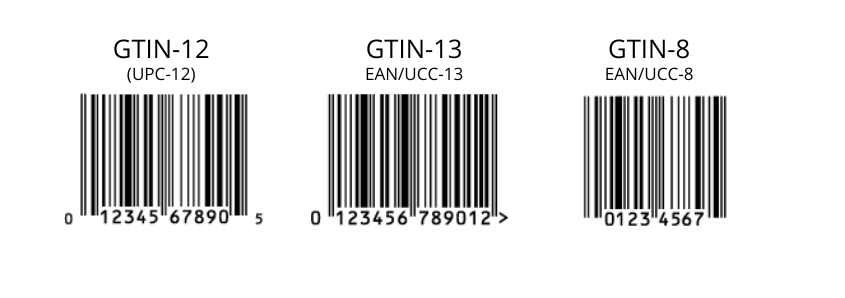

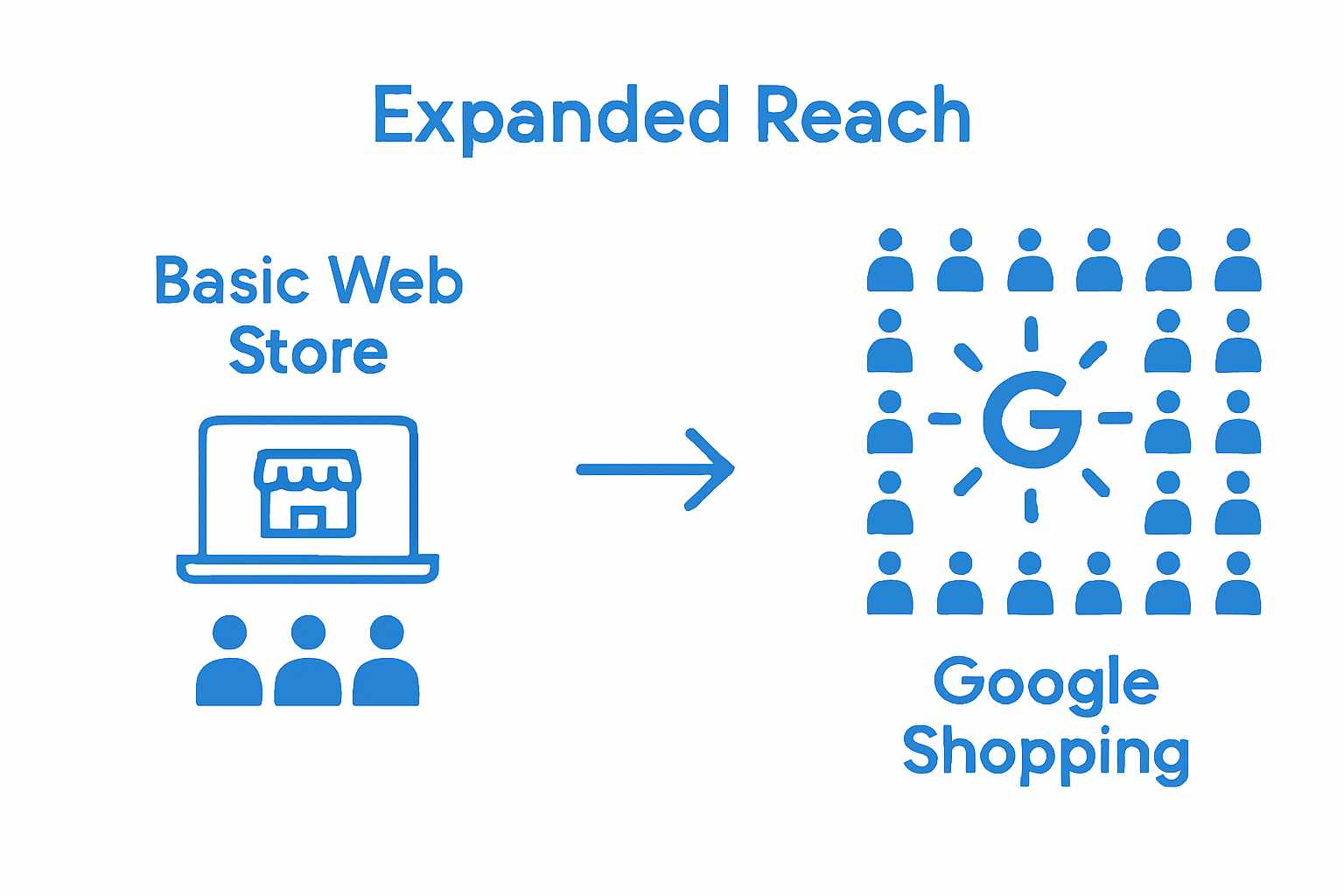

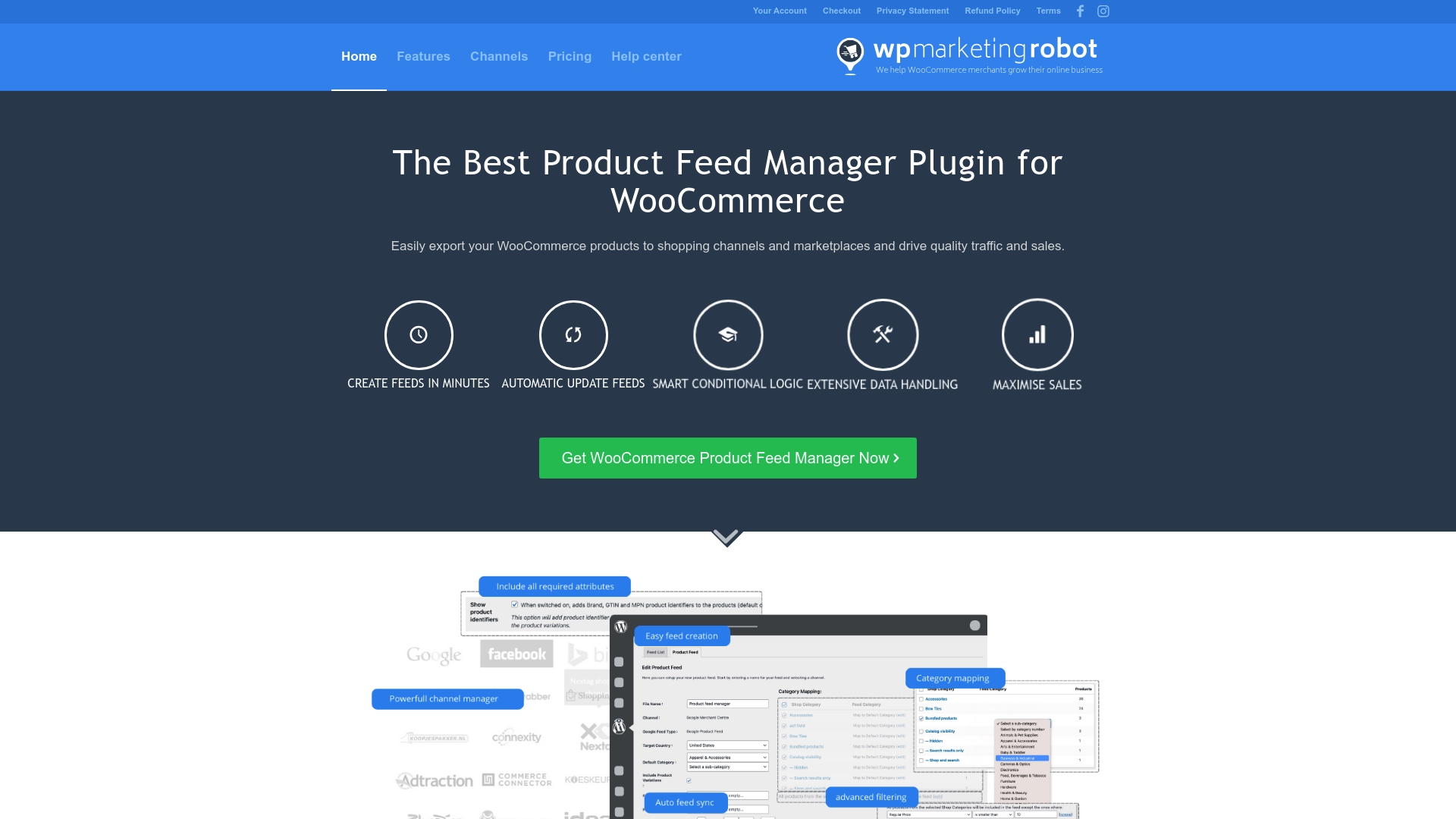
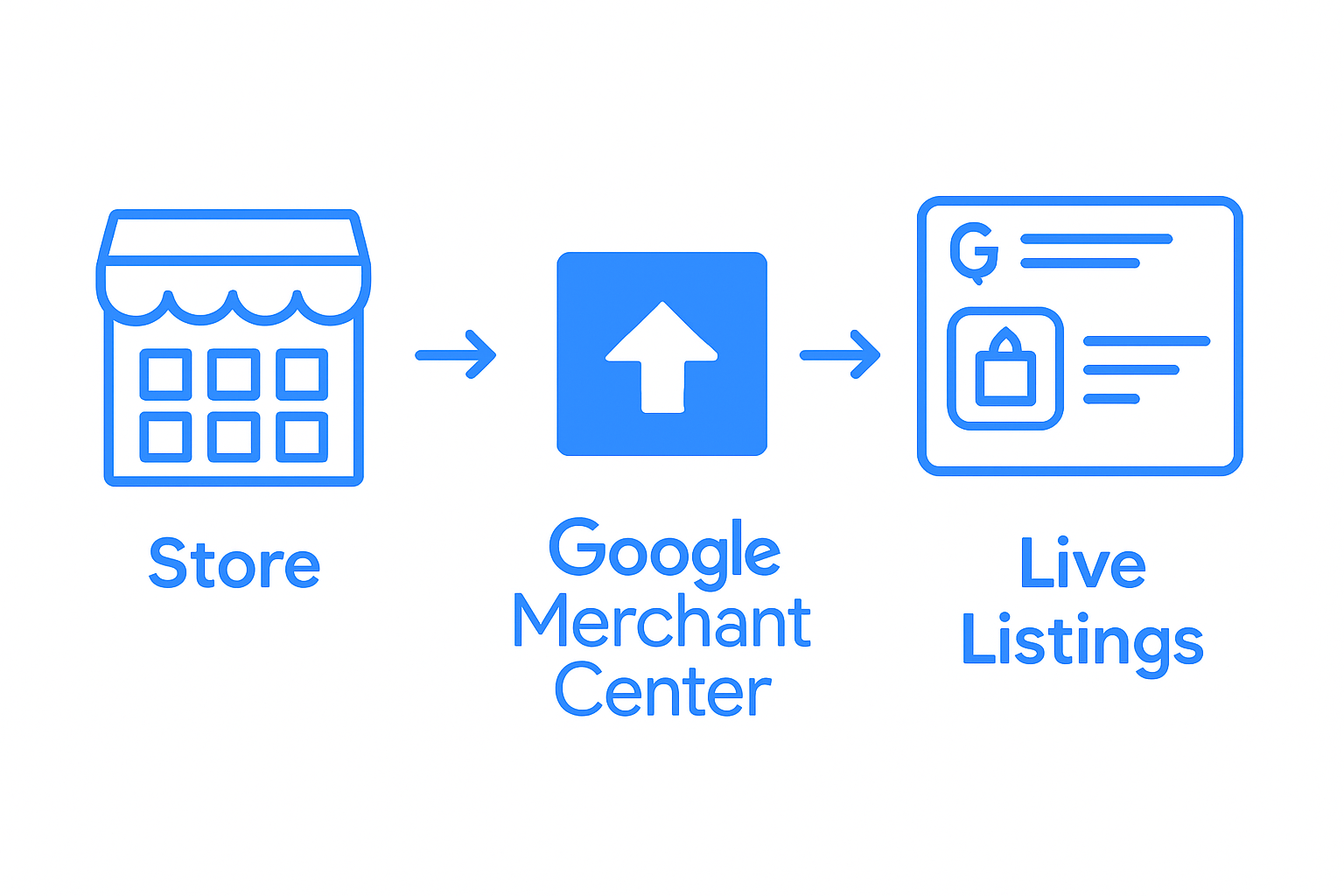


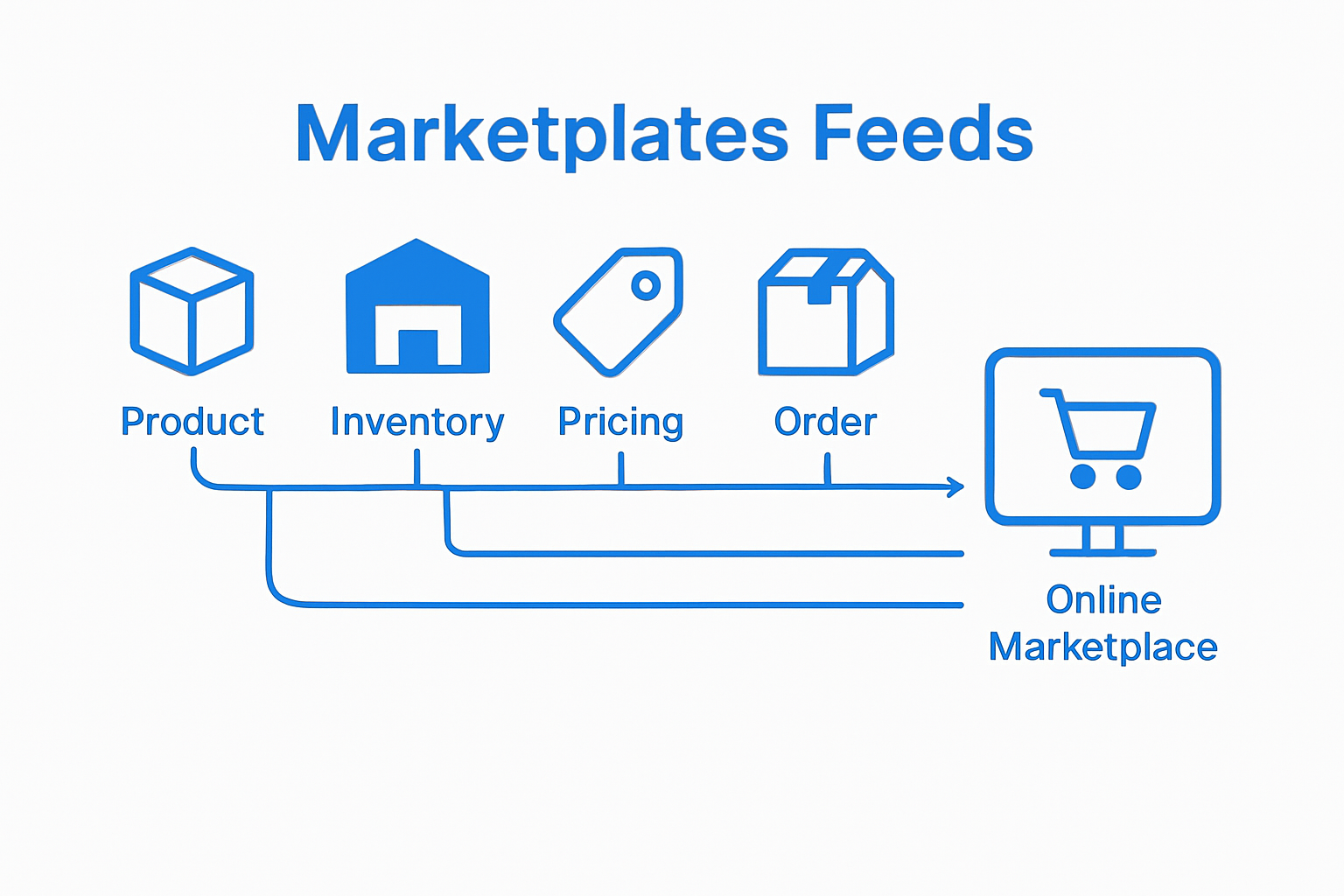 By leveraging these specialized data transmission channels, online sellers can maintain accurate, up-to-date product representations across diverse marketplace platforms, ultimately enhancing their digital sales potential and customer engagement strategies.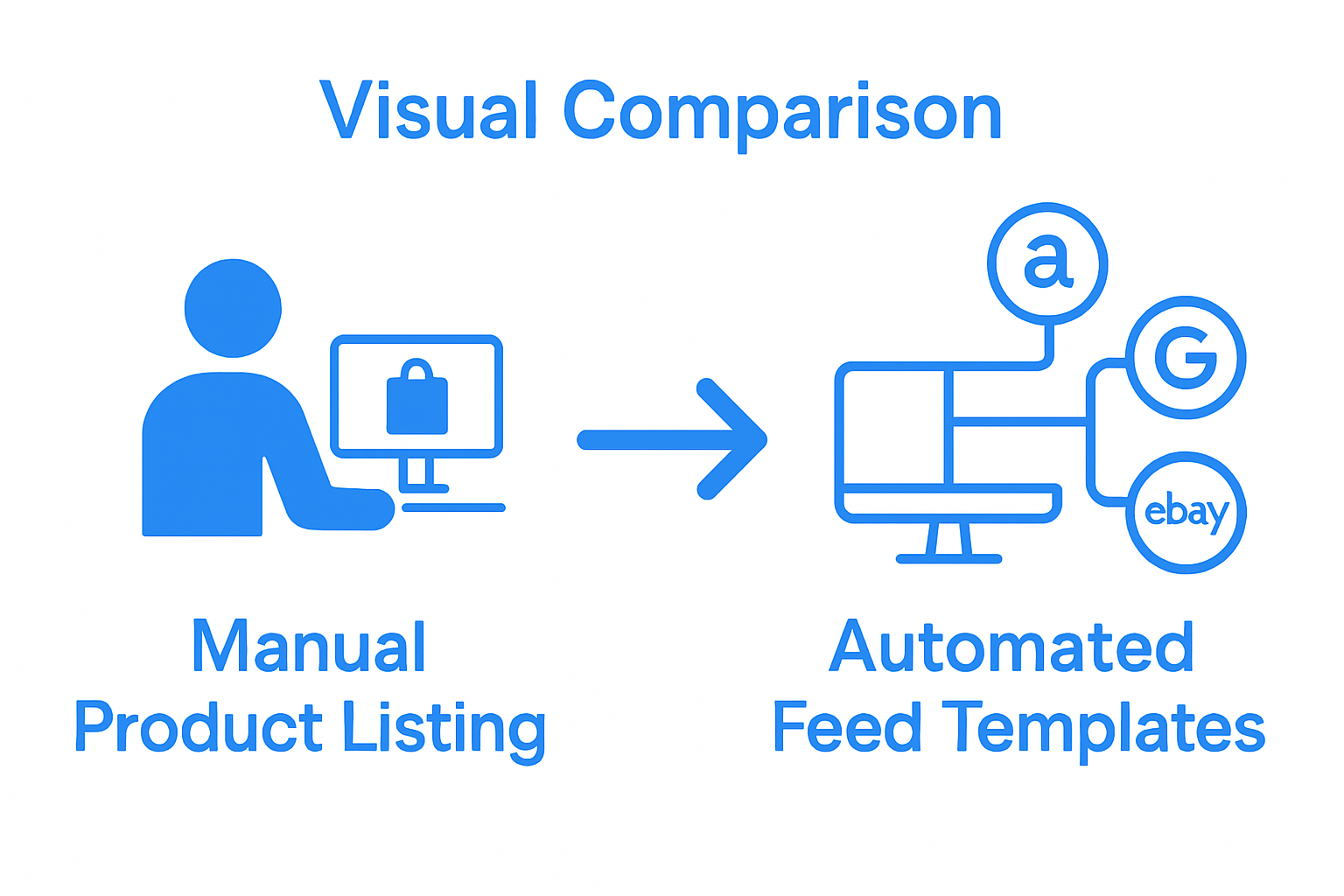

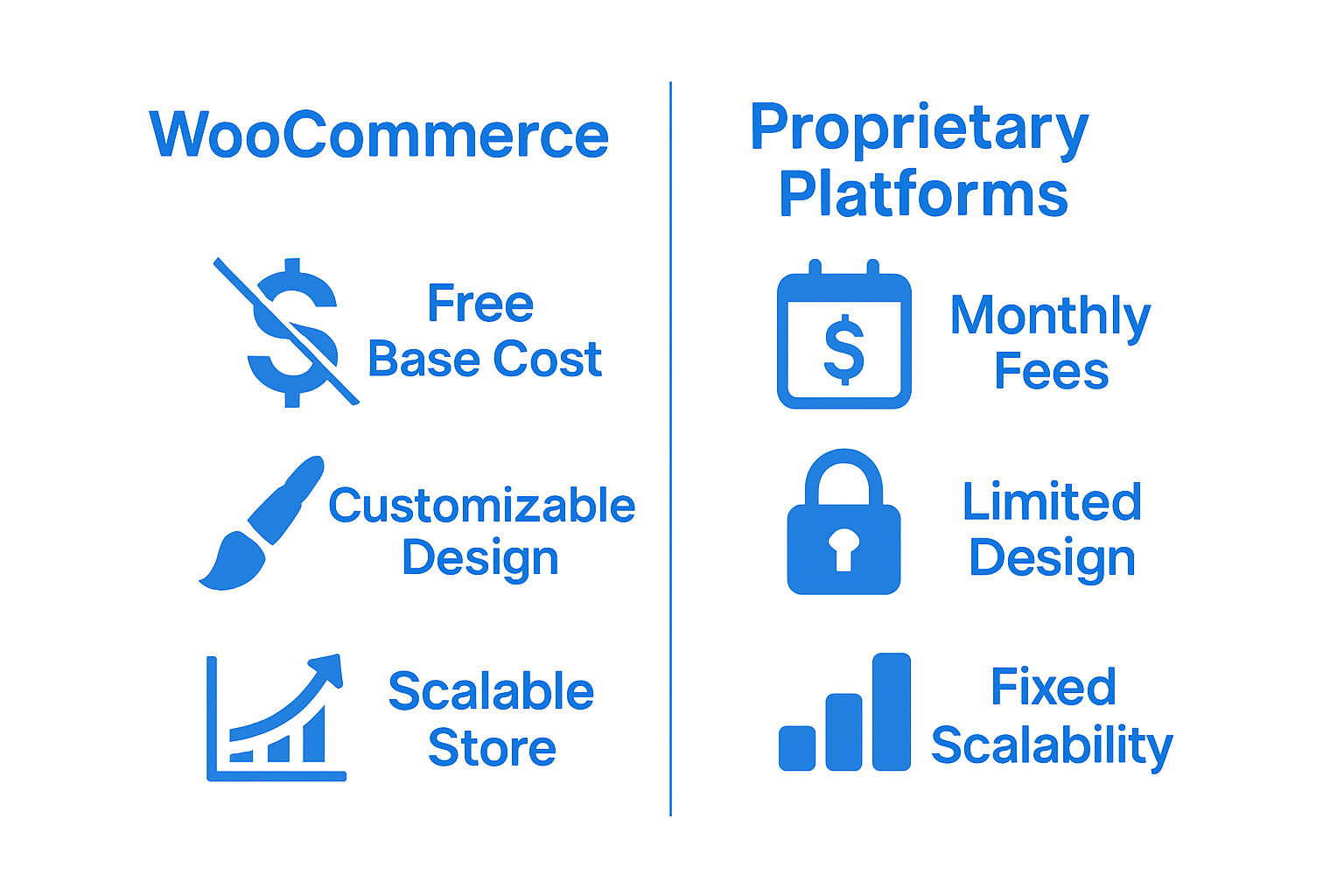 Small businesses can launch professional online stores without substantial financial investment.