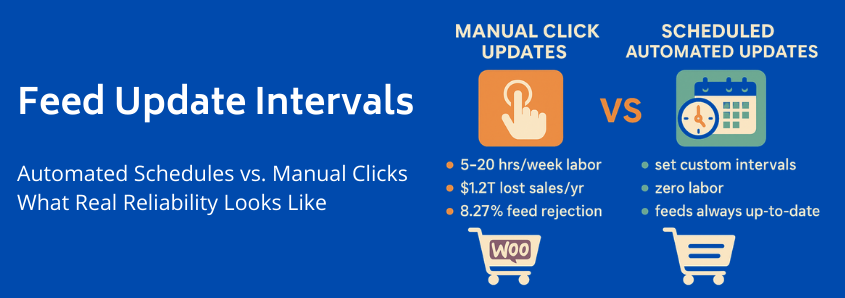
WooCommerce Feed Update Intervals: Automated Schedules vs. Manual Clicks – What Real Reliability Looks Like
You are currently comparing WooCommerce product feed solutions. You’ve noticed that every plugin promises “automation,” but buried beneath the marketing jargon lies a critical difference: the technical methodology behind those updates.
Your job isn’t just to choose a tool; it’s to choose the least operationally burdensome and most financially reliable process.
This guide will move beyond feature lists to provide a transparent, data-driven framework for evaluating stability. We will show you why relying on manual clicks or low-tier “automated” solutions introduces risks far exceeding the cost of true automation, demonstrating what separates a feature that is merely ‘automatic’ from one that is genuinely reliable.
Phase 1: The Trap of Manual Updates (The Pain Point)
Many store owners start with the deceptively simple solution: a manual export followed by an upload to Google Merchant Center or Facebook Catalog. Others rely on basic plugins that require someone to physically push a button daily or hourly. This approach is not a solution; it’s an operational trap.
The moment you rely on manual intervention—or intermittent automation—you introduce three severe, often hidden, costs to your business.
The Hidden Cost of Labor: Manual Clicks and Wasted Time
Consider the time spent generating, validating, and uploading feeds across multiple channels.
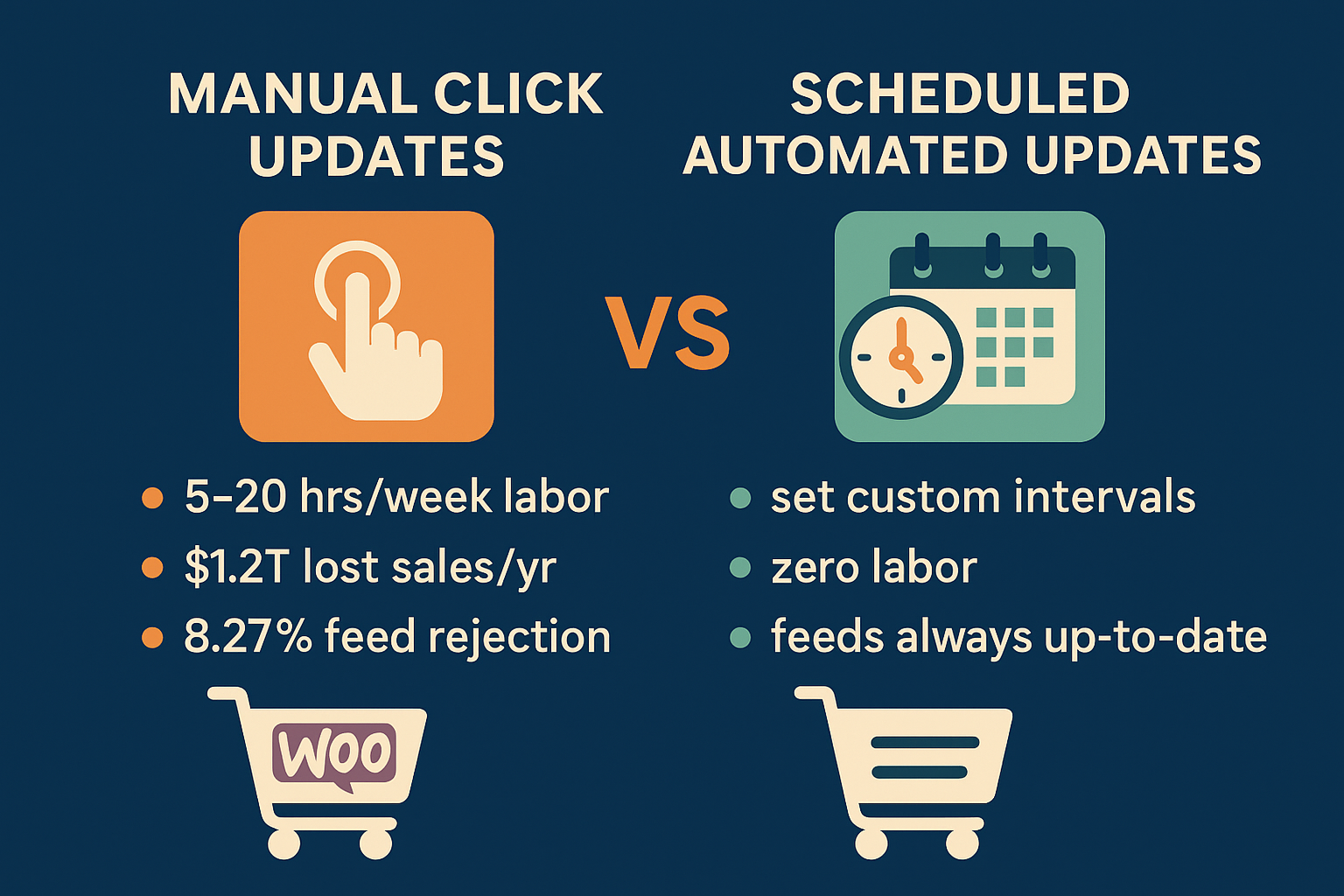
For a modest to large WooCommerce catalog, manual management quickly consumes significant staff time. Our research indicates that manual updates require 5 to 20+ hours per week of dedicated labor. These are hours that could be spent optimizing ad copy, managing inventory, or enhancing customer experience. Even if you value your time conservatively, true automation, which costs ~$50–$120 annually for a robust solution, is recouped in lost labor costs almost immediately.
The Hidden Cost of Financial Risk: Stale Data
Manual updates create periods of vulnerability. What happens if a popular item sells out between your 9 a.m. update and your 1 p.m. manual run?
When product feeds contain stale inventory or pricing data, search engines and marketplaces display inaccurate ads to your customers. This leads directly to two outcomes, both disastrous for customer experience and your bottom line:
- Stockouts: A customer clicks an ad for an out-of-stock item. You’ve paid for the click, annoyed the customer, and lost the sale. Globally, stale inventory data contributes to over $1.2 trillion in annual lost sales. Stockouts alone are responsible for up to 20% of online cart abandonments.
- Price Mismatches: If the price in your feed is lower than the price on your site, you might incur unexpected costs; if it’s higher, you deter the buyer and risk losing trust.
The Hidden Cost of Channel Disapproval and Suspension
Marketplaces like Google Shopping and Amazon impose strict freshness requirements. When your feed is manually updated, there’s a higher chance of technical errors, missing attributes, or synchronization issues because of the repeated manual touchpoints.
WooCommerce stores exporting product feeds face an estimated 8.27% rejection rate on Google Merchant Center (GMC), which is significantly higher than other platforms. Common rejection causes—such as shipping errors (23.49%) and missing attributes (5.53%)—are exacerbated by unreliable, infrequent feed generation.
Reliable automation, driven by expert systems like those we design at WP Marketing Robot, addresses these core issues in attribute mapping and data validation before the feed even leaves your server, drastically reducing the risk of costly rejections and suspensions.
Phase 2: The Reliability Spectrum (The Technical Differentiator)
When evaluating solutions, you need to understand that not all “automatic updates” are created equal. You must ask: How is the plugin scheduled to run?
There is a reliability spectrum that defines the true operational overhead of your chosen solution.
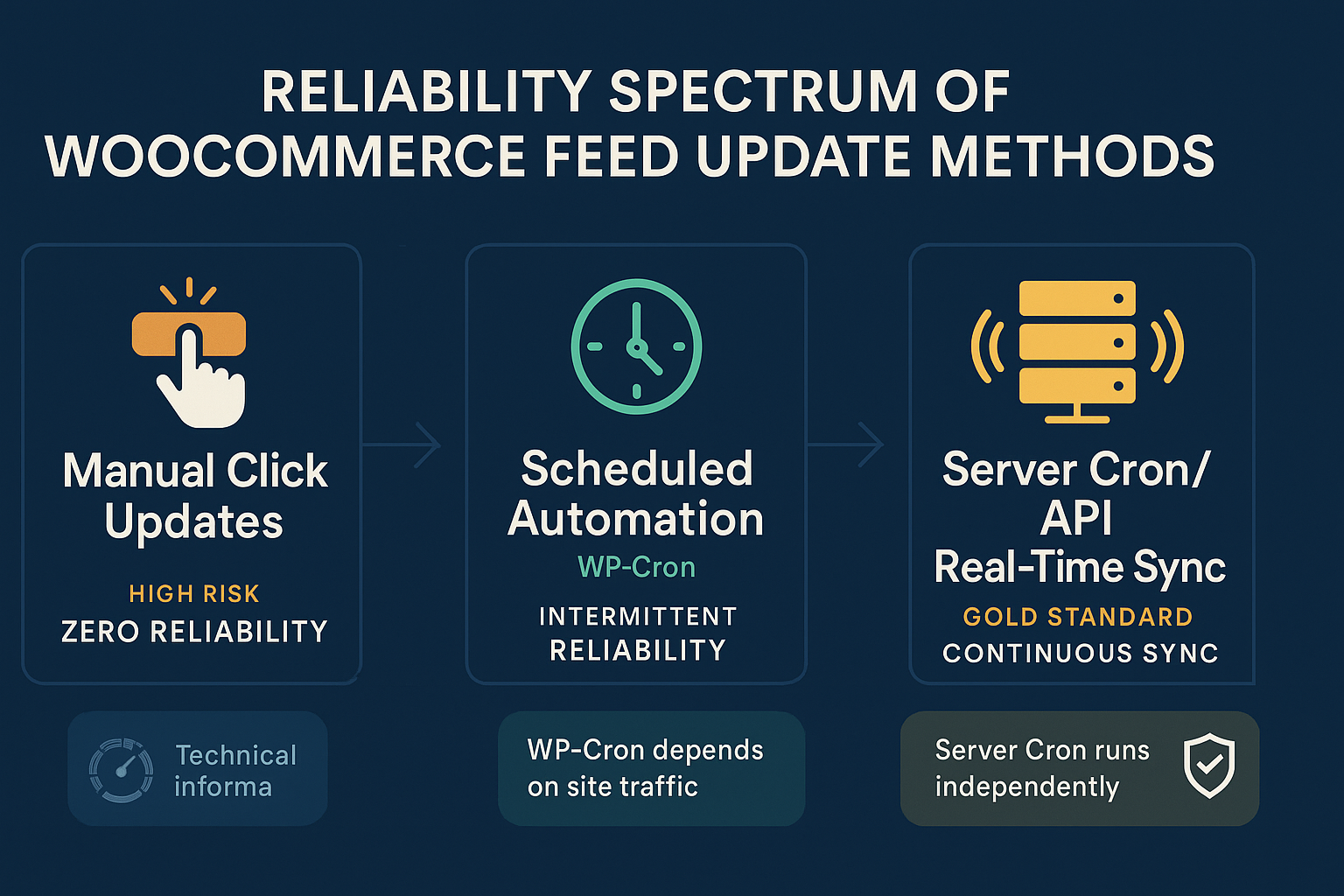
Level 1: The Manual Click (Maximum Risk)
Requires human action to initiate feed generation. Reliability hinges entirely upon human memory and availability. Any delay equals stale data.
Level 2: Scheduled Automation (The WP-Cron Problem)
Most free or basic WooCommerce plugins utilize WP-Cron for scheduling. This is a crucial technical detail.
WP-Cron is not a true system-level cron job. It is an internal function that only executes when someone visits your WordPress website.
- High-Traffic Site: If your site has consistent traffic, WP-Cron might run frequently enough to approximate the desired synchronization interval.
- Low-Traffic Site: If you experience periods of low traffic (e.g., overnight, weekends), the scheduled update is missed until the next website visitor arrives.
This dependency on external traffic makes WP-Cron-based automation inherently unreliable, particularly for stores with significant inventory flux or those aiming for true set-it-and-forget-it functionality. This is the bottleneck for reliability.
Level 3: The Gold Standard: Server Cron and Event-Based Sync (True Reliability)
True reliability is achieved through server-level scheduling, independent of website traffic.
For our primary product, the WooCommerce Product Feed Manager, we ensure updates are handled by reliable mechanisms, preventing the WP-Cron reliability drift. This is what you should look for:
- Server Cron: The ability to configure a system-level cron job that executes at the exact interval you define (e.g., every 30 minutes) regardless of who is visiting your site. Your feed runs exactly when it should.
- Event-Based Synchronization: Even better than strict time intervals is an event-based approach. The plugin detects a true change in your product data—like an inventory decrease or a price change—and automatically triggers the necessary update structure.
This sophisticated approach, built on the principles of precision and experience that guide WP Marketing Robot, guarantees that when you update your WooCommerce product, that change is automatically synced across all channels without monitoring overhead—it only takes one place to edit.
Phase 3: The ROI of True Automation (The Solution)
Switching from high-risk manual or unreliable WP-Cron updates to a professionally developed, server-cron-based solution is an operational necessity, not an optional expense.
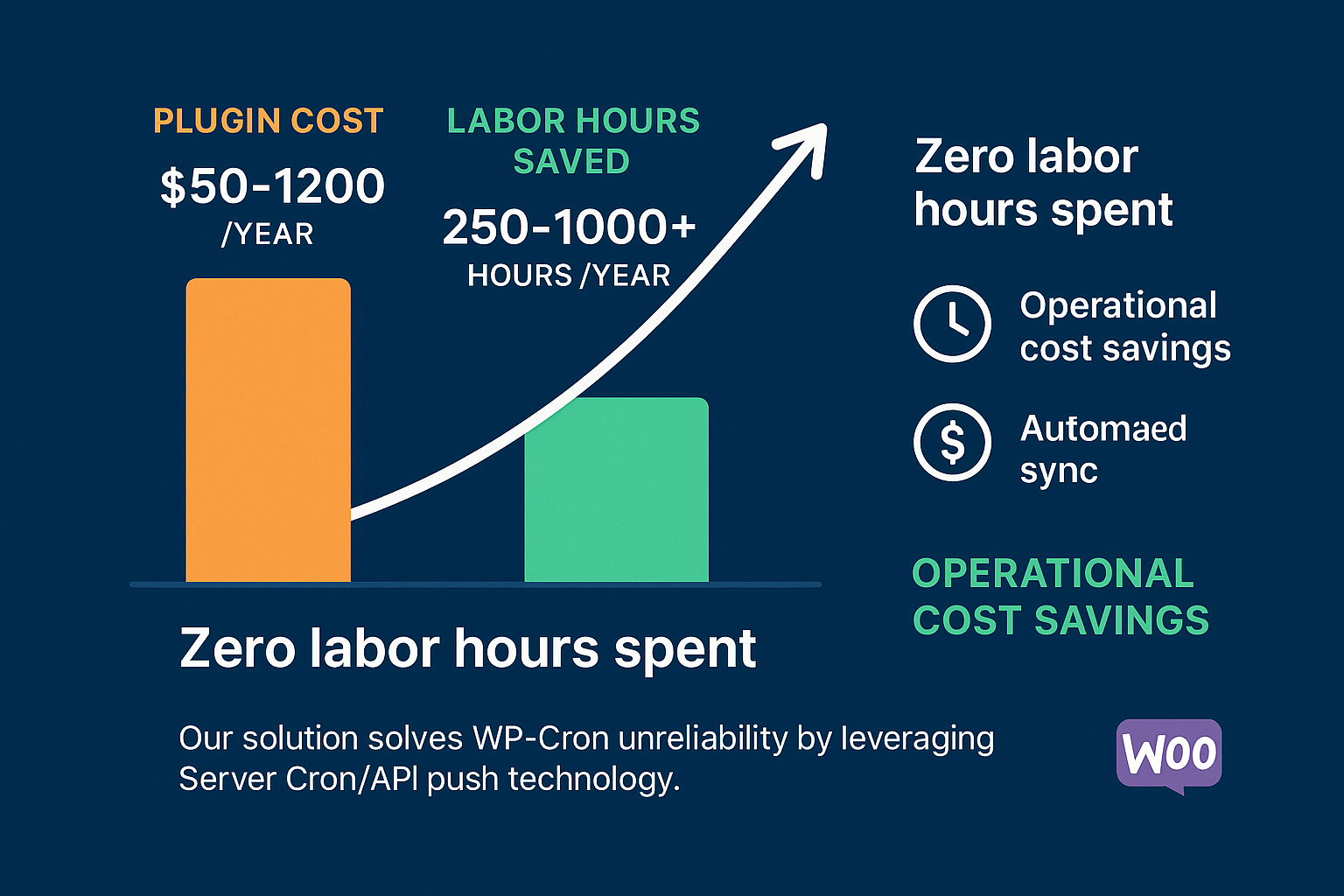
The return on investment (ROI) is staggering when factoring in labor saved and risk mitigated.
The Quantifiable Savings
If a single manual update task requires 30 minutes daily (a conservative estimate for multi-channel management), you are spending approximately 10 hours per month on repetitive, high-risk work. Annualized, that’s 120 hours.
If your labor cost is $25/hour (low end), you are spending $3,000 annually just to manually maintain feeds.
The annual cost of our robust, multi-channel Ecommerce Plan is €99.
$$\text{Manual Labor Cost } (\sim €3,000) \gg \text{Reliable Automation Cost } (€99)$$
The solution enables you to eliminate 250 to over 1,000 labor hours per year (depending on catalog size) while virtually eliminating the financial risk of stale data and greatly reducing the risk of a GMC suspension. That’s the real meaning of partnership in eCommerce success.
Next Steps: Decision framework for the MOFU user
You are no longer looking for a plugin that claims to update automatically. You are looking for a solution that guarantees operational reliability.
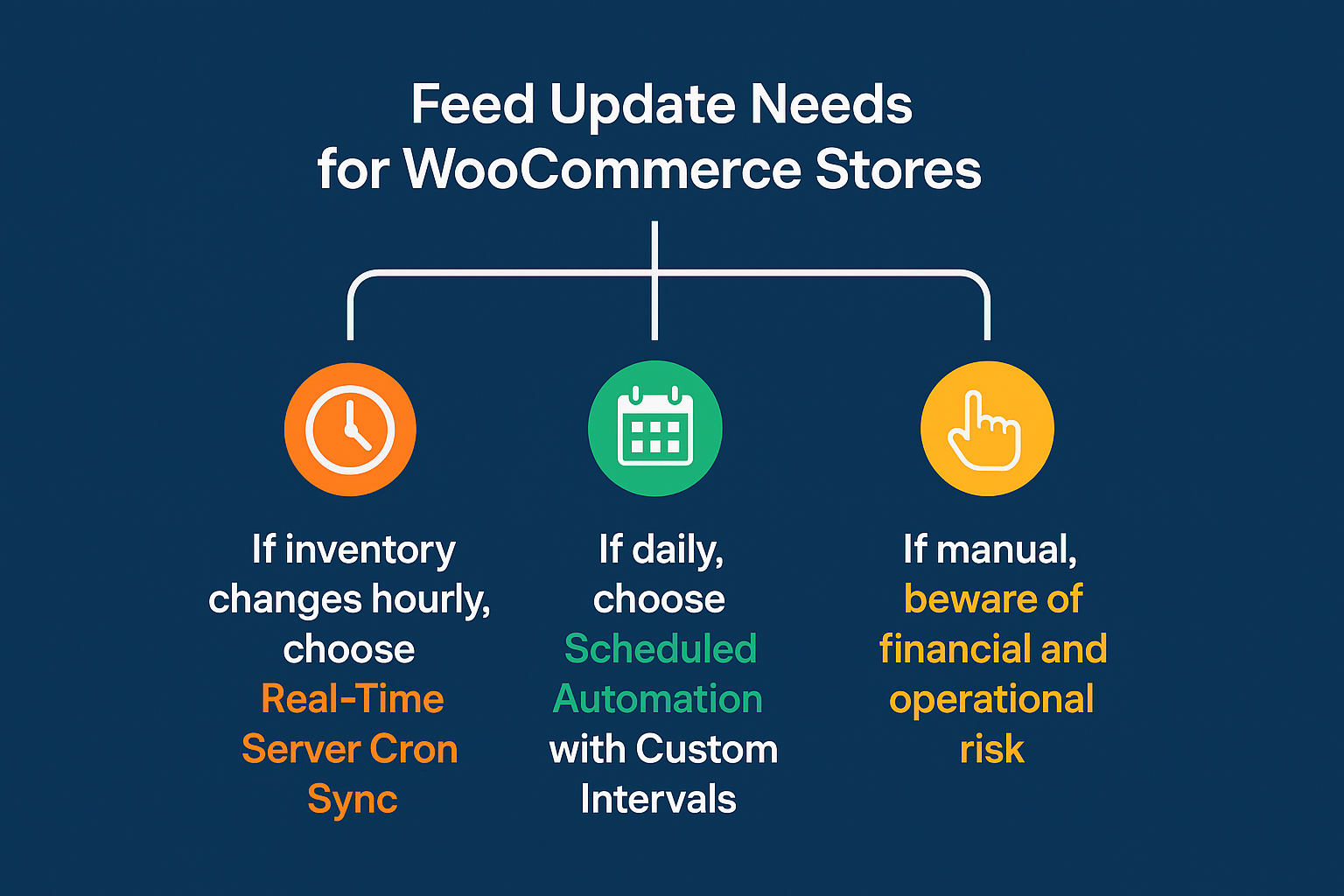
When concluding your evaluation, use this framework to assess whether a product feed solution meets your needs:
| Scenario | Recommended Update Strategy | Why It’s Necessary |
|---|---|---|
| Volatile Inventory (Dropshipping, limited stock, flash sales) | Server Cron / Event-Based Sync (Every 15-60 min) | Eliminates stockout risk (the $1.2T problem) and maximizes fresh data performance. |
| Stable Catalog (Custom products, low stock turnover) | Scheduled Automation (Server Cron based) (Daily or Twice Daily) | Maintains compliance and handles price changes without requiring manual intervention. |
| High Labor Cost (Paying employees high wages for data entry) | True Automation | Immediate ROI by saving hundreds of labor hours annually, offsetting the plugin cost instantly. |
| Multi-Channel Presence (Google, Facebook, Amazon, etc.) | True Automation | Ensures consistency and manages unique data requirements across different channels from one central location. |
The Power of One
A truly effective feed manager empowers you to make changes in one place—your WooCommerce product dashboard—and know that the required feed updates follow automatically, reliably, and compliably across all your critical sales channels.
If you are looking to define a process that is genuinely set-it-and-forget-it, you need a technical foundation that moves beyond the unreliable nature of WP-Cron and manual clicks. You need a trusted partner whose tools are engineered for precision and experience.
Ready to reduce your operational risk and automate your product feed management with guaranteed reliability? Explore our plans and features today.
Evaluation Criteria FAQ
Q1: Can’t I just increase my WP-Cron frequency to make it reliable?
A: While you can attempt to reduce the delay by manipulating the WP-Cron interval, you cannot eliminate the fundamental flaw: WP-Cron still requires a page visit to fire. If your site has a few minutes of zero traffic, the scheduled update will be arbitrarily delayed. For critical synchronization tasks, Server Cron offers the deterministic timing necessary for true reliability.
Q2: What if my hosting provider doesn’t allow Server Cron access?
A: This is a common challenge for merchants using shared hosting. A reliable plugin, like the WooCommerce Product Feed Manager, should offer built-in, secondary scheduling options that intelligently mitigate the risks associated with dependency on passive traffic. However, for maximum performance and reliability, we always recommend utilizing robust hosting that supports standard cron jobs.
Q3: How does multi-language and multi-currency support affect update reliability?
A: It significantly increases the complexity and the risk of manual error. Each language and currency often requires its own dedicated feed, effectively multiplying the workload. With a reliable, specialized plugin, the system handles the creation and segregation of these feeds automatically based on your language/currency settings, significantly decreasing the risk of cross-feed errors inherent in multi-language and multi-currency environments. Manual management of these varied feeds is a recipe for high rejection rates.
Q4: Does reliable automation mean my feed is being updated constantly?
A: Reliability means it updates when it is scheduled to update. Constant updating is often unnecessary and can strain resources. A good solution allows you to set the custom update interval (e.g., hourly, every 3 hours, daily) based on your specific inventory volatility. For high-volume stores, hourly updates via Server Cron provide the perfect balance between risk mitigation and server performance.


Leave a Reply
Want to join the discussion?Feel free to contribute!