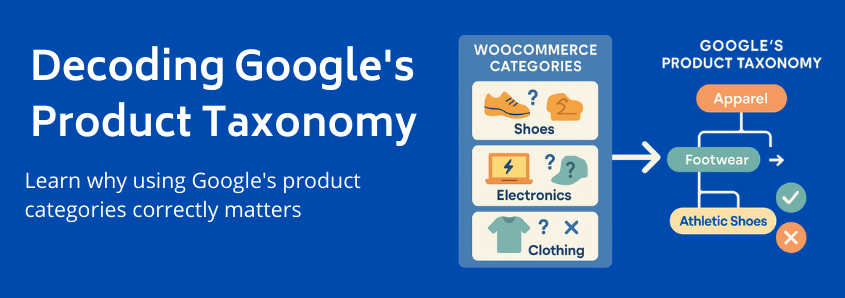
“But I Already Have Categories!” Why WooCommerce and Google Speak Different Languages
You’ve poured your heart into creating a beautiful WooCommerce store. Your product photos are stunning, the descriptions are compelling, and your website is a joy to navigate. You’re ready for the world to see what you offer. So, you set up a Google Shopping campaign, export your products, and wait for the sales to roll in.
But they don’t.
Instead, you’re met with a trickle of traffic, a dashboard full of warnings, or worse, a list of disapproved products. It feels like you’re shouting into the void. What’s going wrong?
The answer often lies in a powerful but frequently misunderstood system: Google’s Product Taxonomy. Getting this right is one of the most critical factors for success on Google Shopping, yet it’s a common stumbling block for even savvy WooCommerce merchants.
This guide will demystify the taxonomy, show you why it’s so important, and give you the foundational knowledge to turn your product listings from invisible to irresistible.
“But I Already Have Categories!” Why WooCommerce and Google Speak Different Languages
This is the first and most crucial “aha moment” for many merchants. You’ve meticulously organized your store with categories like “New Arrivals,” “Men’s Style,” or “Winter Warmers.” These are perfect for helping customers navigate your website.
However, Google doesn’t understand them.
Google needs to organize billions of products from millions of sellers into a single, universal system. To do this, it created its own mandatory product taxonomy, a giant, standardized library of over 6,000 categories.
Think of it this way:
- Your WooCommerce Categories are like the custom sections in your personal library. You might have a shelf labeled “Favorite Reads” or “Books to Lend.” It makes perfect sense to you.
- Google’s Product Taxonomy is like the Dewey Decimal System used by every public library. It’s a universal code that ensures a book on gardening is in the same section, no matter which library you visit.
To sell on Google, you must translate your internal categories into Google’s universal language.
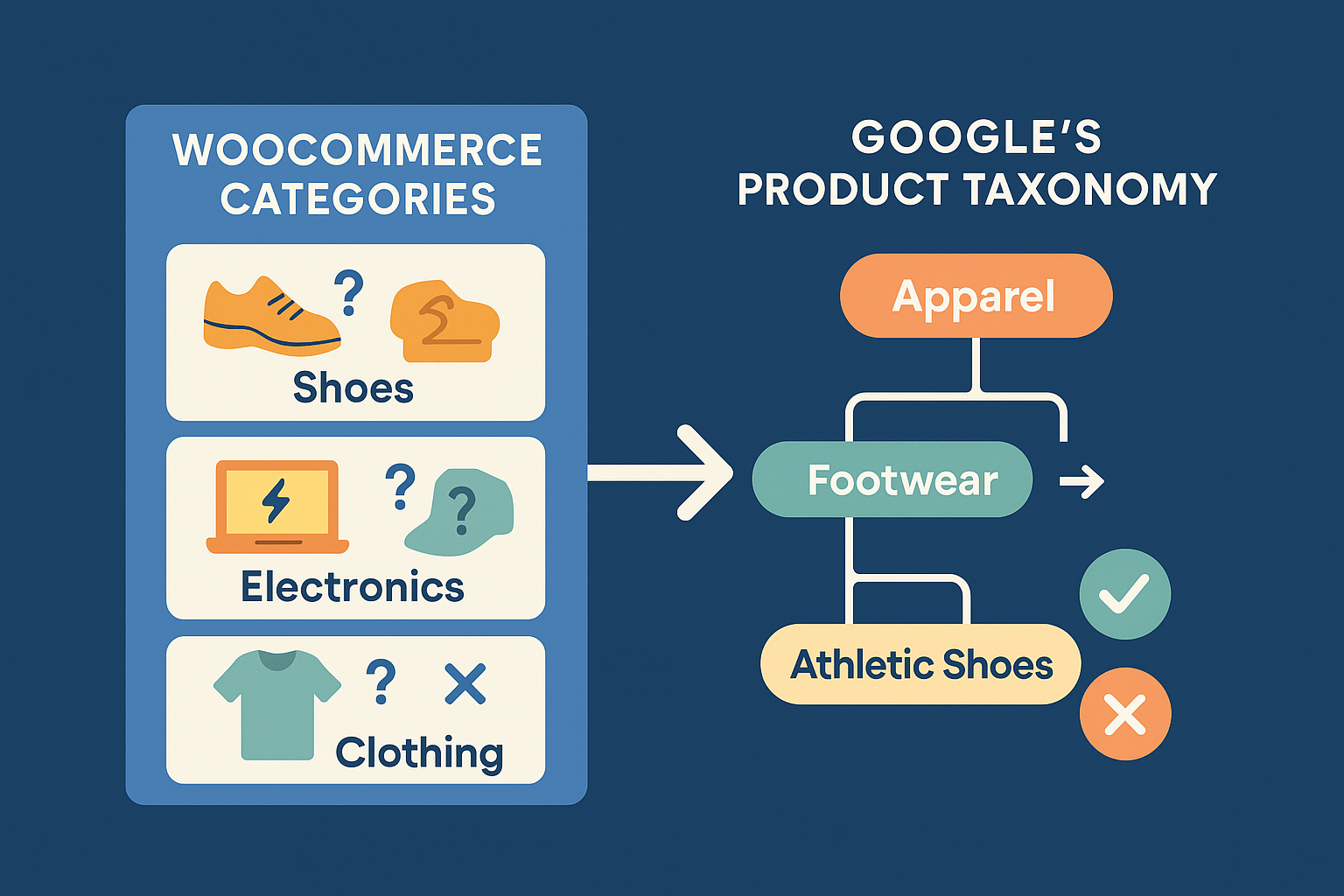 (Your internal store categories vs. Google’s standardized taxonomy)
Failing to provide the correct Google category is like trying to shelve your gardening book in the fiction section. Shoppers will never find it, and the librarian (Google’s algorithm) will flag it as misplaced.
The High Cost of Mismatched Categories: More Than Just an Error Message
Incorrectly categorizing your products isn’t just a minor administrative error; it has a direct and damaging impact on your bottom line. When your product is in the wrong digital aisle, you face several consequences:
- Drastically Reduced Visibility: Google shows products to users based on relevance. If you’re selling a “Women’s Leather Handbag” but have it broadly categorized as just
Apparel & Accessories, you’ll lose out to competitors who have correctly specifiedApparel & Accessories > Luggage & Bags > Handbags. Google’s algorithm favors specificity, and this directly impacts your overall product visibility. - Product Disapprovals: For certain categories like apparel, media, or software, Google requires a specific product category. Submitting products without one, or with an incorrect one, will lead to disapprovals in your Google Merchant Center, effectively removing them from the marketplace.
- Wasted Ad Spend: If your product does manage to get shown for the wrong searches, you’ll be paying for clicks from unqualified buyers. A user searching for “running shoes” who clicks on your ad for “fashion sneakers” is unlikely to convert, wasting your budget and lowering your Quality Score.
- Ineligibility for Promotions: Proper categorization is often a prerequisite for participating in Google’s promotional programs and specialized ad formats, shutting you out of key sales opportunities.
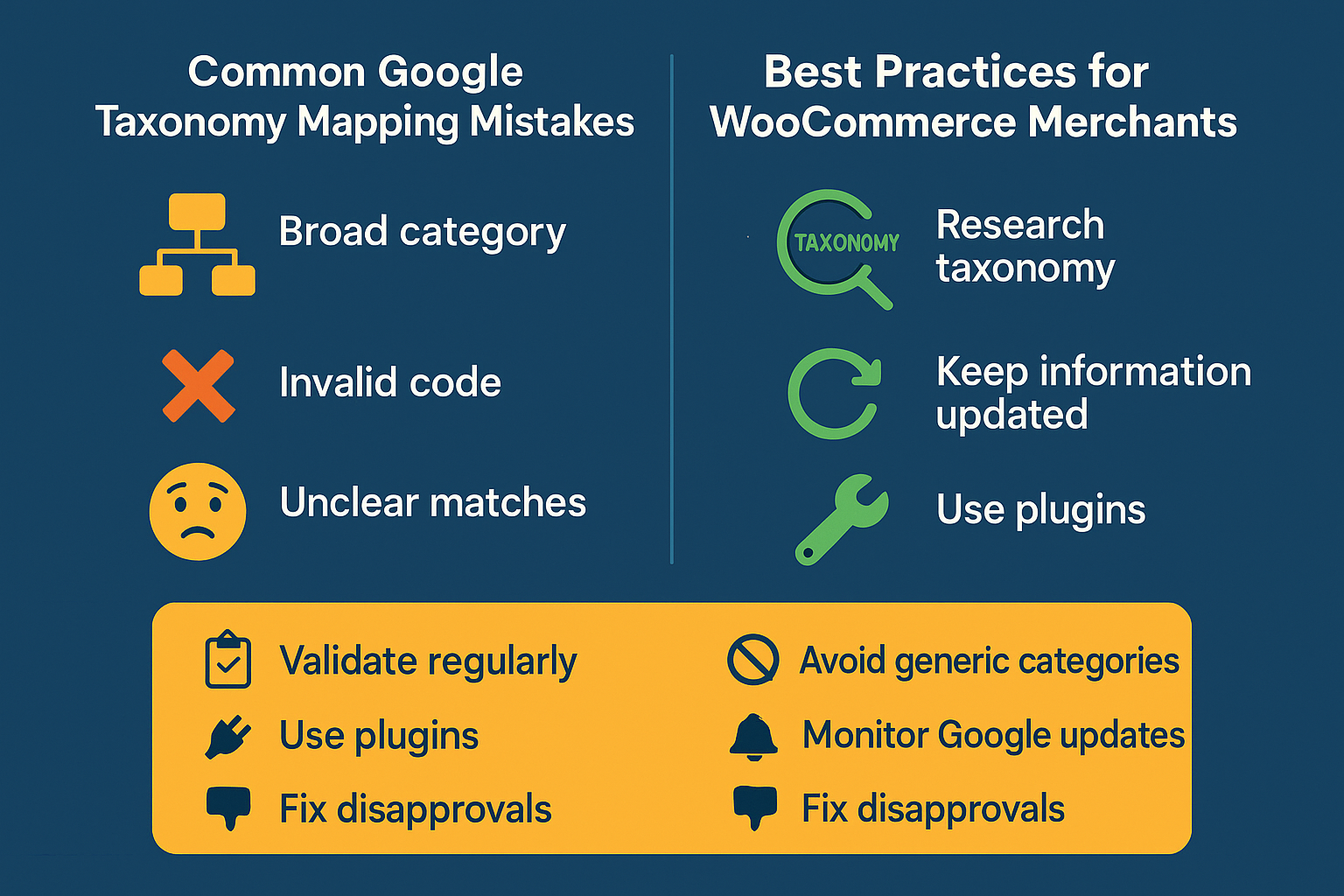
(Image 2: The tangible impact of correct vs. incorrect categorization on ad performance.)
google_product_category vs. product_type: Decoding the Data Feed
When you look at your product feed, you’ll see two attributes that seem similar but serve very different purposes. Understanding this distinction is key to taking control of your listings.
google_product_category (The Official Attribute)
This is the non-negotiable attribute. It’s where you must provide the exact category ID or path from Google’s official taxonomy list. It tells Google precisely where to file your product in its massive catalog.
- Purpose: For Google’s algorithm to understand, classify, and correctly display your product.
- Format: Must be a specific number (e.g.,
2271) or the full text path (e.g.,Apparel & Accessories > Clothing > Outerwear > Coats & Jackets). - Control: Google defines the options. You must choose from their list.
product_type (Your Custom Attribute)
This is your internal, flexible categorization system. You can use your own WooCommerce category structure here (e.g., Men's > Footwear > Boots). While Google doesn’t use this for core classification, it’s incredibly valuable for managing your advertising campaigns.
- Purpose: For you to organize, filter, and structure your Google Ads campaigns.
- Format: Free-form text. You can define it however you like.
- Control: You have full control. This is your personal labeling system.
An effective strategy in ecommerce feed management uses both. You use google_product_category to play by Google’s rules and ensure visibility, and you use product_type to create bidding strategies and analyze performance based on your business structure.
How to Find the Right Google Product Category for Your Items
Now for the practical part. How do you find the right category for each of your products? It’s a process of drilling down from the general to the specific.
- Start with Google’s Official List: Google provides the full taxonomy in a downloadable spreadsheet. You can find the latest version by searching for “Google Product Taxonomy list.”
- Search with Keywords: Open the list and use
Ctrl + F(orCmd + Fon Mac) to search for keywords related to your product (e.g., “shirt,” “desk,” “moisturizer”). - Start Broad, Then Get Specific: The taxonomy is hierarchical. Let’s say you sell a men’s polo shirt.
- You start with
Apparel & Accessories. - From there, you drill down to
Clothing. - Then, you find
Shirts & Tops. - Finally, you arrive at the most specific category:
Polo Shirts.
- You start with
Your final category would be: Apparel & Accessories > Clothing > Shirts & Tops > Polo Shirts. This level of detail tells Google exactly what you’re selling, ensuring you show up for the most relevant searches.
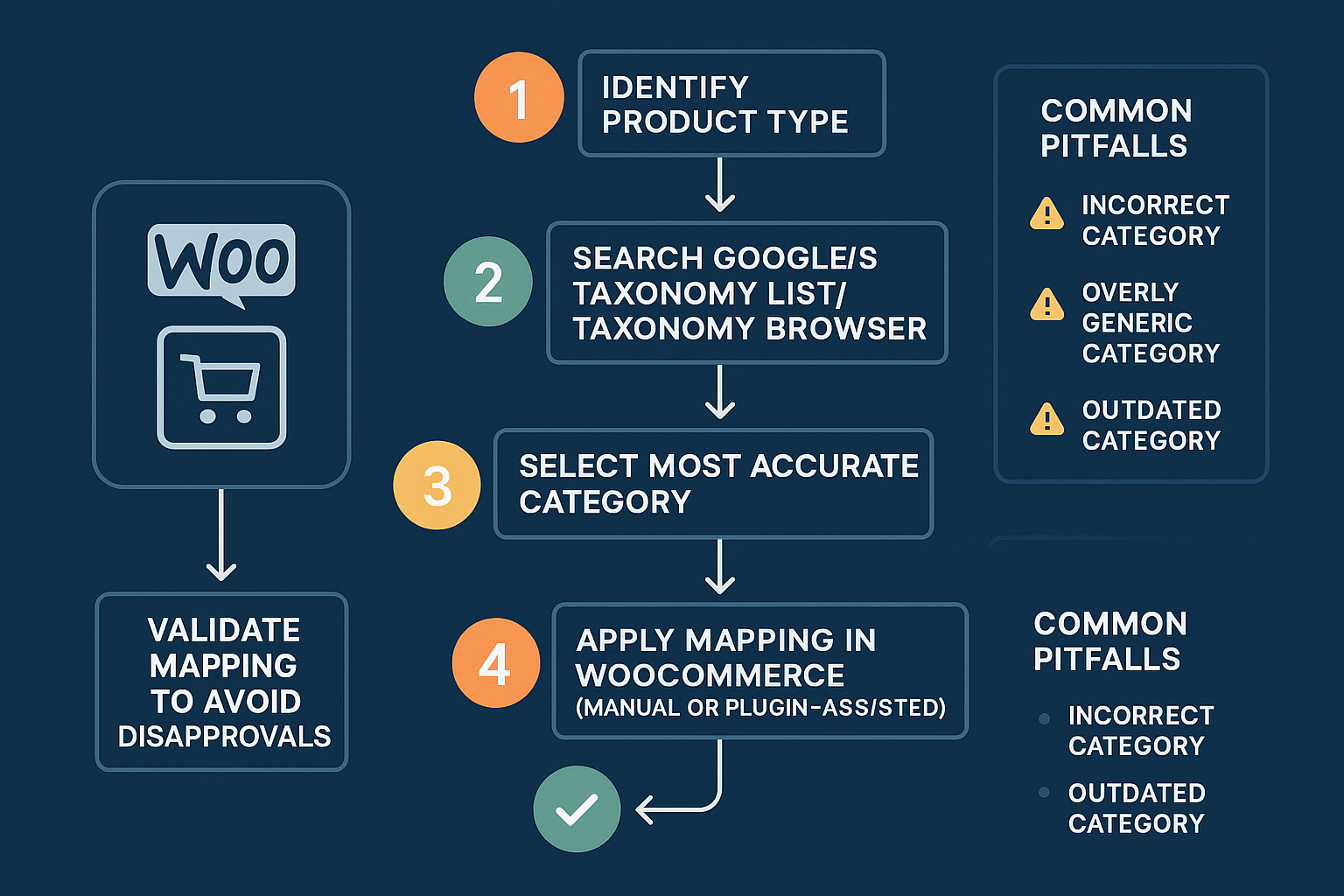 (Image 3: A simple decision-making process for finding the most specific category.)
The more accurate and specific you are, the better. A complete and accurate Google Shopping product feed is built on this foundation of precise categorization.
Frequently Asked Questions (FAQ)
What is Google Product Taxonomy in simple terms?
It’s Google’s mandatory filing system for all products sold on its platform. You have to tell Google which “shelf” your product belongs on by using one of its 6,000+ predefined categories.
Why is it so important for my WooCommerce store?
It directly impacts whether your products are approved, how visible they are in search results, and how effectively your ad budget is spent. Correct categorization connects you with relevant shoppers and boosts your chances of making a sale.
How do I find the correct Google category?
Start with Google’s official taxonomy list. Search for your product type and follow the “breadcrumb” trail from the broadest category (e.g., Home & Garden) to the most specific one possible (e.g., Home & Garden > Linens & Bedding > Bedding > Comforters).
What happens if I get it wrong?
At best, your products will have low visibility and attract irrelevant clicks. At worst, they will be disapproved and removed from Google Shopping entirely. You can check for these errors by looking at the diagnostics for your Google Merchant Center categories.
My products fit in multiple categories. What should I do?
Always choose the most specific and accurate category. If a running shoe is also a piece of athletic gear, choose Sporting Goods > Athletics > Running Shoes the more generic Sporting Goods > Athletics. The more detail, the better.
Your Path to Better Visibility Starts Here
Understanding and implementing Google’s Product Taxonomy isn’t just a technical task to check off a list—it’s a strategic move that lays the groundwork for your entire Google Shopping success. By translating your products into a language Google understands, you’re not just avoiding errors; you’re actively telling Google’s powerful algorithm who your ideal customers are.
While mapping categories for a handful of products is manageable, the process can become overwhelming for stores with large or frequently changing inventories. This is where a robust and intelligent system for product feed management becomes essential, allowing you to map, filter, and automate these rules with precision and ease.
Take the time to audit your categories. See where you can be more specific. By mastering this foundational element, you’ll be well on your way to transforming your WooCommerce store’s performance on Google Shopping.

Leave a Reply
Want to join the discussion?Feel free to contribute!