Performance Review: Can Your WooCommerce Product Feed Plugin Handle 10,000+ SKUs Without Crashing?
For successful WooCommerce merchants, especially those running dropshipping operations or established SMEs, growth often means one thing: more products. As your catalog swells past a few thousand, the initial excitement of scaling can quickly turn into a significant headache. The question shifts from “Can I export my products?” to “Can my product feed plugin handle 10,000, 20,000, or even 50,000+ SKUs without bringing my site to its knees?”
If you’re reading this, you probably already understand the critical role product feeds play in your online strategy. They’re not just lists; they’re the lifeblood connecting your store to vital channels like Google Shopping, Facebook, and Amazon, driving traffic and sales. But when you’re dealing with a massive inventory, the stakes and the potential for catastrophic failure are much higher.
This isn’t about finding any feed plugin; it’s about finding one that’s engineered for your scale, rigorously tested, and proven to be a reliable partner. We’re going to dive deep into what real performance looks like for large WooCommerce catalogs and how to ensure your plugin is up to the task.
The High-SKU Headache: Why Most Plugins Fall Short
Imagine running an ad campaign only to find half your products aren’t showing because your feed failed to update, or worse, your site crashed during an export, costing you sales and damaging your reputation. These aren’t hypothetical scenarios; they’re daily realities for many large WooCommerce store owners.
WooCommerce, while incredibly flexible, wasn’t originally built for the demands of managing tens of thousands of dynamic SKUs. While it can technically host them, the performance implications are often overlooked until it’s too late. When you introduce a product feed plugin, it adds another layer of complexity, often straining your server resources.
Common issues arise from:
- Database Overload: Each product, variation, and attribute adds to your database size. Exporting this data in bulk often means complex queries that can hog CPU and memory.
- Timeouts and Memory Limits: Generating a massive feed (XML, CSV, etc.) can take time. If the process exceeds your server’s PHP execution time or memory limits, it simply stops, leaving you with an incomplete or corrupt feed.
- Outdated Data: For dropshippers or businesses with rapidly changing stock, a feed that takes hours to generate or updates infrequently means your ad campaigns are showing incorrect pricing, availability, or product details. This leads to disapprovals from advertising platforms and a poor customer experience.
- Admin Slowness: Even navigating the WordPress admin area can become sluggish when queries are constantly running in the background for feed generation.
- Complexity of Variations: Managing hundreds or thousands of variable products can be a major challenge. If your plugin doesn’t handle these efficiently, it can significantly bloat your feed files and slow down generation.
While many plugins claim to support “unlimited products,” this often means there’s no hard limit in their code, not that they can perform sustainably at massive scales. This distinction is crucial for decision-makers like you.
Decoding “Unlimited”: What Real Performance Looks Like for 10,000+ SKUs
The phrase “unlimited products” can be misleading. For serious merchants, it’s not about absence of limits, but about sustained, reliable performance under significant load. Here’s what differentiates a truly scalable product feed plugin:
Batch Processing & Asynchronous Generation
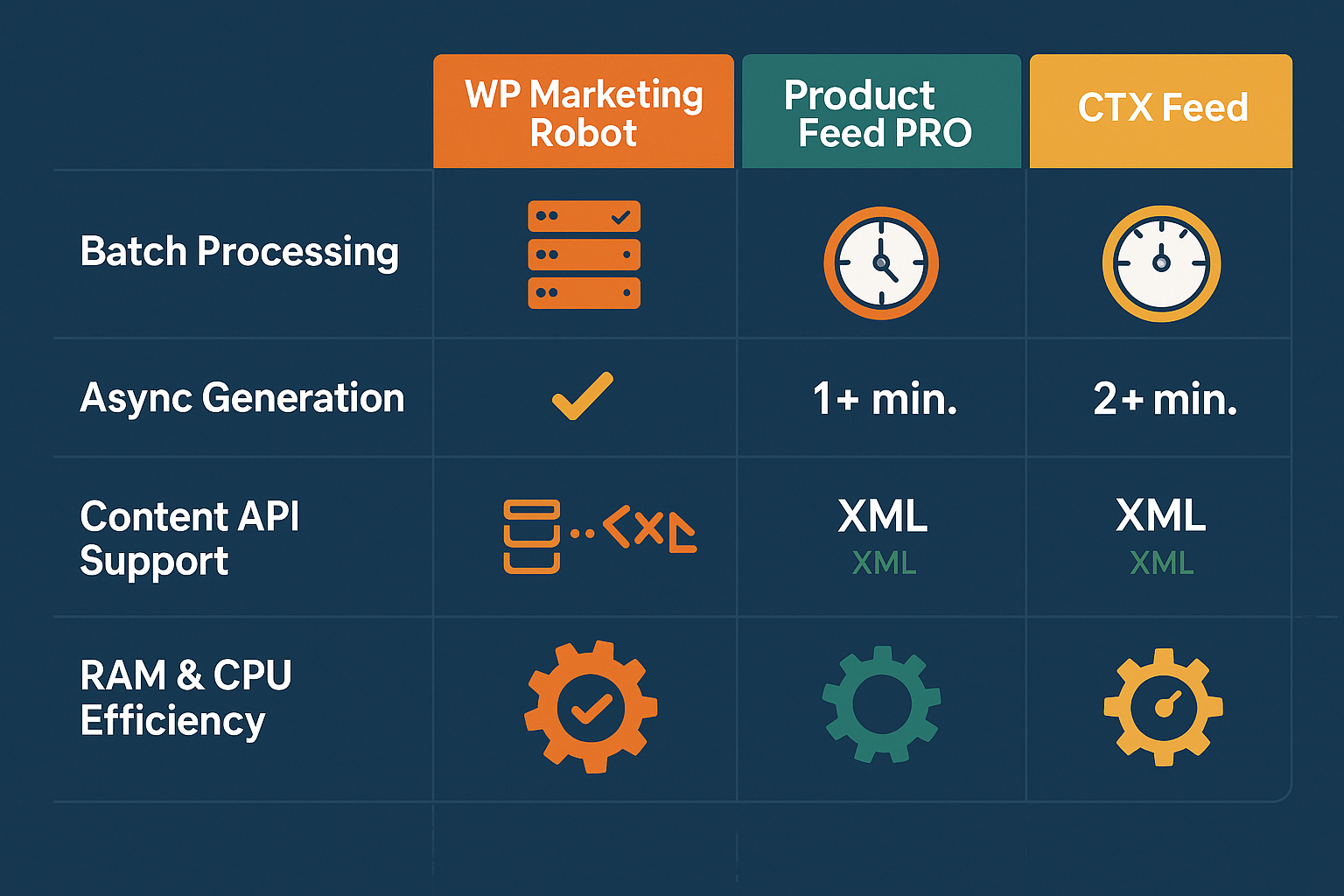
The most critical feature for handling large catalogs is batch processing. Instead of trying to process all 10,000+ SKUs at once (which inevitably leads to timeouts), a robust plugin breaks the export into smaller, manageable chunks. These batches are then processed asynchronously, often in the background, without tying up your server.
Plugins like CTX Feed and WebToffee highlight their use of batch processing to efficiently handle thousands of products and prevent server overloads, with some tested for 50,000+ products. This method drastically reduces the risk of memory exhaustion and PHP timeouts, ensuring even massive feeds complete successfully.
Content API vs. XML/CSV Direct Exports
The method of feed generation significantly impacts performance.
- XML/CSV Direct Exports: Traditionally, plugins generate large XML or CSV files. While effective, this can be resource-intensive, especially for frequently changing inventories.
- Content API: Some advanced solutions, like those discussed by competitors such as Simprosys, leverage Content APIs (e.g., Google’s Content API for Shopping). This method, if properly implemented, can offer real-time updates without impacting store speed, as products are managed directly via API calls rather than generating a giant file. The key here is the plugin’s ability to efficiently manage these API interactions for thousands of products.
Server Resource Footprint
A well-coded plugin minimizes its impact on your server’s CPU, RAM, and database. This means:
- Optimized Database Queries: The plugin should use efficient, indexed queries to pull product data, avoiding unnecessary database strain.
- Low Memory Usage: Clean code and smart data handling prevent the plugin from consuming excessive RAM during operations.
- Intelligent WordPress Cron Usage: Exports and updates should be scheduled using WordPress’s cron system in a way that doesn’t constantly burden your server, executing tasks only when necessary and during off-peak hours where possible.
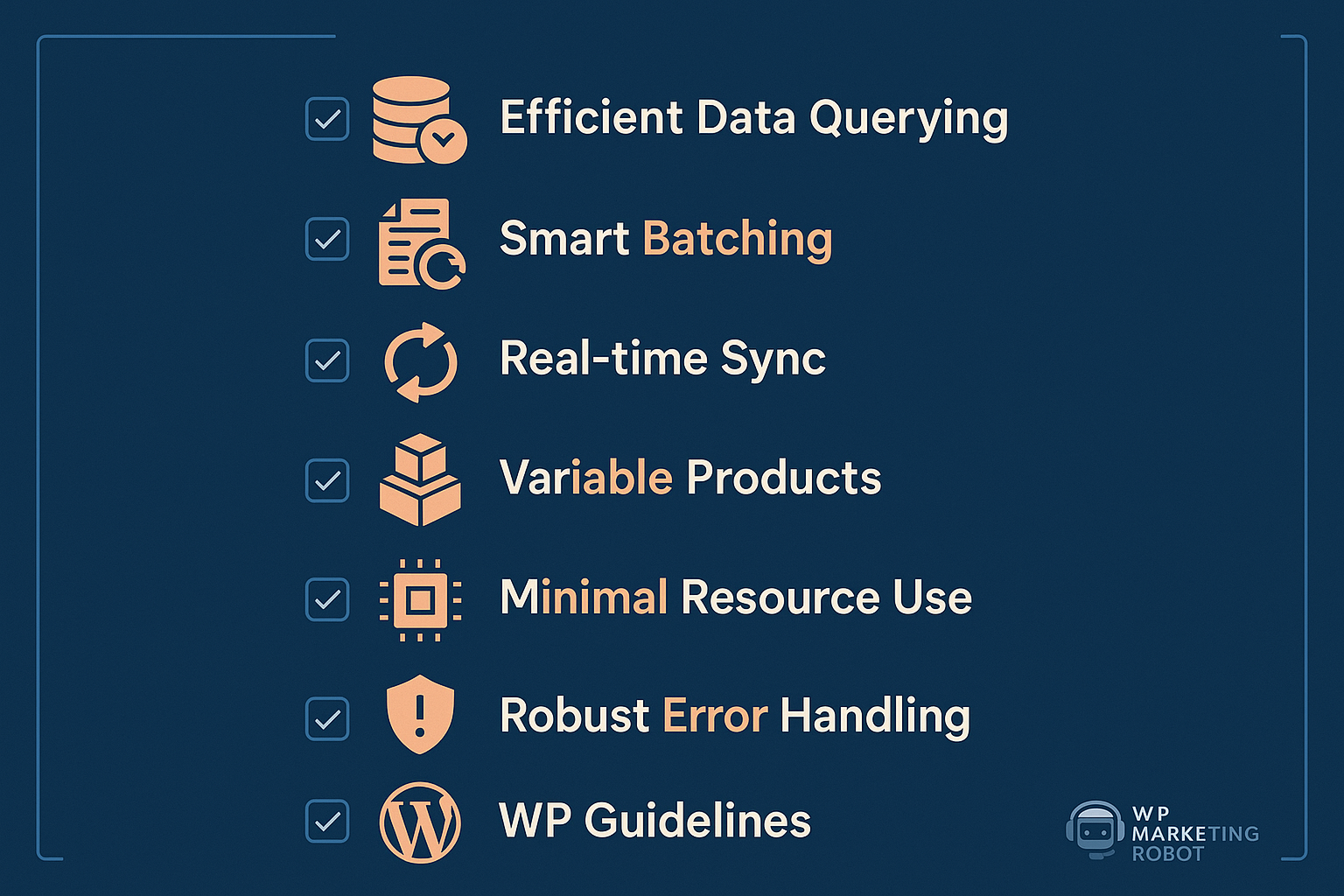
The Reliability Checklist: 7 Factors Your Product Feed Plugin MUST Have for Scale
When evaluating solutions for high-SKU environments, go beyond feature lists. Focus on these critical factors that dictate true performance and reliability:
Factor 1: Efficient Data Querying & Processing
A top-tier plugin interacts with your WooCommerce database carefully. It shouldn’t just fetch all product data each time; it should fetch only what’s relevant and do so using optimized queries. Look for evidence of specific architectural choices that prioritize lean data retrieval. This is crucial as database overload is a common pain point for WooCommerce stores with 10,000+ SKUs.
Factor 2: Smart Batching & Background Jobs
As discussed, this is non-negotiable. The plugin must split large exports into smaller batches processed in the background. Does it offer configurable batch sizes? Does it use asynchronous processing to prevent frontend slowdowns? This protects against timeouts and ensures feeds are always generated, even if it takes a bit longer. The best plugins can generate feeds for 10,000+ products in minutes, not hours, using this approach.
Factor 3: Real-time (or Near Real-time) Sync Capabilities
For dynamic catalogs, especially in dropshipping, outdated product data is a sales killer. Your plugin needs robust, automated update scheduling. Can it update your feeds multiple times a day or even trigger updates on specific product changes? This ensures pricing, stock, and product details on advertising channels are always accurate, reducing disapproval rates.
Factor 4: Optimized for Variable Products
Variable products are complex. A good plugin efficiently handles parent-child relationships, custom attributes, and variations without creating bloat or performance bottlenecks. It should allow you to flexibly include or exclude variations and map their specific attributes correctly without manual intervention.
Factor 5: Minimal Server Resource Consumption
This comes down to clean code and adherence to WordPress best practices. A plugin that respects core WordPress and WooCommerce functionality will avoid conflicts and unnecessary resource drains. This directly impacts your site’s overall speed and responsiveness, not just during feed generation.
Factor 6: Robust Error Handling & Diagnostics
Things can go wrong. A reliable plugin provides clear error logs, immediate notifications for failed feed generations, and intelligent diagnostics that point to the root cause. This allows for proactive rather than reactive management of your product feeds.
Factor 7: Adherence to WordPress & WooCommerce Best Practices
Finally, a plugin built with clean code, following WordPress and WooCommerce development guidelines, is inherently more stable and performs better. It reduces the chance of conflicts with other plugins or themes, contributing to overall site health and speed. This is not just a coding standard; it’s a performance guarantee.
WP Marketing Robot: Engineered for Your Scale Without the Crash
At WP Marketing Robot, we understood these challenges from the outset. Our WooCommerce Product Feed Manager wasn’t developed as an afterthought; it was born in 2016 from a direct need identified by online marketing specialists struggling to provide accurate and reliable product feeds for their high-volume WooCommerce clients. Our mission is to empower WooCommerce merchants by ensuring their products not only appear across various e-commerce channels but also stand out effectively and reliably.
Our plugin is purpose-built to tackle the demands of large product catalogs. When we say “unlimited products” in all our plans, we mean it in terms of performance. Here’s how:
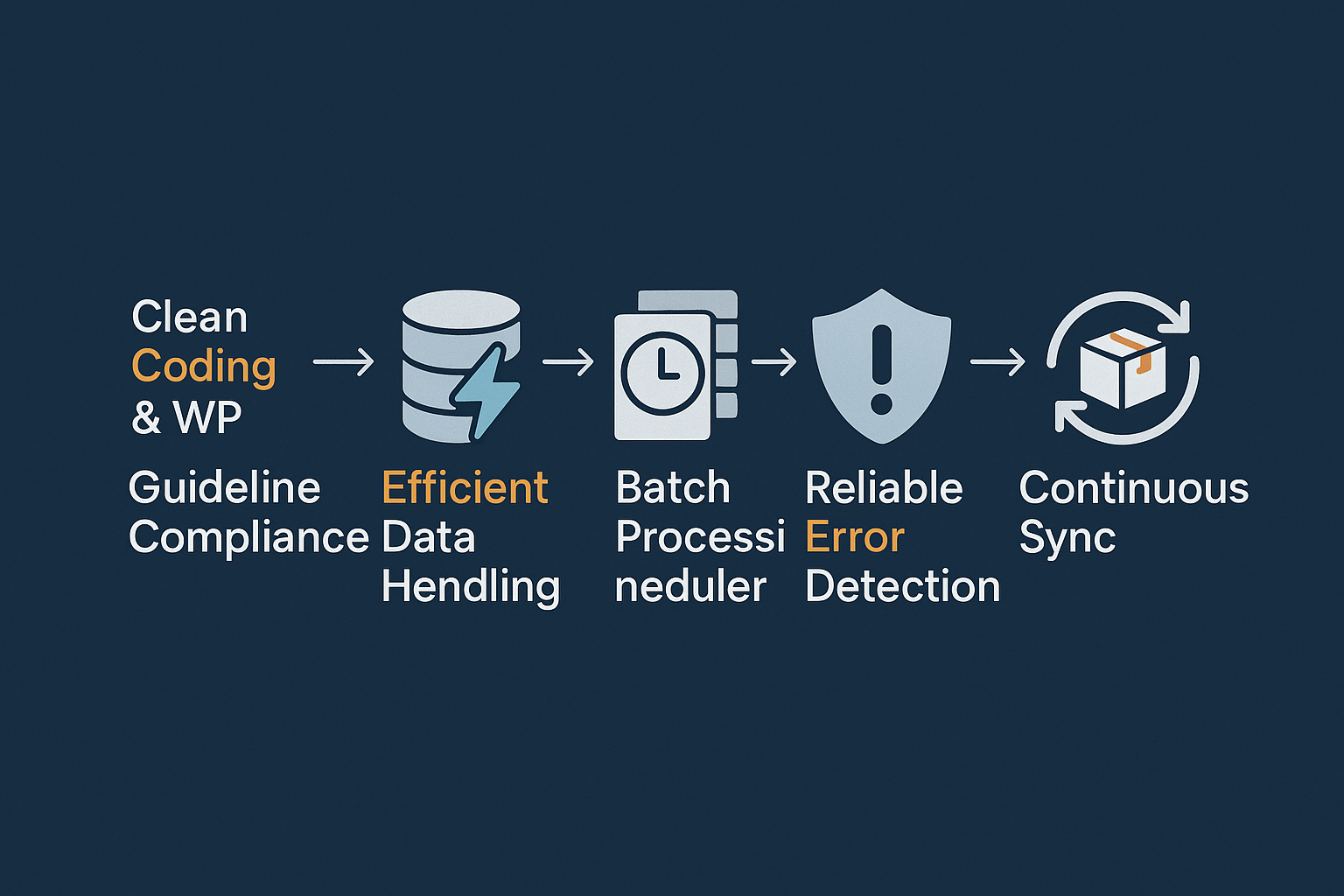
- Clean Coding & WordPress Guidelines: This is foundational for us. We pride ourselves on adhering to strict WooCommerce and WordPress development standards. This commitment to clean, efficient code directly translates into minimal server resource consumption (Factor 5). Our plugin won’t conflict with your other essential tools or cause undue strain on your hosting environment.
- Efficient Data Handling: We’ve engineered our plugin for efficient data querying and processing (Factor 1). It intelligently interacts with your WooCommerce database to retrieve necessary product information without overtaxing your server. This careful approach prevents database overload, a common pitfall for large stores.
- Smart Batching & Background Processing: The WooCommerce Product Feed Manager incorporates smart batching and background job execution (Factor 2). This means even if you have 50,000 SKUs, the feed generation process is broken into smaller chunks and processed in the background. This method prevents timeouts and memory limits, ensuring consistent, reliable feed generation no matter the size of your inventory. This is the mechanism that allows for managing “massive inventory” mentioned in our complete guide to WooCommerce product feed management.
- Dedicated to Variable Products: Our plugin is optimized specifically for variable products (Factor 4). We provide granular control over how your product variations are included or excluded, ensuring accuracy and preventing unnecessary bloat in your feeds.
- Automated Updates & Reliability: Our focus on automated updates ensures your feeds are always current, supporting real-time data sync (Factor 3). This reliability is why merchants like Dae Gomes, a dropshipper with “a bunch of products,” found our plugin “fantastic” and “so easily” handled by their large catalog, citing its seamless operation. Another user, Paul Schiretz, has used our plugin for two years without “any serious issue,” highlighting its consistent performance.
Our commitment is to be a partner in your e-commerce success. The positive testimonials from our 10,000+ merchants underscore this, consistently praising our plugin’s functionality, regular updates, and quick customer support. We’re not just selling a tool; we’re providing a robust, scalable solution backed by expertise. Read more about how our solution compares to others in the market in our detailed WooCommerce Feed Manager features comparison.
Beyond Performance: A Wider Look at WP Marketing Robot’s Advantages
While performance and reliability are paramount for large catalogs, they are only part of the story. WP Marketing Robot provides a comprehensive suite of features designed to maximize your product visibility and sales:
- Advanced Filtering & Smart Attribute Manipulation: Go beyond basic exports. Tailor product visibility and refine attributes with intelligent conditions to meet the exact requirements of each advertising channel.
- Multi-Language & Multi-Currency Support: Expand your global reach with ease, ensuring your product feeds resonate with international audiences.
- Custom Templates & Seamless Mapping: Whether you need XML, CSV, or another format, our custom templates and intuitive category/attribute mapping ensure your products are perfectly presented.
- Expert Support: Our team offers unparalleled expertise in online marketing, helping you optimize your feeds for maximum impact.
- Consistent Updates for Feed Validation: We regularly update our plugin to stay ahead of channel requirements, ensuring your feeds are always optimized and compliant.
These features, combined with our core performance capabilities, ensure that your large, dynamic product catalog isn’t just exported, it’s optimized for success.
Choosing Your Path to Scalable Product Feeds
Evaluating a product feed plugin for a large WooCommerce catalog requires a strategic approach. It’s about looking beyond the surface-level claims of “unlimited products” and focusing on the underlying architecture and proven performance.
When making your decision, ask yourself:
- Does the plugin explicitly detail its batch processing capabilities for large exports?
- How does it manage server resources during feed generation?
- Does it offer robust, flexible automation to keep my dynamic inventory up-to-date?
- Is there a track record of reliable performance and continuous updates for high-SKU users?
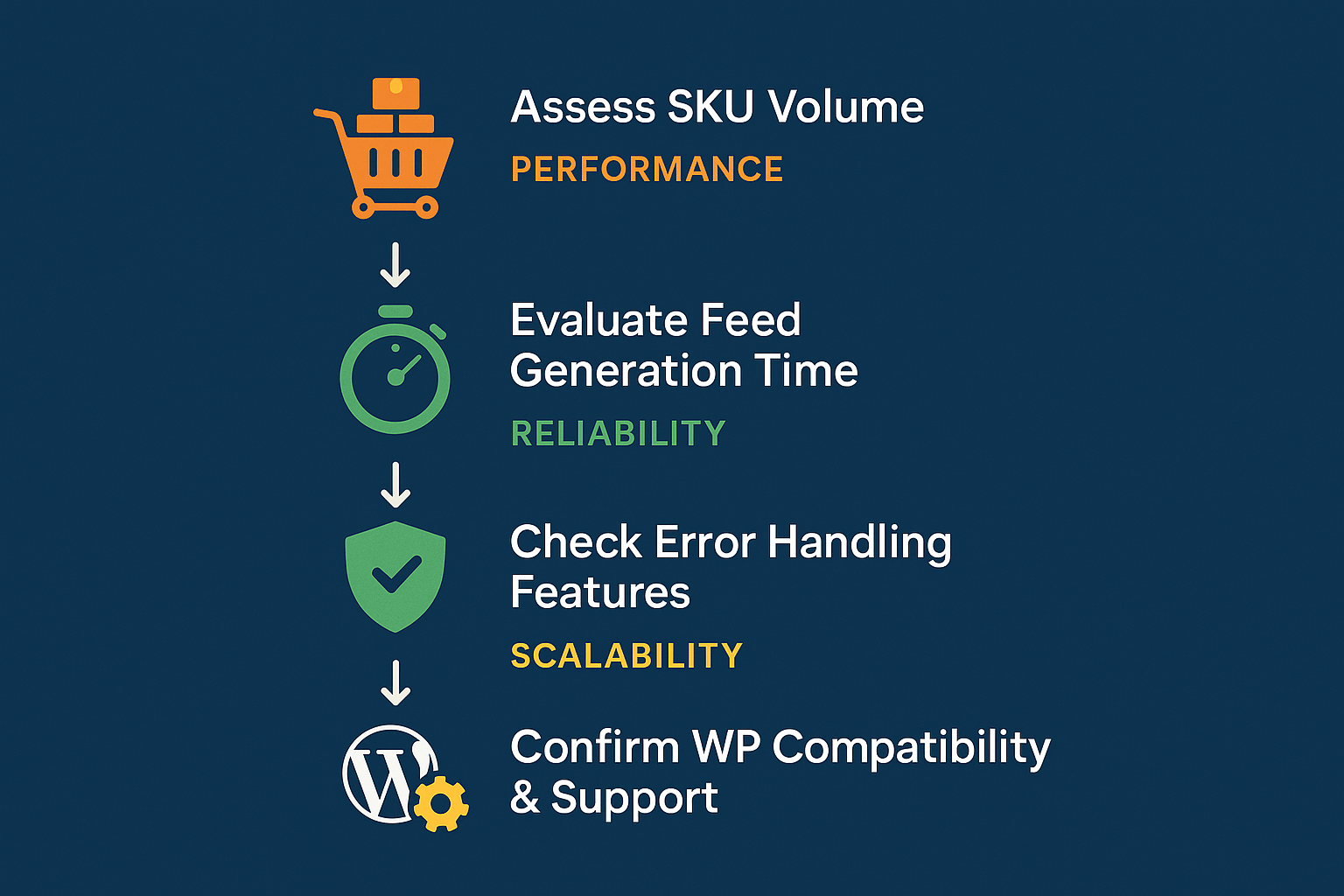
We invite you to explore the WooCommerce Product Feed Manager by WP Marketing Robot. Our design philosophy centers on precision, experience, and partnership, ensuring you receive a solution that truly scales with your business. For a deeper dive into how our plugin works, visit our explanation of what WooCommerce Feed Export is and find the perfect plan for your store.
Ready to take control of your large product feeds without the fear of crashing? Discover how WP Marketing Robot can be your trusted partner for scalable, reliable product feed management.
FAQs
Q: My WooCommerce store has over 20,000 SKUs. How long would it take for the WP Marketing Robot plugin to generate a feed?
A: The exact time can vary depending on your server specifications, the complexity of your products (e.g., many variations), and the number of attributes. However, thanks to our smart batch processing and background job execution, our plugin is designed to handle such large catalogs efficiently, preventing timeouts that typically plague other plugins. While some claim 10,000+ products in under 5 minutes, our focus is on completing the feed reliably and without crashing your site, even if it means it takes a bit longer than an unoptimized, crash-prone attempt.
Q: What typically causes WooCommerce feed plugins to crash with a large number of products?
A: The most common culprits are PHP memory limits and script execution timeouts. When a plugin tries to process too much data at once, it consumes excessive memory or takes too long, causing the server to terminate the process. Inefficient database queries and a lack of proper batching mechanisms also contribute significantly to instability and crashes.
Q: Does WP Marketing Robot offer any specific features for dropshipping stores with rapidly changing inventory?
A: Absolutely. Our plugin’s automated update scheduling is crucial for dropshippers (Factor 3). You can set your feeds to update at frequent intervals, ensuring that product availability, pricing, and other critical details remain accurate across all your advertising channels. This minimizes the risk of disapproval and prevents customers from seeing outdated information, and reduces effort compared to manual management.
Q: What kind of server resources are recommended for running WP Marketing Robot with a high-SKU store?
A: While our plugin is built for efficiency and minimal resource consumption (Factor 5), a high-SKU WooCommerce store itself demands robust hosting. We generally recommend a dedicated server or a high-performance VPS with ample RAM (at least 4GB, preferably more), sufficient CPU cores, and an optimized MySQL setup. This ensures smooth operation for both your WooCommerce store and the feed generation process. Our plugin aims to reduce the load your feed generation places on these resources, but a solid foundation is always beneficial.
Q: How does WP Marketing Robot handle product variations for large catalogs?
A: We’ve optimized our plugin specifically for variable products (Factor 4). You have granular control over whether to include parent products, all variations, or specific variations in your feed. Our mapping tools allow you to accurately map attributes for each variation, ensuring that complex product structures are correctly represented in your feeds without bloating the file or slowing down generation.
Q: What if I encounter an issue with my large feed? What kind of support does WP Marketing Robot offer?
A: Our commitment to partnership includes expert support. Gertjan van den Berg praised our “quick response to all questions I have asked.” If you encounter any issues, our team of online marketing specialists is available to provide guidance and troubleshoot. Our plugin also includes robust error handling to help diagnose common problems efficiently. We see ourselves as your partner, ensuring your feeds run smoothly. For more insights and tips, check out our weblog or read the Documentation

Leave a Reply
Want to join the discussion?Feel free to contribute!