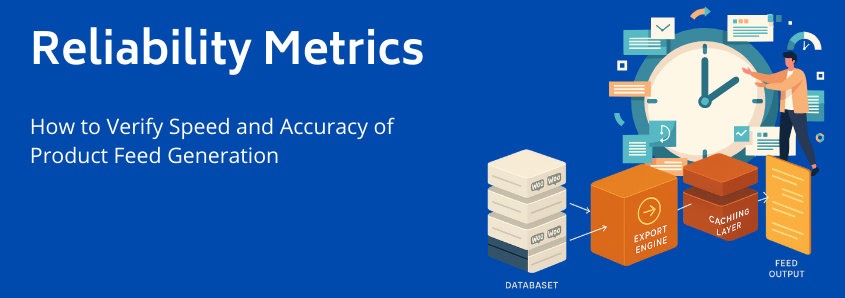
Reliability Metrics: How to Verify the Speed and Accuracy of Product Feed Generation (10,000+ Products Test)
You’ve scaled your WooCommerce store past the initial launch phase. Now, your product catalog is dynamic, it’s demanding, and it’s large, likely comprising 10,000 SKUs or more.
At this operational scale, the choice of a product feed manager shifts from a mere feature assessment to a critical infrastructure decision. You’re not just comparing price points; you’re comparing architectural integrity. You need to know, objectively, if a plugin can handle your volume without crashing your site or, worse, costing you millions in lost sales and penalties.
The problem, as you’ve likely found, is that every vendor claims to be fast and accurate. Our goal here is to cut through the claims and equip you with a quantifiable, repeatable methodology, a formal benchmark test, to verify competence.
We’re going to borrow principles from Data Reliability Engineering (DRE) and apply them specifically to the challenge of exporting 10,000+ products from WooCommerce. This guide will help you objectively assess the solutions you’re currently evaluating.
The High-Stakes Reality of Large-Scale Feeds
When managing high-volume feeds, minor errors translate instantly into major revenue loss. Our research shows that organizations lose an average of $15 million annually due to poor data quality, which includes errors in product feeds. For e-commerce, this means every incorrect price, missing image, or unverified attribute increases two core risks:
- Revenue Churn: 42% of customers abandon purchases due to insufficient or inaccurate product information, a direct hit to your conversion rates.
- Compliance Risk: Inaccurate or outdated feeds lead to ad disapprovals and, ultimately, Google Merchant Center suspensions.
To protect yourself, you must move beyond the vague terms of “speed” and “accuracy” and embrace the formal language of reliability.
Defining Reliability in the Context of a 10K+ Product Feed
It’s crucial to understand the distinction between three key concepts borrowed from DRE:
| Concept | Definition in Product Feed Management | Why It Matters |
|---|---|---|
| Availability | The feed (and the generating plugin) is accessible and operational when needed (e.g., the plugin hasn’t crashed, and the feed URL is live). | Ensures your products are always accessible to channels like Google Shopping, meeting the minimum requirement for campaigning. |
| Reliability | The feed is generated consistently and correctly every time, minimizing errors and maintaining data integrity. | Prevents disapprovals, protects your Merchant Center reputation, and ensures ad spend yields returns. |
| Data Quality/Accuracy | The data within the feed (price, availability, description, custom fields) perfectly matches the source data within your WooCommerce database. | Directly impacts user experience and conversion rates. An accurate feed makes a correct sale. |
A solid feed management solution must excel at all three. We will now structure a benchmark test to verify the reliability claims of any plugin under consideration, starting with the factor that often separates enterprise-ready tools from basic plugins: throughput.
Phase 1: Verifying Speed, The Performance Benchmark Test
When dealing with 10,000+ SKUs, speed is measured by throughput: how many products can the system process and export per second, without causing undue stress on your live WooCommerce site database. Slow generation means the data is already outdated the moment the feed is finished, compromising its accuracy from the start.
Key Metric: Throughput (SKUs per Second)
The primary goal of this phase is to establish the plugin’s raw export efficiency. Slow feed generation is almost always a sign of poor database query optimization and inefficient PHP processing, a bottleneck you cannot afford.
Test Setup and Methodology
To conduct a fair test, you need to simulate a challenging environment similar to your own.
- Database Size: Ensure your testing environment replicates your minimum of 10,000 configurable products.
- Server Configuration: Use comparable hardware specifications (CPU, RAM) and PHP version to your production environment.
- Clean Run: Before testing, clear all caches (WordPress, server, opcode) and ensure no other heavy operations (like backups or imports) are running.
- Measurement: End-to-End Time: Measure the time from when the feed generation process is initiated to the moment the final external file (XML, CSV, etc.) is saved and available.
Step-by-Step Measurement:
- Set up a new feed export containing all 10,000+ products.
- Use a stopwatch or server logging timestamp to record the Start Time (
T-Start). - Let the plugin run its generation process entirely.
- Record the Finish Time (
T-Finish).
Formula: $$ \text{Throughput (SKUs/sec)} = \frac{\text{Total SKUs Processed}}{(\text{T-Finish} – \text{T-Start})} $$
Benchmark Target
While server-specific, a high-performance solution should aim for a significantly high throughput, often generating 10,000 standard products in a matter of seconds, depending on the complexity of attribute mapping and filtering. If a plugin takes minutes for this volume, it is signaling a performance bottleneck that will only worsen as your catalog grows.
For scaling merchants, it is essential to ask vendors about their typical throughput rates for high volumes. Solutions that rely on lightweight, proprietary logic and minimize repetitive database calls, like the technology behind the WooCommerce Product Feed Manager, consistently deliver superior rates.
Phase 2: Verifying Accuracy, The Data Integrity Audit
Speed without accuracy is a vulnerability. The fastest possible feed is useless if the product data within it doesn’t match what’s on your live site. This phase focuses on auditing the output to ensure data integrity.
Key Metrics: Error Rate and Time-to-Resolution (TTR)
The performance of any plugin should be measured against an explicit goal: a zero error rate against the source database.
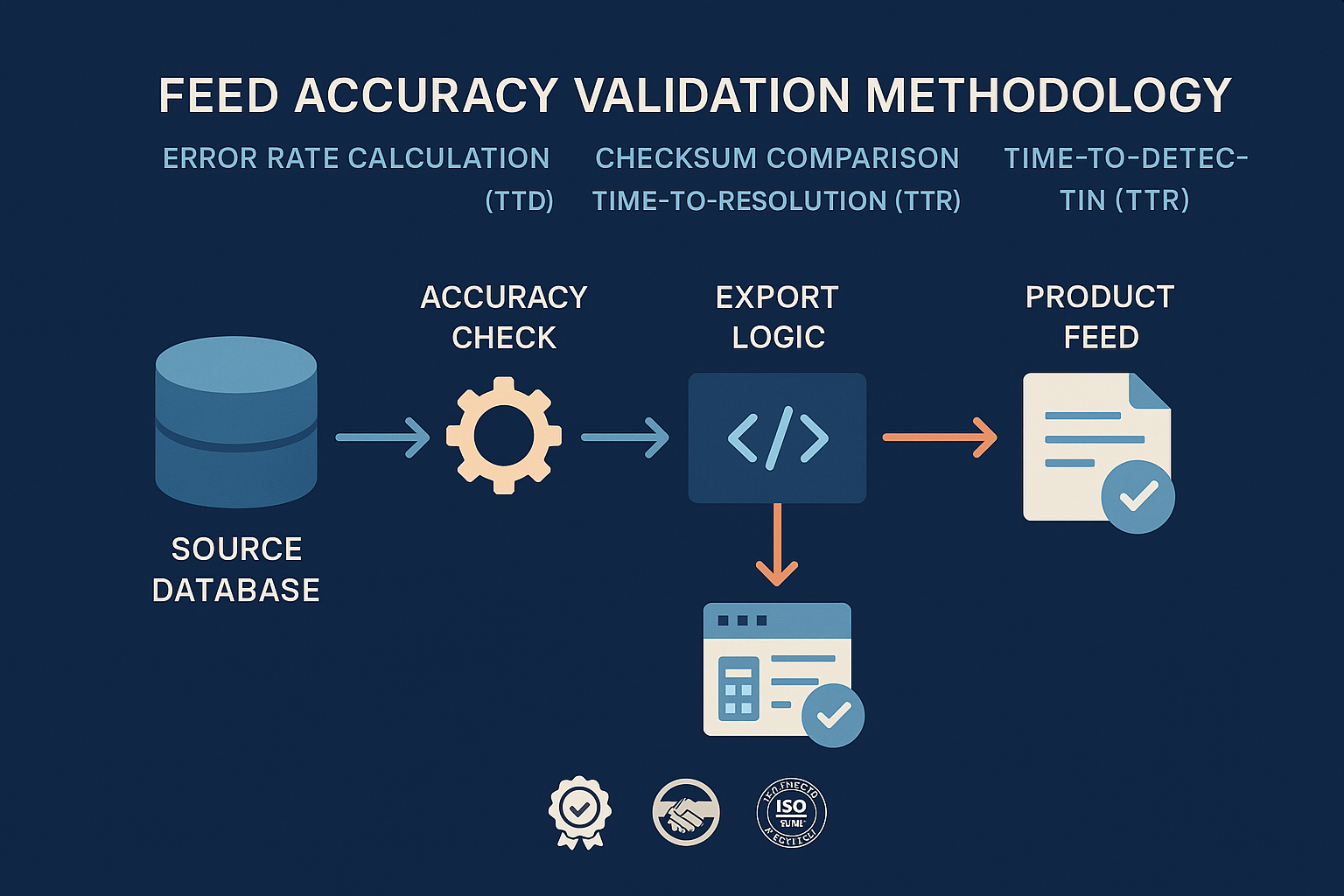
- Error Rate (ER): The percentage of attributes in the generated feed that do not match the values in the source database or violate channel compliance rules.
- Time-to-Detection (TTD): The time elapsed between a data error occurring (e.g., a price update in WooCommerce) and the feed manager flagging it.
- Time-to-Resolution (TTR): The time required to eliminate the error and regenerate a compliant feed.
While speed is important, TTD and TTR directly impact your Merchant Center suspension risk. A plugin that quickly detects and fixes errors offers a crucial safety margin.
Validation Methodology: The Checksum Test
The most robust way to verify accuracy is to compare the data directly.
- Source Data Snapshot: Before generating the feed, query the WooCommerce database directly to extract the core attributes (ID, Title, Price, Description) for your 10,000 products. Save this as your
Source Snapshot. - Generated Data Audit: Run the feed generation process using the candidate plugin.
- Field-by-Field Comparison: Write a small script (or use a simple spreadsheet function if your catalog is smaller) to compare every field in the generated feed against the
Source Snapshot.- The critical point: If your WooCommerce price is €99.00, the generated feed must show €99.00. Any transformation or error results in a failed check.
- Compliance Check: Beyond raw data comparison, verify specific channel rules. For example, does the feed meet Google’s character limits, or is the imagery URL valid? This is where Easy guide: How to Fix Missing Attributes & Errors in Google Shopping becomes crucial.
The “Zero Disapproval” Goal
Accuracy isn’t just about matching numbers; it’s about compliance. A reliable product feed manager must incorporate advanced filtering and smart conditional logic to ensure every product meets channel requirements before the feed is submitted. This proactive approach significantly reduces the risk of having your account sanctioned, directly addressing the concerns raised in by preventing issues before they arise.
The Technical Differentiator: Why Our Architecture Wins
The findings from Phase 1 and Phase 2 should lead you to an inevitable conclusion: the architecture of the plugin, not its feature list, determines its long-term reliability for scaling.
At WP Marketing Robot, our focus since 2016 has been on providing a robust foundation for high-volume WooCommerce stores. We saw the gap. High-volume webshop owners needed accurate, reliable product feeds, and we built our WooCommerce Product Feed Manager to address the core performance challenges you face.
Instead of relying on clunky, repetitive queries that choke your database, our solution is engineered with a proprietary export logic that simplifies the creation of feeds while maintaining unparalleled stability.
- Optimized Database Connection: We minimize the number of calls to the database and retrieve information efficiently. This proprietary approach bypasses the common PHP processing and MySQL latency issues that plague less specialized plugins, resulting in the high throughput rates we discussed in Phase 1.
- Granular Control & Automation: Features like advanced filtering, smart attribute manipulation, and automated updates are not just features; they are reliability mechanisms. They ensure that your feed is always current and compliant, lowering your TTD and TTR dramatically. By allowing you to set custom update schedules, we ensure your feed is available when traffic is highest, and reliable with the freshest data.
- Scaling Ready: By supporting multi-language and multi-currency formats, we demonstrate our commitment to your future growth and global market reach. Our pricing tiers, including the Agency Plan covering up to five shops, reinforce our capacity to handle large, complex portfolios.
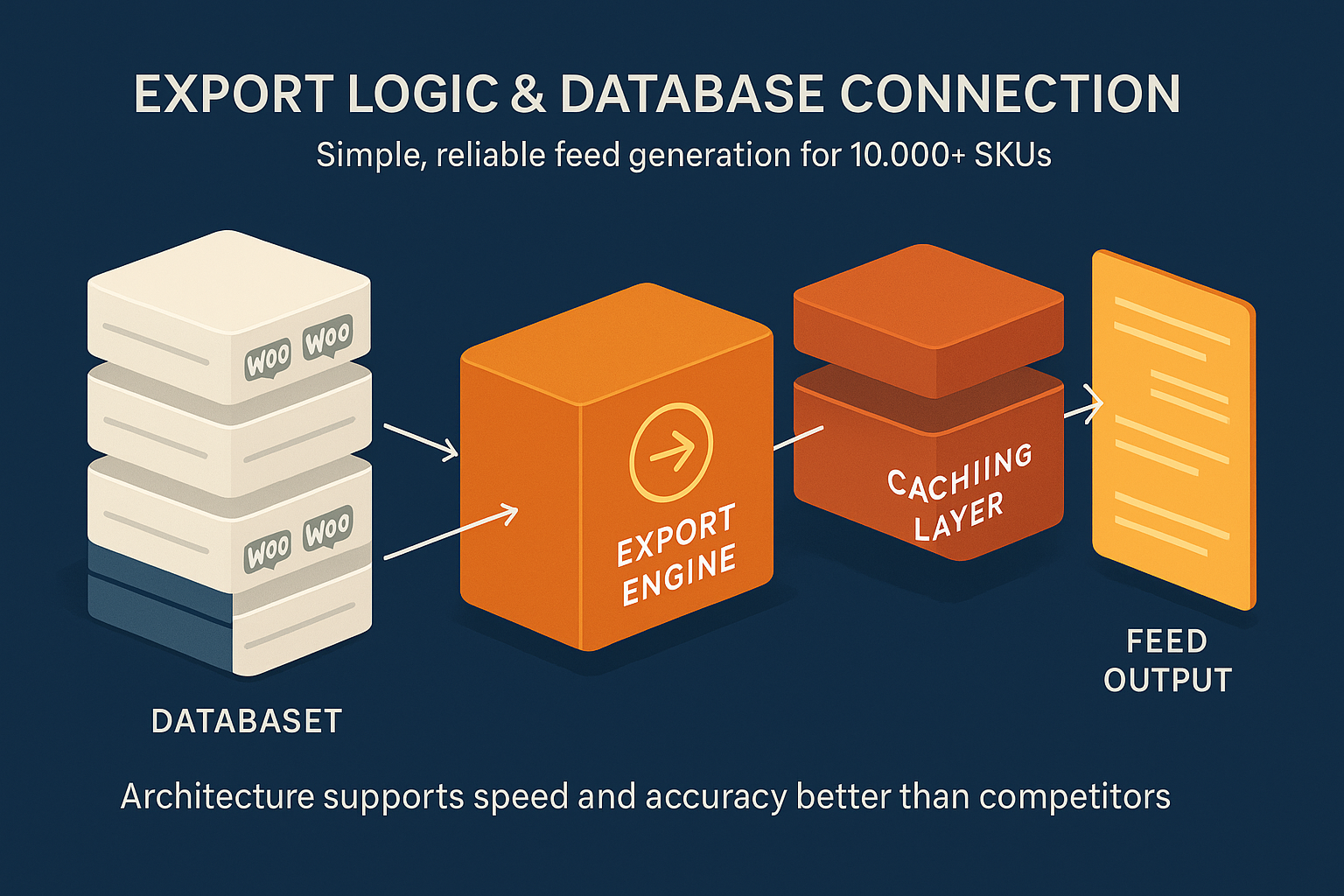
Our philosophy is simple: The feed creation process should be reliable engineering disguised as a simple operation. This robust architecture is the reason over 10,000 WooCommerce merchants trust our solution. It simply works under load.
Frequently Asked Questions
Q: Why should I focus on TTD (Time-to-Detection) when evaluating feed managers?
A: TTD is one of the most critical metrics for protecting revenue. If a product feed error (like an incorrect price caused by a database hiccup) goes undetected for hours, you are risking massive losses via mispriced ads or severe sanctions from Google. A reliable system, like ours, uses constant validation sweeps and automated checks to keep TTD low, often resolving issues before Google even notices.
Q: Doesn’t a faster plugin just stress my server more?
A: Not if its architecture is efficient. Plugins that are slow stress your server over a longer period, monopolizing resources and causing site lag. A well-engineered, fast plugin uses resources intensively but for a fraction of the time, freeing up your server immediately. Our optimized query logic ensures that high-speed generation minimizes the overall time the database is under load.
Q: How can a plugin handle variations and complex product types without slowing down the feed?
A: The handling of product variations is a major bottleneck in standard WooCommerce plugins. Our manager offers specific configuration control over product variations, allowing you to include and exclude them efficiently. We preprocess variation data before the main export job, optimizing the data structure to keep throughput high, even with complex attribute matrices.
Q: My current plugin often fails to complete large feeds. Is this common?
A: Yes, it’s common in poorly configured plugins. The most frequent reason for failure on large catalogs is hitting PHP memory limits or server execution time thresholds. A reliable plugin, like the WooCommerce Product Feed Manager, is designed to manage these constraints by generating feeds in smaller, optimized batches, ensuring completion integrity regardless of catalog size.
Conclusion & The Next Step
Evaluating the product feed manager for your scaling WooCommerce store requires technical objectivity. You must move past feature comparisons and insist on quantifiable proof regarding speed and accuracy.
By using the methodology outlined above, benchmarking throughput (SKUs/sec) and auditing the Error Rate using a Source Snapshot, you gain the technical evidence needed to make a confident infrastructure decision.
WP Marketing Robot exists to provide this confidence. We engineered our WooCommerce Product Feed Manager specifically to meet the high reliability standards required by high-volume e-commerce environments. If you are comparing solutions today, we encourage you to use this benchmark test methodology to put our claims, and those of our competitors to the test.
Ready to secure a risk-free, scalable feed management solution for your large WooCommerce store?
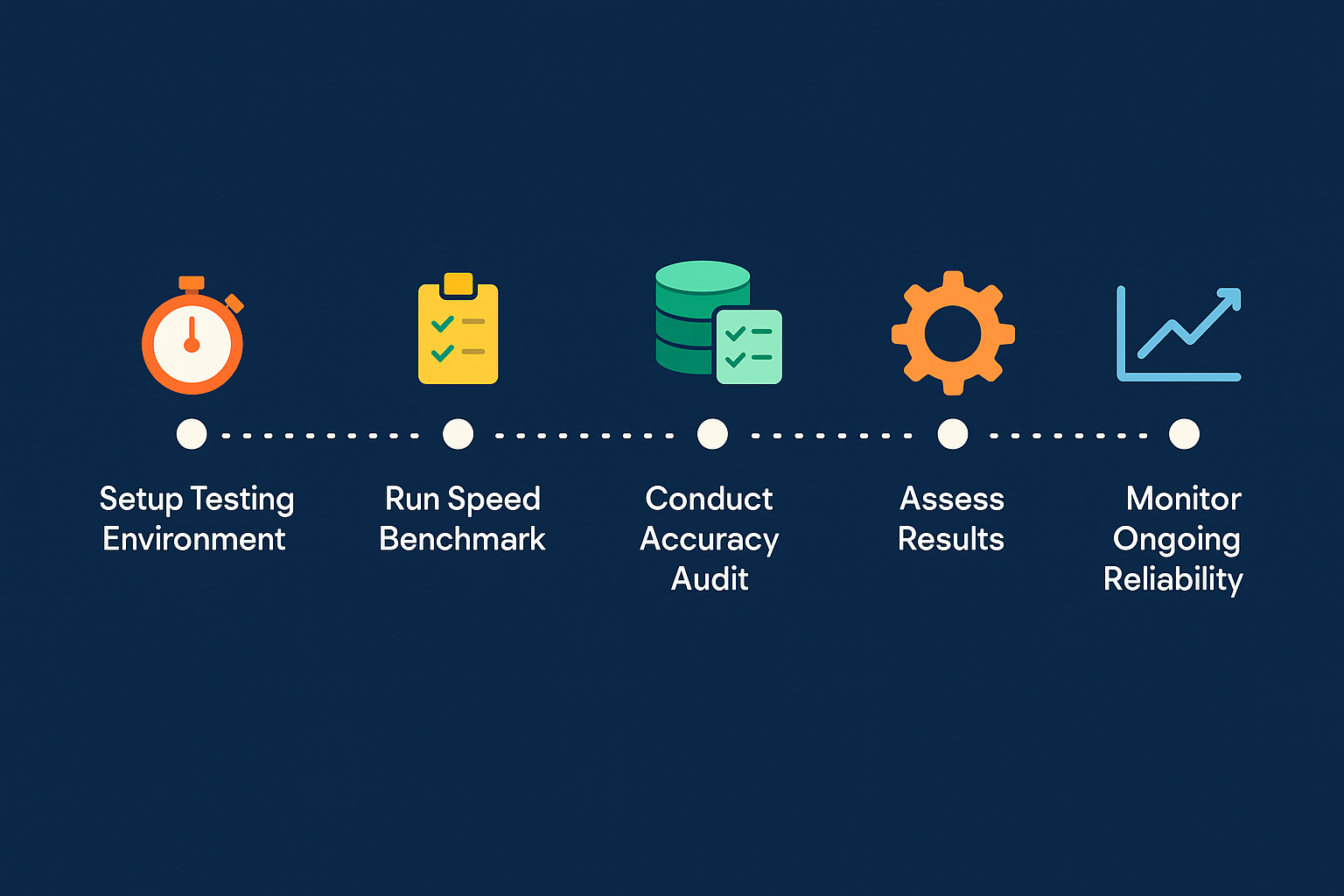
Follow this practical benchmark roadmap to confidently validate plugin performance and ensure a risk-free integration for your high-volume WooCommerce store.


Leave a Reply
Want to join the discussion?Feel free to contribute!