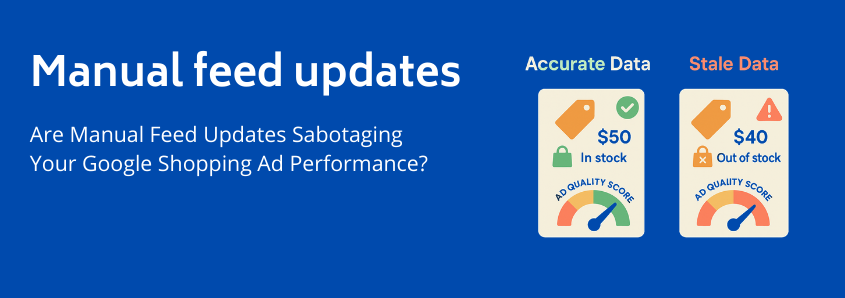
Are Manual Feed Updates Sabotaging Your Google Shopping Ad Performance?
You’ve done everything right. You’ve picked the perfect products, taken beautiful photos, and meticulously set up your first Google Shopping campaign. You set your bids, launch the campaign, and wait for the sales to roll in.
But they don’t. At least, not like you expected.
Instead, you get frustrating notifications from Google Merchant Center: “Price mismatch.” “Incorrect availability.” Your best products are disapproved, your ad spend feels wasted, and your click-through rates are disappointingly low.
If this sounds familiar, you’re not alone. Many ambitious store owners face this exact problem. They blame their bids, their product titles, or their targeting. But often, the real culprit is hiding in plain sight: a slow, outdated, manual product feed process.
You may not realize it, but that manual spreadsheet update isn’t just inefficient—it might be actively sabotaging your ad performance from the inside out.
The Unseen Engine: Your Product Feed is Google’s Brain
Before we dive into the sabotage, let’s have a quick coffee chat about what a product feed really is. Think of it as a detailed resume for every single product you sell. This file—typically a spreadsheet or XML file tells Google everything it needs to know: the product’s title, price, stock status, image, and dozens of other attributes.
This isn’t just a simple list. It’s the core intelligence that powers the entire Google Shopping ecosystem. When a user searches for “red running shoes size 10,” Google scans billions of products in its index to find the most relevant matches. Its decision is based almost entirely on the data in your google shopping feed.
A great feed is built on four pillars of data quality: completeness, correctness, consistency, and, most importantly, currentness. And in today’s fast-paced e-commerce world, “current” is the pillar that crumbles first under manual processes.
The “Stale Data Spiral”: How Manual Updates Actively Cost You Money
Here’s an “aha moment” every store owner needs to have: the second you export a product list to update it manually, your data begins to decay. It becomes a snapshot of a moment in time, while your live store continues to change. This gap between your feed’s data and your store’s reality creates a vicious cycle we call the “Stale Data Spiral.”
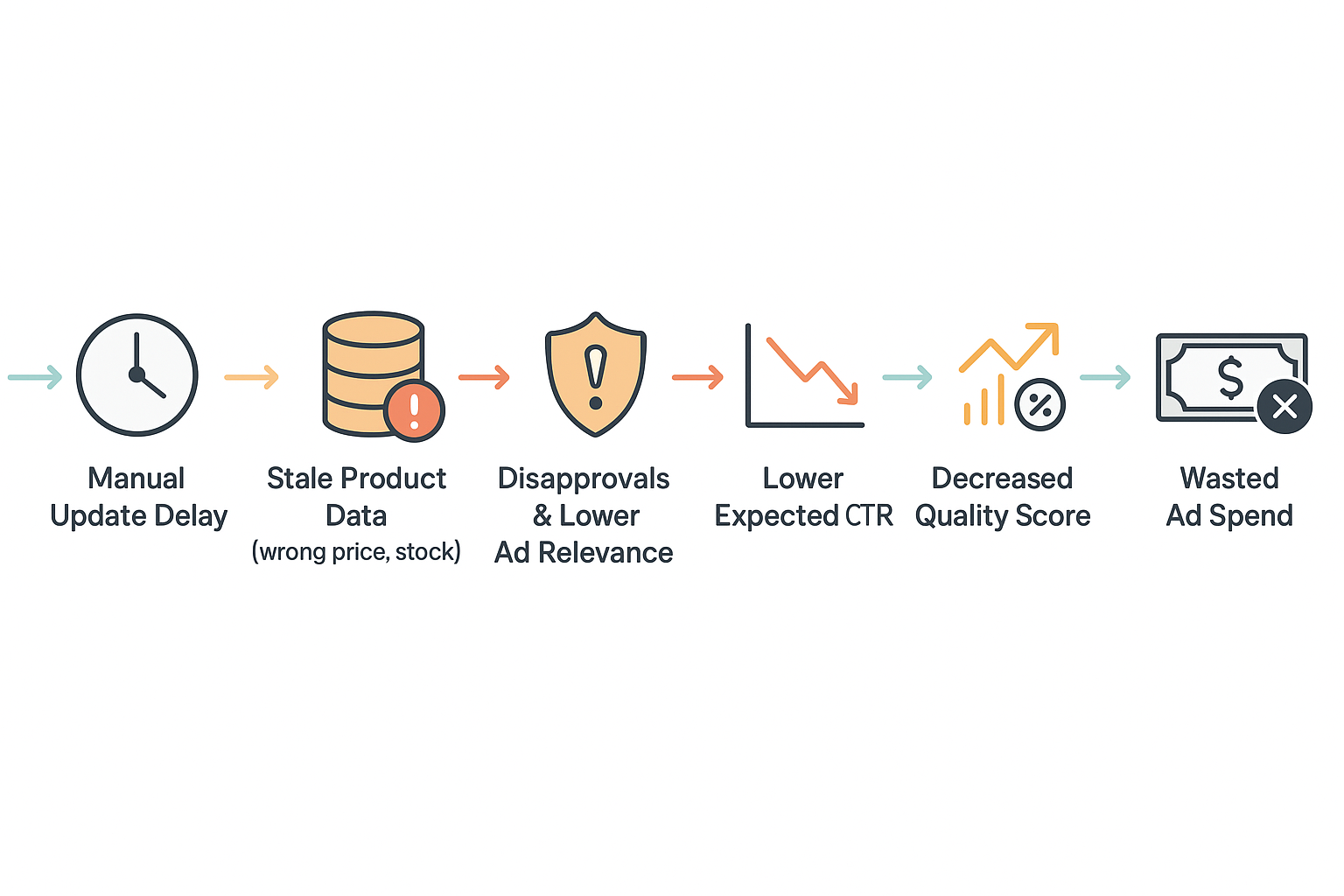
It works like this:
- The Delay: You update your product prices in WooCommerce. Maybe you run a flash sale, or a popular item sells out. Your manual feed file, however, still has the old information. You plan to update it at the end of the day or week.
- The Mismatch: In the hours or days before your next manual upload, Google’s bots crawl your website and see a price of €59 for a product your feed still lists at €69. It sees another product is “out of stock” on your site, but listed as “in stock” in your feed.
- The Penalty Box: Google hates showing inaccurate information to its users. It leads to a bad experience. So, it takes action. Your products get disapproved, disappearing from search results entirely. Or worse, a shopper clicks your ad for an out-of-stock item. You just paid for a click that has a 0% chance of converting.
- The Hidden Cost: This is where the real sabotage happens. Google’s algorithms learn from these mismatches. They conclude that your data is unreliable. This directly damages two key components of your ad’s invisible “Quality Score”: Expected Click-Through Rate (CTR) and Ad Relevance. A user is less likely to click on an ad with the wrong price, and an out-of-stock product is completely irrelevant to them.
- The Result: A lower Quality Score forces you to bid higher just to maintain the same ad position. You are effectively paying a “stale data tax” on every single click. You’re spending more to get less, all because of a simple delay in updating your feed.
This spiral of wasted ad spend and missed opportunities is the direct consequence of a feed that can’t keep up.
The Speed Gap: Your Store vs. Your Spreadsheet
Your WooCommerce store is a living, breathing entity. Prices change, inventory fluctuates with every sale, and promotions go live in an instant. It operates at the speed of e-commerce.
A manual update process, based on exporting, editing, and uploading spreadsheets, operates at the speed of human effort.
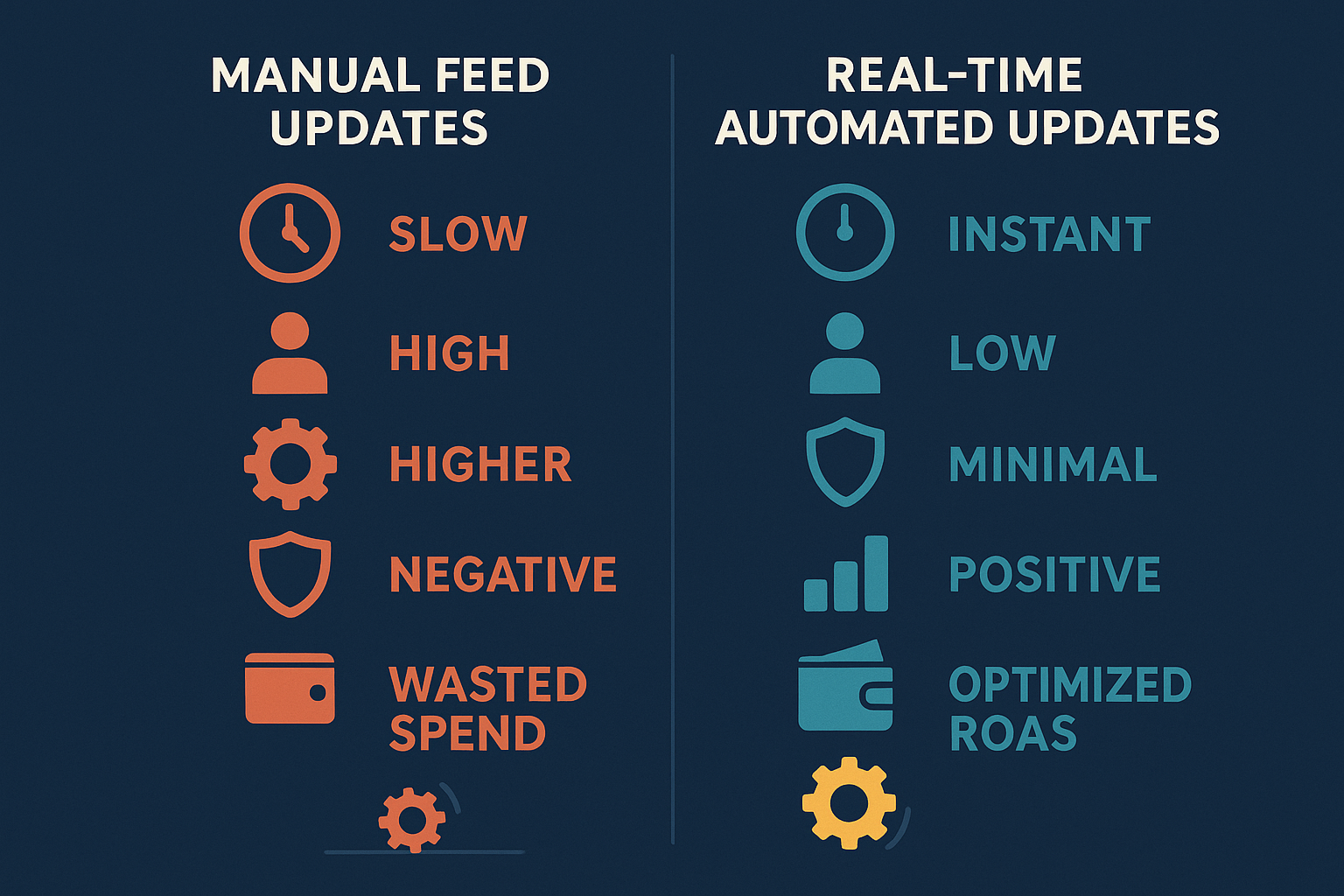
This creates a “Speed Gap”, a dangerous window of time where your live ads are showing information that is no longer true. A manual process is a tangled, slow, and error-prone workflow. In contrast, a modern, automated process is a clean, direct, and instantaneous connection between your store and Google.
This Speed Gap becomes even more damaging when working with Google’s AI-driven campaigns like Performance Max (PMax). PMax is a powerhouse, but it’s only as smart as the data you feed it. Giving it stale data is like giving a supercomputer a blurry, outdated map and asking it to find the fastest route. It will make slow, inefficient decisions, wasting your budget as it struggles to learn from bad information.
Understanding the Real Damage: Stale Data and Your Quality Score
Let’s zoom in on Quality Score, as it’s the engine room of your ad performance. While you don’t see a “score” for Shopping ads in the same way as Search ads, the principles are identical. Google assesses the quality and relevance of your listing to decide how often to show it and how much to charge you.
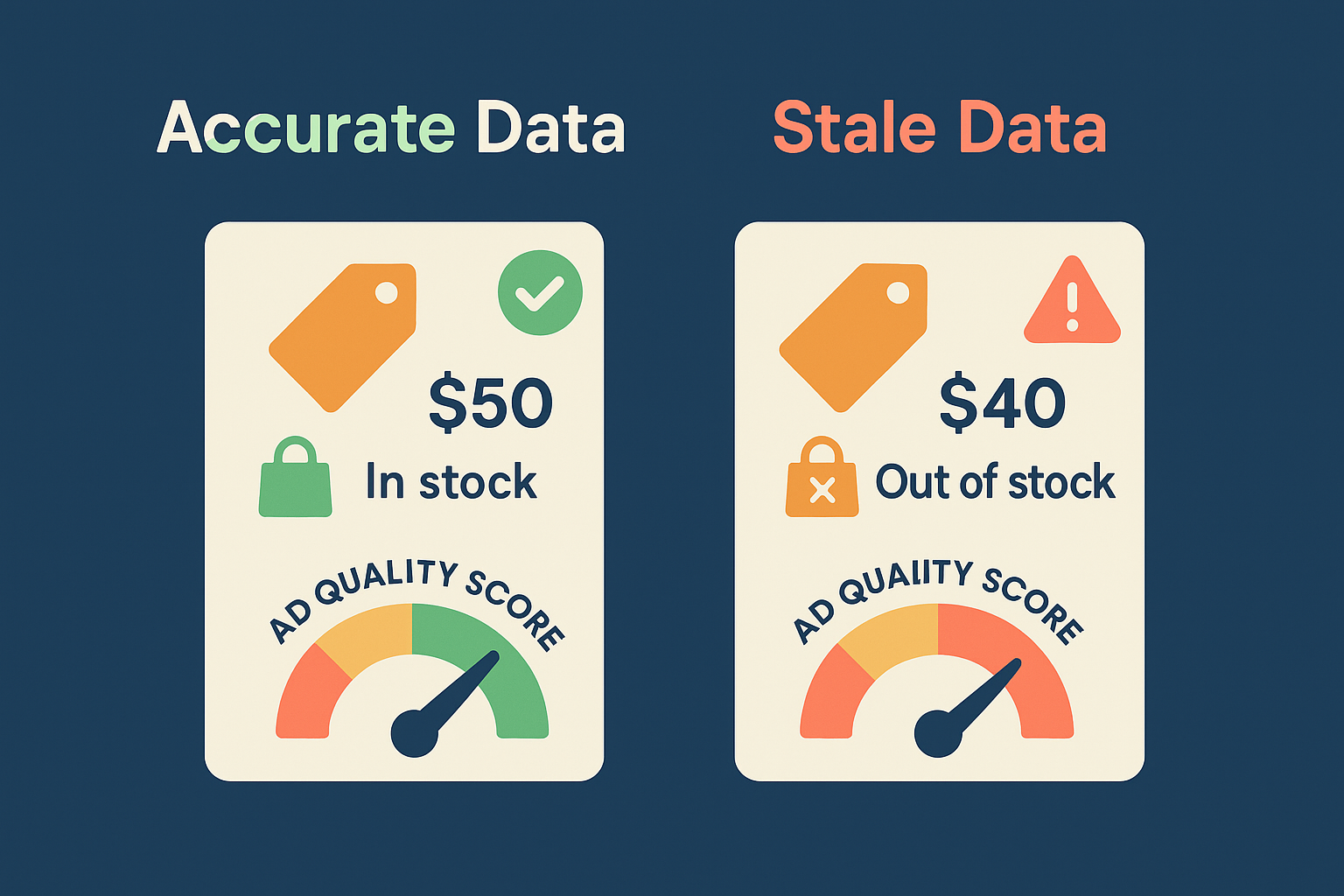
Stale data from manual updates directly degrades the two most important factors:
- Expected CTR: If a user sees a sale price in your ad, clicks through, and finds the full price on your site, they’ll leave immediately. This bounce tells Google that your ad is misleading, and it will lower your Expected CTR, making your ad less competitive.
- Ad Relevance: An ad for an out-of-stock product is the definition of irrelevant. By showing stale listings, you’re signaling to Google that you can’t be trusted to provide relevant results, which harms your ad rank across the board.
Strong google shopping product title optimization is vital for relevance, but if the price and availability data backing up that great title are wrong, your efforts are wasted.
The Myth: “Manual is Fine for My Small Store”
Many merchants with smaller catalogs believe that manual updates are “good enough.” It might seem easier to manage 50 products in a spreadsheet than to set up a new system.
However, the principle of data staleness applies at any scale. A single flash sale or one popular product selling out can instantly make your manual feed inaccurate. The problem isn’t the number of products; it’s the process itself.
Building your advertising strategy on a manual process is like building a house on a shaky foundation. It might hold up for a little while, but it will never be stable, scalable, or strong enough to support real growth. Effective ecommerce feed management isn’t about your store’s size, it’s about its accuracy and speed.
How to Spot the Sabotage: A Quick Audit of Your Feed Health
Wondering if this is happening to you? You can check for symptoms in under a minute.
- Log in to your Google Merchant Center account.
- In the left-hand navigation, go to Products > Diagnostics.
- Look at the chart for Item issues.
Are you seeing a significant number of warnings or errors for “mismatched price” or “incorrect availability”? These are the direct fingerprints of a stale, manual data feed. Each one represents a lost opportunity or wasted ad spend.
The Antidote: The Power of Automated, Real-Time Updates
The solution to manual sabotage is to close the Speed Gap entirely. This is achieved through automation.
An automated system connects your WooCommerce store directly to your Google Merchant Center feed. It doesn’t rely on manual exports or uploads. Instead, it ensures your auto’s productfeed is always a perfect, up-to-the-minute mirror of your live store.
- When a price changes in WooCommerce, the feed updates instantly.
- When a product sells out, it’s immediately marked as “out of stock” in the feed.
- When you add a new product, it syncs automatically.
This automated approach doesn’t just save you time; it fundamentally fixes the root cause of poor feed performance. It:
- Eliminates costly disapprovals from data mismatches.
- Protects and actively improves your Quality Score.
- Stops you from wasting ad spend on clicks for out-of-stock products.
- Frees up your time to focus on strategy and growth, not tedious data entry.
- Feeds AI campaigns like PMax the fresh, accurate data they need to excel.
Frequently Asked Questions (FAQ)
Q: How often should a product feed be updated?
A: As close to real-time as possible. While some recommend daily updates as a minimum, even that is too slow for a dynamic store. Best practice is for your feed to update automatically whenever data (like price or stock) changes in your store.
Q: What are the most common errors caused by manual updates?
A: The most frequent and damaging errors are price mismatches and availability (in stock/out of stock) mismatches. You may also have “ghost products”—items that have been deleted from your store but still linger in your old feed file, causing errors.
Q: Can’t I just be really careful with my manual updates?
A: Diligence helps, but it doesn’t solve the core problem of the “Speed Gap.” Between the moment you export your data and the moment you successfully re-upload it, your store’s live data can, and will, change. The manual process is inherently flawed because it can’t operate in real time.
Q: Do I really need to worry about Quality Score for Shopping ads?
A: Absolutely. While it’s not a visible keyword-level metric like in Search ads, the same principles of relevance and user experience drive the system. Google uses your data quality, historical click-through rate, and landing page experience to determine your ad’s rank and cost-per-click. A high-quality, accurate feed is a direct path to lower costs and better visibility.
Your Path to a Healthier, Higher-Performing Feed
Moving away from manual updates isn’t just about finding a more convenient workflow. It’s a strategic decision to stop undermining your own advertising efforts. Your product feed is not a static file to be managed; it’s a dynamic, living asset that determines your success on Google Shopping.
Understanding this is the first step. The next step is to build a robust strategy for effective google product feed management that puts accuracy and automation at its core, allowing your store to perform to its true potential, finally.

Leave a Reply
Want to join the discussion?Feel free to contribute!