
Why Conditional Attribute Filtering Is Non-Negotiable: Assessing Plugin Capabilities for Smart Product Attribute Manipulation
If you’re reading this, you’ve moved past the easy stage. You already know you need to export your WooCommerce products to Google, Facebook, and other major shopping channels. The decision is no longer if you need a product feed plugin, but which one gives you the surgical control required to transform that data into genuine profit.
The key differentiator isn’t raw export speed, it’s conditional filtering and smart attribute manipulation.
Most basic tools promise to get your catalog online. Elite tools, like the WooCommerce Product Feed Manager, promise to protect your ad budget, maximize your margins, and automatically optimize your listings to secure a competitive edge.
This guide is designed for the savvy merchant who understands that a product feed is the foundation of their advertising spend. We will position advanced filtering not as a nice-to-have feature, but as the mandatory mechanism for securing financial and marketing control, moving your evaluation from simple export to strategic profit maximization.
The Crisis of the Unfiltered Feed: Why “Spray and Pray” Fails
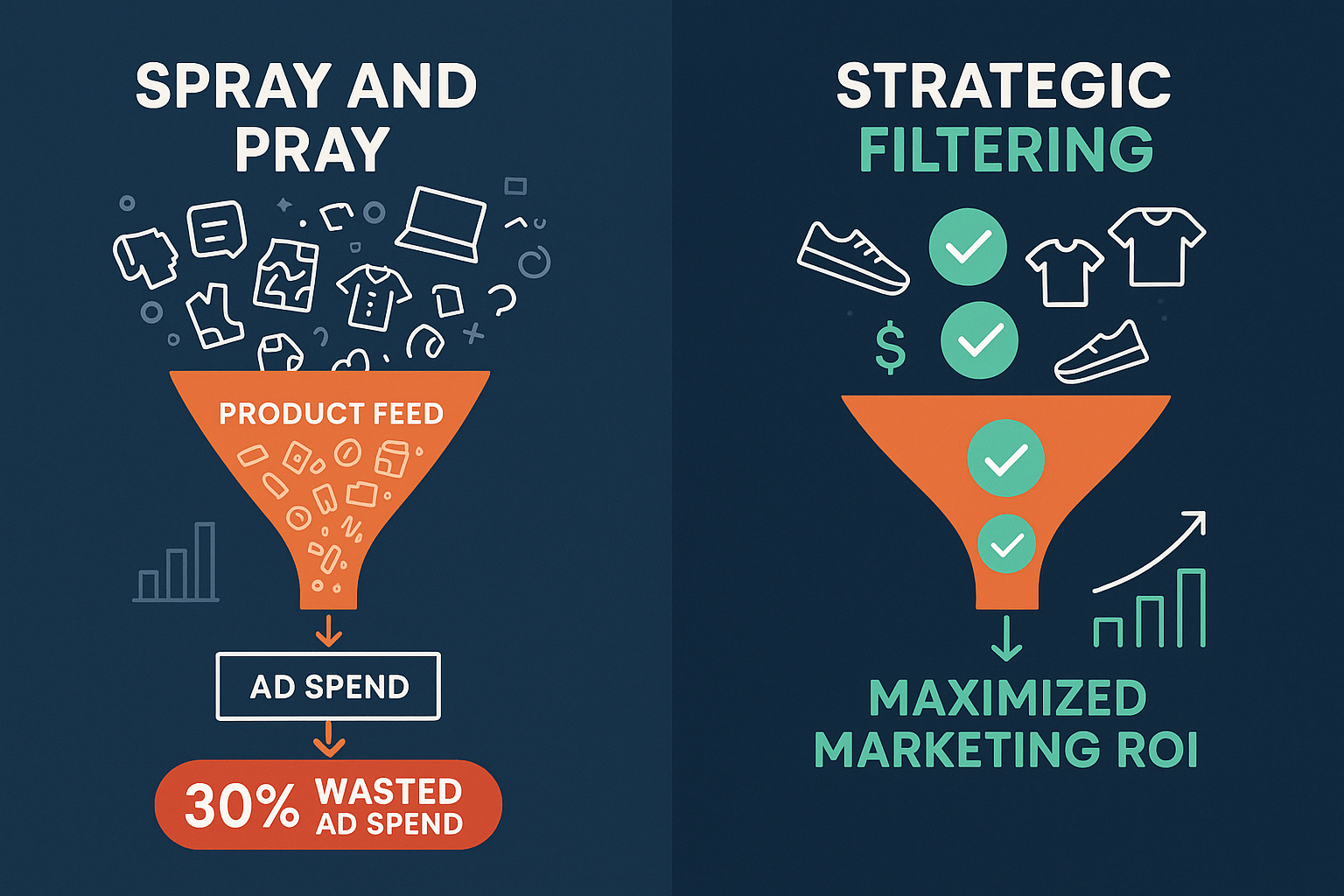
When you use a basic, unfiltered export, you’re adopting a dangerous marketing strategy: “spray and pray.” You blast your entire product catalog, every SKU, every variant, regardless of stock, profit, or performance, onto expensive ad platforms.
This manual, full-catalog approach is the number one cause of silent profit leakage in e-commerce.
Think about it:
- You waste money on low-margin products: Are you paying a high CPC to advertise an item that gives you only a 5% margin?
- You frustrate customers and Google: Are you showing ads for products that just went out of stock, leading to wasted clicks and negative quality scores?
- You risk disapproval: Are you sending data to Google Merchant Center that is missing crucial attributes like GTINs or MPNs, leading to rejections?
WebToffee points out that, “Sending your entire catalog to ad channels wastes budget and lowers performance.” The financial pain point hidden in simple technical errors is massive. If you are spending €1,000 on clicks and 20% of those clicks target products that are low-margin or out-of-stock, you are instantly leaking €200 of your budget, every day.
The evaluation tipping point for an elite merchant isn’t, “Can I export data?” It’s, “Can I use this plugin to control which products generate profit and which products drain my budget?”
Decoding Conditional Logic: The Mechanism of Financial Control
Advanced filtering, or conditional logic, is the difference between a simple data dump and a profitable marketing strategy. It allows you to define flexible rules for how, when, and where your product data appears.
Conditional logic operates on straightforward rules: IF a condition is met, THEN execute an action.
Strategic vs. Basic Filtering
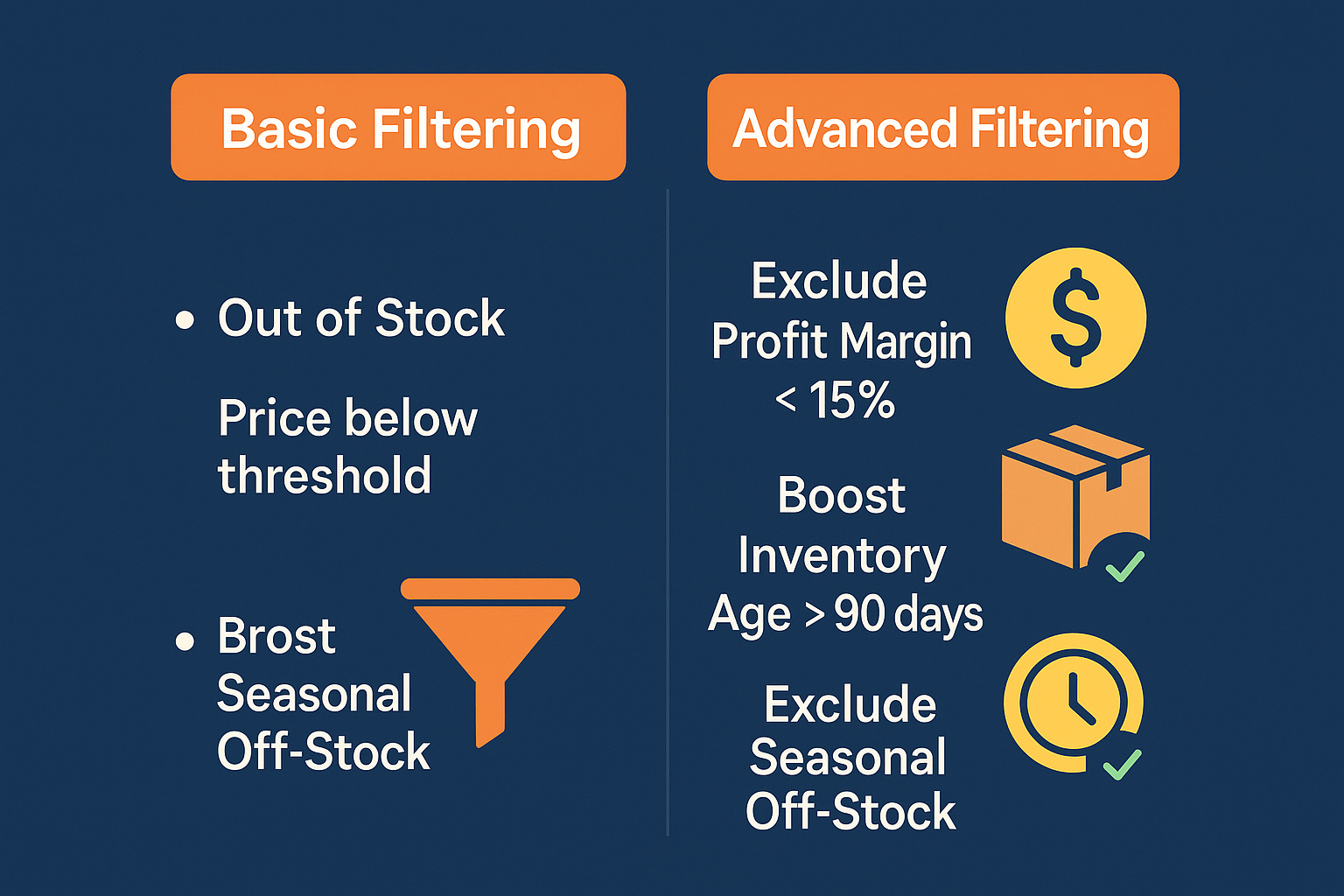
Many plugins offer basic filtering, the ability to exclude products below a certain price or those that are out of stock. Strategic filtering, which is the core strength of WooCommerce Product Feed Manager, goes significantly deeper, allowing for nuance that directly impacts your gross margin and Customer Acquisition Cost (CAC).
| Strategy Level | Objective | Basic Filtering Rule (Limited Control) | Advanced Conditional Rule (Profit-Driven) |
|---|---|---|---|
| Profit Protection | Eliminate wasted spend on unprofitable items. | EXCLUDE products that are “Out of Stock.” | IF Profit Margin is less than 15% AND Total Stock is below 5 THEN EXCLUDE. |
| Inventory Management | Rapidly liquidate aging or excess inventory. | Filter products by a specific Category. |
IF Inventory Age is greater than 90 days AND Stock Quantity is greater than 50 THEN APPEND “Clearance Sale” to the Product Title. |
| Compliance & Conversion | Ensure listings are complete and compliant across channels. | Set one global value for Condition (e.g., ‘new’). |
IF Category is ‘Apparel’ AND GTIN is empty THEN SET Identifier Exists to FALSE and EXCLUDE from Facebook. |
This table illustrates the necessity of our Advanced Filtering UVP. Simple solutions provide exclusion; strategic solutions provide conditional manipulation that directly aids in business objectives, like inventory turnover and margin protection.
How Smart Attribute Manipulation Protects Your ROI
Strategic Smart Attribute Manipulation means you don’t just exclude bad products; you actively modify high-potential products to perform better.
For example, our plugin allows you to automatically adjust product titles based on specific performance criteria. This is crucial because ad platforms often use attributes like the product title, description, and category to determine relevance and display ranking.
A common application is ensuring optimal visibility during sales periods. You can establish a rule such as:
IF Product is in the “Holiday Sale” category THEN PREPEND the text “SAVE 20% – ” to the existing Product Title.
This leverages conditional logic to increase CTR (Click-Through Rate) during critical windows without requiring manual changes in WooCommerce, ensuring your feed is always sending the hyper-optimized data the channel requires.
Case Study Dissection: Conditional Logic as the ROI Engine
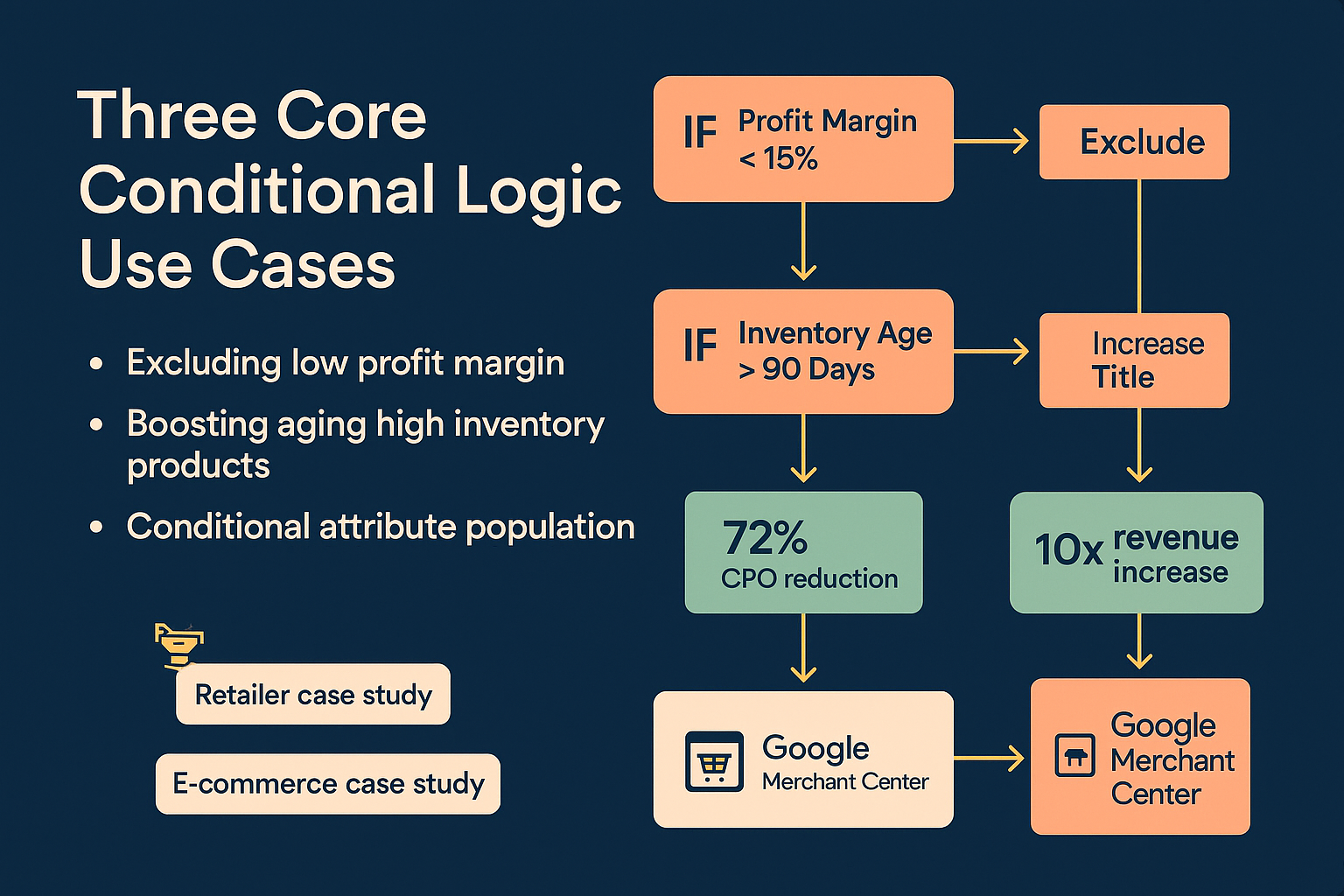
Leading product feed platforms consistently demonstrate that success metrics like a 72% decrease in CPO (Cost Per Order) and achieving a tenfold revenue increase are reliant on surgical data manipulation. The key takeaway from these results isn’t just about having “clean data,” but having strategically segmented and manipulated data.
We believe that leveraging our advanced filtering features is the technological driver behind these high-level results.
Here are three focused use cases where conditional logic moves from a technical feature to a powerful profit lever:
Use Case 1: Maxing Profit Margins and Eliminating Wasted Spend
The simplest way to waste ad spend is to pay for clicks on items that provide minimal profit. Strategic merchants need the ability to define profitability dynamically.
The Strategy: Exclude all products whose true profit margin falls below an acceptable threshold (e.g., 20%) while also factoring in stock levels to maintain a lean, high-performing feed.
| Tool Feature | Conditional Rule | Outcome |
|---|---|---|
| Advanced Filtering | IF Custom Profit Field < 20% OR IF Custom Profit Field is empty THEN Exclude from Feed. |
Immediately redirects ad budget only to high-margin products, increasing average order value and overall margin capture. |
Use Case 2: Inventory Liquidation Strategy
You have a large volume of seasonal stock (e.g., winter coats) that hasn’t moved in 90 days. You need to boost their visibility only on relevant channels (Pinterest, Facebook) and encourage an immediate sale.
The Strategy: Conditionally boost the visibility and sale appeal of aging, high-volume inventory.
| Tool Feature | Conditional Rule | Outcome |
|---|---|---|
| Smart Attribute Manipulation | IF Product Attribute: Season is ‘Winter’ AND IF Stock Age > 90 days THEN OVERWRITE the Description with “DEEP DISCOUNT: Must Clear Winter Inventory. Free Shipping!” |
Creates dynamic, localized sales campaigns via the feed, maximizing clearance rates without editing the parent product data in WooCommerce. |
Use Case 3: Fixing Google Merchant Center Disapprovals (GMC)
GMC requires strict adherence to attribute rules (like GTIN or MPN) for specific product categories (especially electronics and apparel). Failure to provide these leads to costly product disapprovals and feed halts.
The Strategy: Use conditional logic to ensure only compliant products are submitted, or to correctly set the identifier_exists attribute when a required identifier is missing.
| Tool Feature | Conditional Rule | Outcome |
|---|---|---|
| Seamless Category Mapping and Attribute Mapping | IF Google Product Category IN (‘Apparel & Accessories’, ‘Electronics’) AND IF GTIN is empty THEN SET identifier_exists to FALSE. |
Maintains feed validation and compliance instantly, mitigating the risk of time-consuming manual clean-up and preventing entire ad campaigns from being blocked. |

This level of control ensures your traffic and sales are optimized. When you assess a plugin, if it cannot handle these three strategic use cases, it is limiting your profitability potential. This capability is why over 10,000 WooCommerce merchants rely on the WooCommerce Product Feed Manager to efficiently manage their growth.
The Anti-Competitor Play: Advanced Attribute Manipulation
The truly strategic value in a professional product feed tool lies in its ability to facilitate real competitive marketing moves, not just data compliance.
We allow our partners to run marketing experiments and dominate SERP space through our granular Smart Attribute Manipulation and Custom Templates features.
Dynamic Title Optimization
In highly competitive niches, the product title is often the most important factor for ranking and click-through rate. Basic plugins allow you to select the WooCommerce title. Our solution allows you to build a dynamic title based on conditional scenarios.
Example Scenario: You notice competitors are ranking higher for high-value keywords related to the brand AND color.
With our plugin, you can build a comprehensive title structure using multiple attributes, conditionally:
- IF
Brandis defined THEN AddBrand Name - THEN Add
Product Name - IF
Coloris defined THEN AddColor Variant - IF
Conditionis ‘New’ THEN Add “– Free Shipping”
This process allows merchants to refine product attributes with intelligent conditions to achieve better CTR and relevance scores, effectively driving down the true cost of their paid advertising.
Excluding Problem Children SKUs Across Multiple Channels
A single SKU might perform well on Google Shopping but consistently fail to convert on Amazon because of competitive price saturation. A sophisticated feed manager grants you the control to exclude that one specific problem child across only the channels where it fails. This is a level of channel-specific optimization that basic, one-size-fits-all plugins cannot deliver.
Our Ecommerce Plan supports unlimited channels, ensuring that your customized conditional rules are applied across every platform—from minor vertical marketplaces to major global networks.
Buyer’s Criteria: Evaluation Checklist for Advanced Filtering Tools
As you finalize your plugin evaluation, you must validate that the solution meets the non-negotiable requirements for strategic control. Use this checklist as a framework when comparing solutions:
Must-Have Conditional Filtering Capabilities:
| Criteria | Question | WP Marketing Robot Capability |
|---|---|---|
| Multi-Rule Complexity | Can the tool handle rules using multiple interdependent conditions (e.g., IF A AND B, OR C THEN D)? | Yes—Crucial for fine-tuned profit targeting. |
| Attribute Overwriting | Can the tool change the value of an attribute conditionally, or does it only allow exclusion? | Yes—Smart Attribute Manipulation is a core feature. |
| Multi-Channel Precision | Can I apply one set of rules to Google and a different set to Facebook simultaneously? | Yes—Rules are easily configured per feed and channel. |
| Stock and Margin Filters | Does the filtering work reliably on dynamic data points like inventory quantity and calculated profit margins? | Yes—Ensures real-time tactical adjustments. |
| Ease of Use | Is the conditional logic interface intuitive (drag-and-drop builder) or code-heavy and complex? | Intuitive and visual—Designed for merchant speed and precision. |
If a plugin forces you to use broad, basic filters or requires custom code for complex conditions, it will inevitably lead to limitations on your profit maximization efforts.
Frequently Asked Questions (FAQ) for Evaluation
Q: Why is conditional logic necessary if I already filter out out-of-stock items?
Filtering out-of-stock items is basic hygiene. Conditional logic is necessary for profit optimization. For instance, you may have 10 products perpetually in stock, but they only have a 2% profit margin. Without conditional logic tied to profit fields, you will waste valuable ad spend on those 10 products, even though they are technically in stock. Conditional filtering allows you to exclude products based on margins, sales velocity, or age—metrics that directly drive ROI.
Q: Will using advanced filtering slow down my feed generation process?
A professional-grade plugin like the WooCommerce Product Feed Manager is engineered for performance. While advanced-conditional filtering is computationally heavier than a simple export, the slight increase in feed processing time is a negligible tradeoff compared to the massive financial gain realized by excluding low-performing products and avoiding wasted ad budget. We optimize feed generation to ensure speed remains acceptable, even with intricate rules.
Q: Can conditional logic help me with multi-language and multi-currency feeds?
Absolutely. Our plugin’s deep support for multi-language and multi-currency feeds often relies on conditional logic. You can set rules that say: IF the feed target language is German THEN use the German product title attribute. This ensures localization is handled seamlessly and automatically, which is vital for merchants focused on global reach.
The Cost of Inaction: Don’t Just Manage Your Feed, Dominate It
The MOFU evaluation phase is critical. You are not just choosing software; you are selecting a marketing partner. Basic tools manage your data; strategic solutions empower you to dominate the market by providing the competitive edge of advanced data control.
The financial data is clear: Wasting budget on unoptimized or low-margin clicks is the silent profit killer in e-commerce. You need a plugin that focuses the conversation on profit maximization, risk mitigation, and continuous optimization.
The Product Feed Manager for WooCommerce provides the Advanced Filtering and Smart Attribute Manipulation that allows you to surgically carve out waste, boost high-potential products, and secure full compliance—turning your product feed from a technical necessity into a strategic revenue engine.
Ready to stop leaking ad budget and start maximizing every conversion?


Leave a Reply
Want to join the discussion?Feel free to contribute!