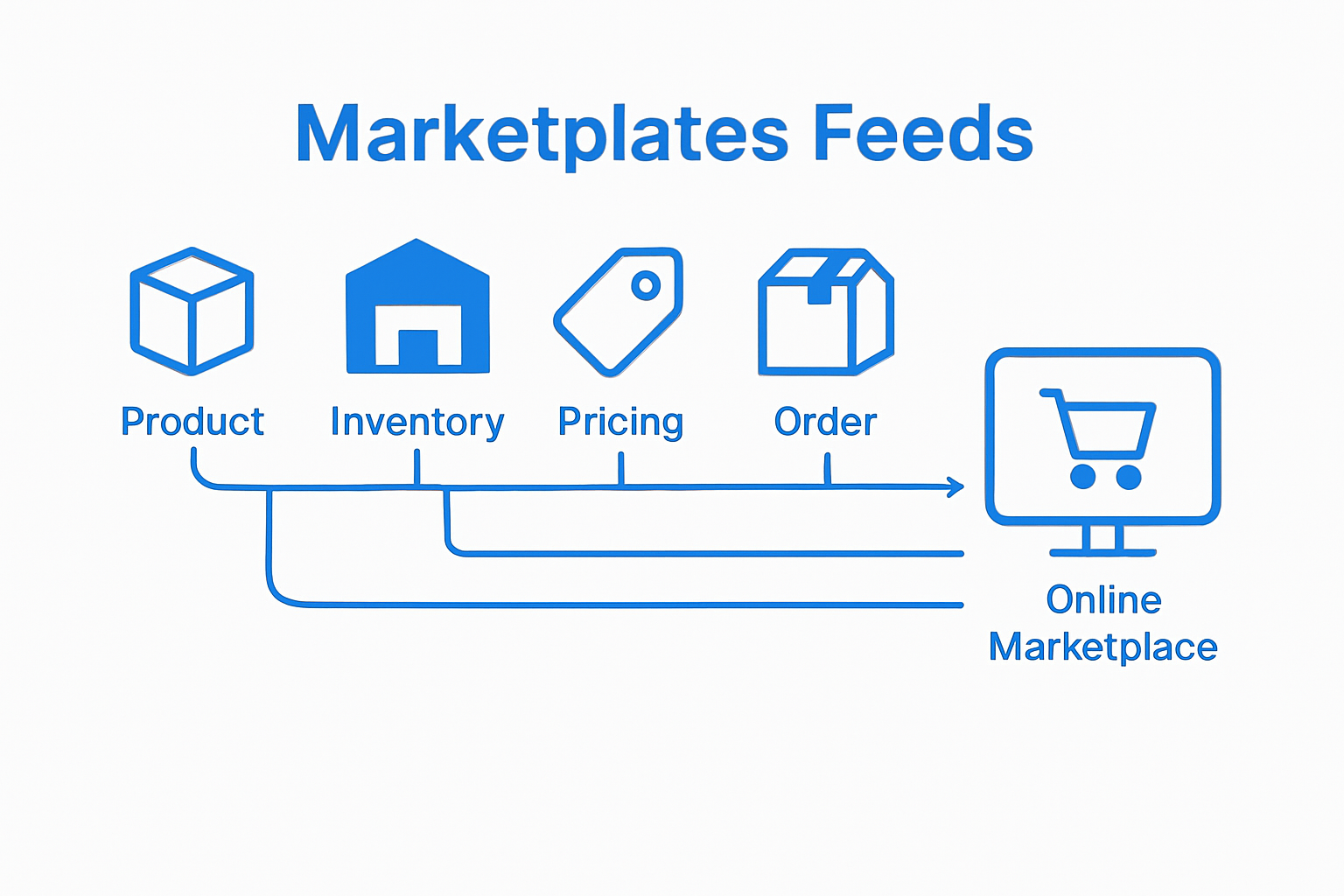
What is WooCommerce Feed Export and Why It Matters

Managing an online store means your products must stand out and reach buyers wherever they shop. Still, most business owners are unaware that WooCommerce feed exports can simultaneously push their listings to sites like Google Shopping, Facebook Marketplace, and even Amazon. Most surprising is how this single export can not only cut out manual work but also unlock new sales channels with almost no effort, making it a true growth lever hiding in plain sight.

Quick Summary

Takeaway Explanation
Automate Product Distribution Feed exports streamline your sales process by automatically sharing product data across multiple platforms.
Expand Market Reach Utilizing product feeds allows listing on channels like Google Shopping and Amazon, increasing customer visibility.
Ensure Data Accuracy Automated exports minimize human error, keeping product information consistent across all sales channels.
Support Multiple Formats Different file formats like XML and CSV enhance compatibility with various marketplace requirements.
Boost Operational Efficiency Real-time updates and inventory syncing save time and reduce administrative workload.

Understanding WooCommerce Feed Export: A Definition

WooCommerce feed export represents a critical digital marketing strategy that enables online store owners to systematically distribute their product information across multiple sales channels and marketplaces. At its core, this process involves generating a structured digital file containing comprehensive product details that can be seamlessly shared with external platforms.

The Fundamental Concept

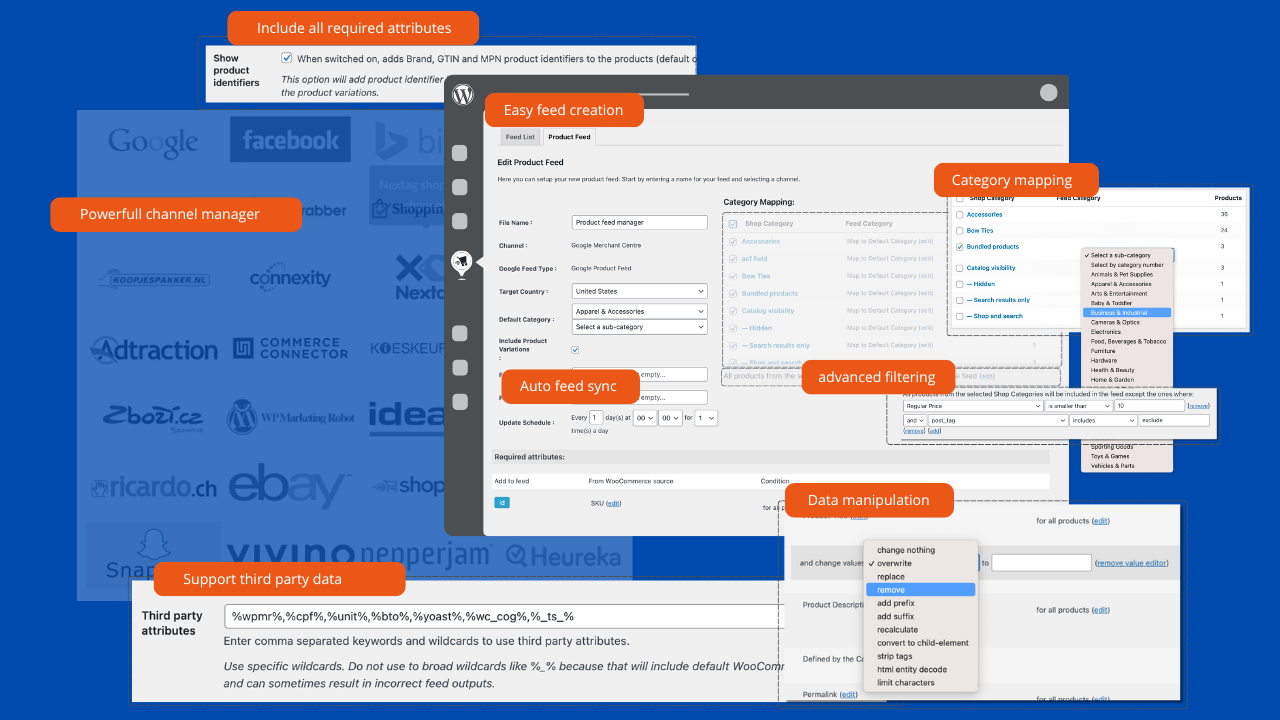
A WooCommerce feed export transforms your online store’s product catalog into a standardized digital format that marketplace platforms can easily read and process. This digital “translation” ensures your products can be accurately represented across different e-commerce environments. Learn more about our complete feed management solution.

The export typically includes critical product information such as:

  • Product names and descriptions
  • Pricing details
  • Stock availability
  • Product images
  • SKU or unique identifiers
  • Category classifications
  • Technical specifications

Why Feed Export Matters

According to WooCommerce’s official documentation, product feed exports are essential for expanding an online store’s visibility and reach. By creating standardized product feeds, merchants can automatically sync their inventory across multiple sales channels like Google Shopping, Facebook Marketplace, and comparison shopping engines.

The strategic importance of WooCommerce feed export lies in its ability to automate product distribution, reduce manual data entry, minimize errors, and provide a consistent product representation across different digital platforms. This approach not only saves time but also dramatically increases the potential for product discovery and sales conversion.

Why WooCommerce Feed Export is Important for Your Business

WooCommerce feed export transcends simple data sharing by serving as a strategic business tool that dramatically enhances online sales potential and operational efficiency. By transforming product information into a structured, universally readable format, businesses can unlock significant market opportunities and streamline their digital commerce strategies.

Expanding Market Reach

The primary significance of WooCommerce feed export lies in its ability to dramatically expand your product visibility. Discover strategies for boosting e-commerce sales with data feeds and understand how feed exports can transform your online business. Product feeds enable merchants to simultaneously list products across multiple platforms, including:

  • Google Shopping
  • Facebook Marketplace
  • Amazon
  • Comparison shopping engines
  • Affiliate marketing networks

Through using these diverse channels, businesses can exponentially increase their potential customer touchpoints without multiplying administrative workload.

Operational Efficiency and Accuracy

According to research from the European Commission, automated product feed exports provide critical advantages in digital commerce. Automated feed management eliminates manual data entry, reducing human error and ensuring consistent product information across all platforms.

The strategic benefits include:

  • Real-time inventory synchronization
  • Automatic price and stock updates
  • Consistent product representation
  • Reduced administrative overhead
  • Enhanced data management capabilities

Moreover, these feeds enable businesses to quickly adapt to market changes, update pricing strategies, and maintain accurate product information across multiple sales channels. This agility is crucial in today’s fast-moving digital marketplace, where product information accuracy can directly impact sales performance and customer trust.

How WooCommerce Feed Export Works: The Process Explained

WooCommerce feed export operates through a sophisticated digital mechanism that transforms complex product data into standardized, platform-ready formats. This intricate process involves multiple technical steps designed to ensure accurate, comprehensive product representation across various digital marketplaces.

Data Collection and Mapping

The initial phase of WooCommerce feed export centers on comprehensive data aggregation. Learn how to create a product feed with our detailed guide to understand the nuanced process. Every product in your WooCommerce store undergoes a systematic extraction, capturing essential details such as:

  • Product name and description
  • Price and special offer information
  • Inventory status
  • Product variants and attributes
  • Unique product identifiers
  • High-resolution images
  • Shipping and tax details

Feed Generation and Formatting

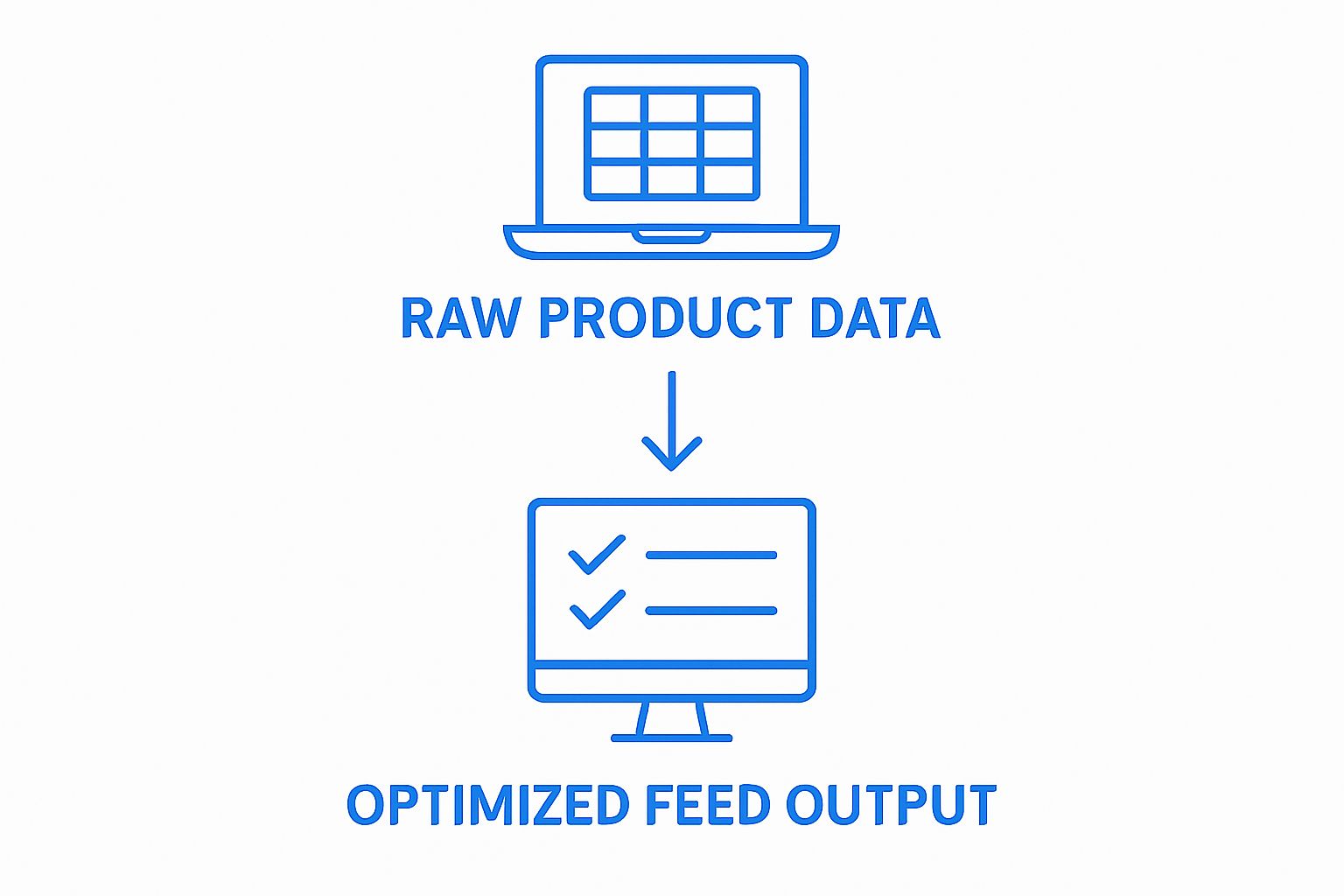
According to WordPress plugin documentation, the feed generation process involves transforming raw product data into structured formats compatible with different marketplace requirements. This critical translation ensures that each platform receives product information in its preferred configuration.

The feed generation mechanism typically accomplishes several key objectives:

  • Standardizing data across different marketplace specifications
  • Filtering products based on predefined criteria
  • Applying custom mapping rules
  • Handling complex product variations
  • Ensuring data integrity and consistency

By systematically processing and reformatting product information, WooCommerce feed export creates a flexible, adaptable digital representation of your product catalog that can seamlessly integrate with multiple sales channels and marketing platforms.

Key Concepts of WooCommerce Feed Export: Formats and Channels

WooCommerce feed export encompasses a sophisticated ecosystem of digital product representation, involving multiple file formats, transmission protocols, and marketplace integrations. Understanding these technical nuances is crucial for merchants seeking to maximize their online sales potential and digital market reach.

Product Feed File Formats

Digital compatibility defines the core of successful product feed exports. Explore our Amazon product feed management solutions to understand the complexity of format requirements. The most prevalent product feed formats include:

  • XML: Extensible Markup Language, offering robust data structuring
  • CSV: Comma-Separated Values, providing simple, widespread compatibility
  • TSV: Tab-Separated Values, supporting clean, readable data organization

Each format offers unique advantages depending on the target marketplace’s specific technical requirements and data processing capabilities.

The table below summarizes the key file formats used in WooCommerce feed export, highlighting their main characteristics and typical use cases.

File Format Main Characteristics Typical Use Cases
XML Robust data structuring, widely accepted Google Shopping, Amazon Marketplace
CSV Simple, easy to use, broad compatibility Facebook Marketplace, Price Comparisons
JSON Lightweight, fast data interchange API integration, Custom Applications
TSV Data separated by tabs, clean organization Affiliate Networks, Data Analysis

Infographic comparing XML, CSV, and JSON feed formats for WooCommerce export

Marketplace and Channel Integration

According to Wikipedia’s product feed documentation, successful feed export relies on understanding diverse marketplace specifications. Different sales channels demand specific data presentations and validation criteria.

Key marketplace integration considerations include:

  • Platform-specific attribute mapping
  • Compliance with marketplace data standards
  • Real-time synchronization capabilities
  • Support for dynamic pricing updates
  • Handling of product variation complexities

By mastering these technical intricacies, WooCommerce store owners can create dynamic, adaptable product feeds that seamlessly connect their inventory with global digital marketplaces, expanding their potential customer reach and sales opportunities.

Real-World Applications: Examples of WooCommerce Feed Export in Action

WooCommerce feed export transforms theoretical digital marketing potential into tangible business growth strategies. By enabling precise product representation across multiple platforms, businesses can leverage sophisticated digital distribution mechanisms to reach broader audiences and optimize sales performance.

Multichannel Retail Strategies

Strategic product distribution lies at the heart of modern e-commerce success. Learn more about our comprehensive product feed management solutions to understand how businesses are revolutionizing their online sales approach. Practical applications of WooCommerce feed export demonstrate remarkable versatility across various scenarios:

  • International marketplaces like Amazon and eBay
  • Comparison shopping engines
  • Social media advertising platforms
  • Affiliate marketing networks
  • Specialized niche marketplaces

Each channel represents a unique opportunity to showcase products with precision and targeted marketing intelligence.

Performance and Optimization Case Studies

Real-world implementations reveal significant performance improvements. Businesses using sophisticated feed export strategies can achieve remarkable outcomes:

  • Increased product visibility across digital platforms
  • Enhanced targeting capabilities
  • Reduced manual data management efforts
  • Improved conversion rates through strategic placement
  • Streamlined international market expansion

By implementing intelligent WooCommerce feed export techniques, online retailers can transform their digital presence from static product listings to dynamic, adaptable marketing ecosystems that respond quickly to market demands and consumer preferences.

woocommerce product export home office

Unlock the Full Power of WooCommerce Feed Export With Advanced Automation

Are you tired of the technical hurdles and constant updating that come with managing product feeds for marketplaces like Google Shopping and Amazon? As highlighted in the article, maintaining accurate and dynamic product listings across multiple channels is both crucial and challenging. Store owners struggle with manual data entry, inconsistent information, and missed sales opportunities. If you want to avoid lost revenue and tedious work, it is time to make feed export effortless and effective.

https://wpmarketingrobot.com

Experience how WP Marketing Robot takes your WooCommerce feed export to the next level. Our automation tools for product feed management remove repetitive work, improve data accuracy, and help your store reach more customers on platforms like Amazon and Google Shopping. Do not let errors and delays limit your store’s success. Visit our website now to see how easy it is to start optimizing your feed exports for more sales, more reach, and more peace of mind.

Frequently Asked Questions

What is WooCommerce feed export?

WooCommerce feed export is a digital marketing strategy that allows online store owners to create and distribute structured product information files across various sales channels and marketplaces.

Why is WooCommerce feed export important for my business?

WooCommerce feed export enhances product visibility, reduces manual data entry errors, and ensures consistent product representation across multiple sales platforms, leading to increased sales potential and operational efficiency.

How does WooCommerce feed export work?

WooCommerce feed export works by collecting product data from your store, transforming it into standardized formats, and then generating product feeds compatible with various marketplaces, ensuring accurate product representation.

What file formats are commonly used for WooCommerce feed exports?

The most common file formats for WooCommerce feed exports include XML, CSV, JSON, and TSV, each offering different advantages depending on the target marketplace’s technical requirements.

Understanding Google Shopping Feeds: A Comprehensive Guide

Google Shopping feeds are the secret engine behind how online retailers get their products seen all over the web. Over 60 percent of e-commerce sales now involve a Google Shopping ad at some point in the buying journey, and that number keeps rising. Most people think product feeds are just dull spreadsheets and technical headaches. Actually, they are one of the most powerful marketing levers in e-commerce and can put a small store right next to giant brands with just a few clicks.

Quick Summary

Takeaway Explanation
Optimize product feeds for visibility Structured feeds enhance your product visibility across Google’s platforms, leading to increased traffic and sales.
Include essential product details Critical information such as title, price, and images must be present to effectively showcase your products.
Regularly monitor and update feeds Continuous feed audits help identify issues and maintain data accuracy, ensuring compliance with Google’s guidelines.
Leverage analytics for performance Analyzing feed metrics, like conversion rates, helps refine product listings and improve marketing strategies.
Adopt a strategic approach to feeds Treat your product feeds as dynamic assets that require ongoing optimization and tactical presentation for maximum impact.

What are Google Shopping Feeds and Why They Matter

Google Shopping feeds represent a powerful digital marketing tool that transforms how online retailers showcase and sell their products across Google’s extensive network. At its core, a Google Shopping feed is a structured digital file containing detailed product information that enables merchants to list their products in Google’s shopping results and advertising platforms.

The Fundamental Structure of Product Feeds

A Google Shopping feed is essentially a comprehensive digital catalog of your products. According to the American Marketing Association, these feeds must include critical details such as:

  • Product title
  • Description
  • Price
  • Product category
  • Brand
  • Availability status
  • High-quality product images

Think of the feed like a digital product passport that provides Google with everything it needs to understand, categorize, and display your products accurately across search results and shopping platforms.

The table below breaks down the essential components required in a Google Shopping feed, providing a clear overview of what each attribute represents and why it matters.

Feed Attribute Description Importance OF Google Shopping
Product Title The main name for the product Helps users identify and search items
Description Detailed explanation of the product Informs and persuades potential buyers
Price Cost of the item Required for accurate display
Product Category Classification of the item according to Google taxonomy Aids product matching and discovery
Brand The product manufacturer or brand name Builds credibility and user trust
Availability Status Whether the product is in stock or not Prevents listing unavailable products
High-Quality Images Professional-grade product photos Enhances appeal and click-throughs

Why Google Shopping Feeds Matter for Online Retailers

The significance of Google Shopping feeds extends far beyond simple product listing. These feeds are a strategic gateway to enhanced online visibility and potential sales growth.

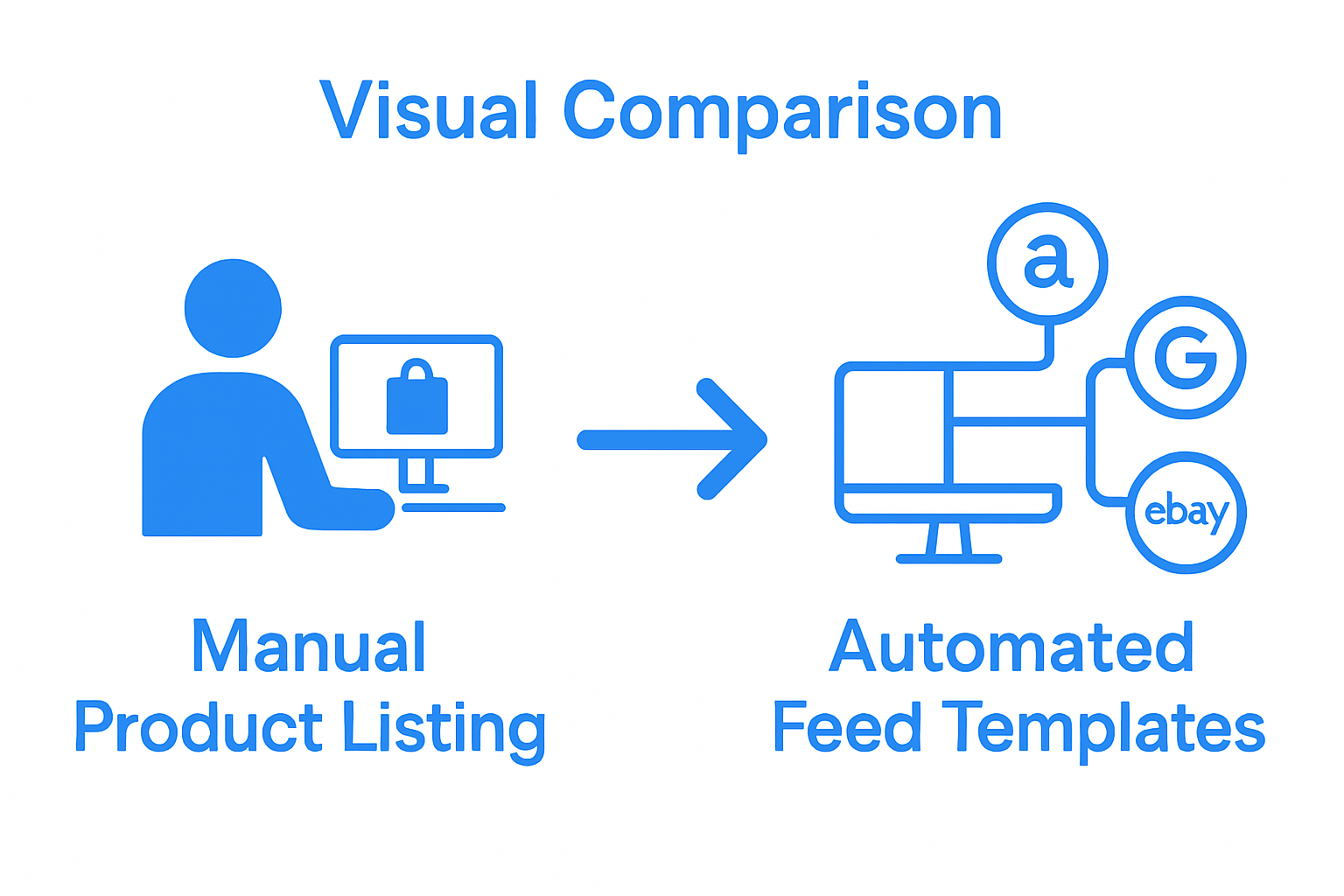
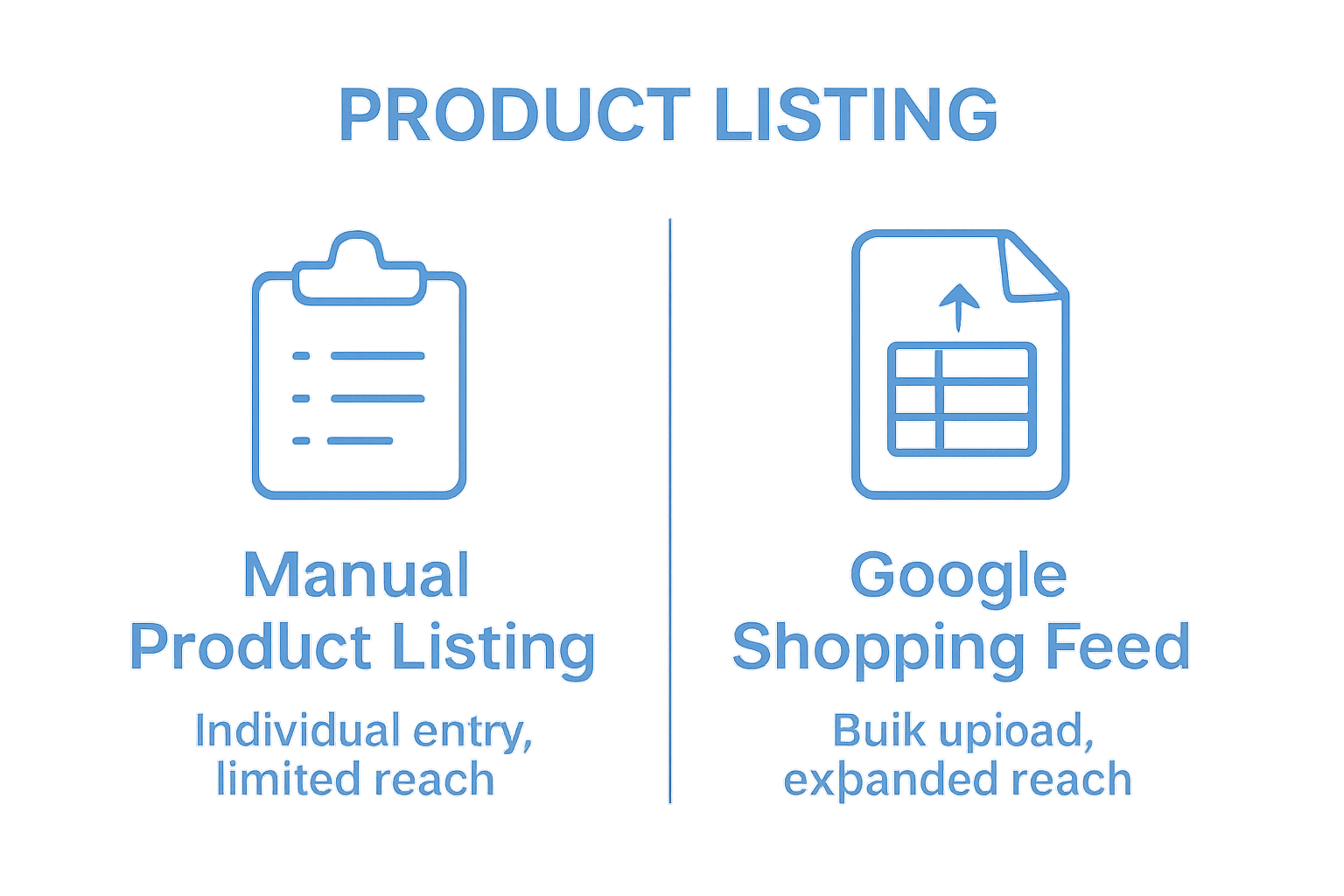
Comparison of manual listing versus Google Shopping feed approaches Our comprehensive guide on data feeds further explores how these feeds can transform your online marketing approach.

By submitting a well-structured product feed, online retailers gain multiple advantages:

  • Expanded Reach: Products appear in Google Shopping results, Google Images, and across Google’s advertising network
  • Enhanced Visibility: Structured data helps Google accurately match products to user search queries
  • Performance Tracking: Detailed feeds enable better analytics and insights into product performance

Understanding and optimizing your Google Shopping feed is no longer optional but a critical component of modern ecommerce strategy. Merchants who invest time in creating accurate, comprehensive product feeds position themselves to capture more online shopping traffic and convert potential customers more effectively.

The Importance of Google Shopping Feeds in E-commerce

In the rapidly evolving digital marketplace, Google Shopping feeds have emerged as a critical tool for online retailers seeking to maximize their visibility and sales potential. These structured data repositories do more than simply list products they serve as a strategic conduit connecting merchants directly with potential customers across Google’s expansive ecosystem.

Transforming Product Discovery and Consumer Engagement

According to PPC.org, Google Shopping feeds represent a sophisticated mechanism for product marketing that goes beyond traditional advertising methods. They enable merchants to present rich, detailed product information that helps consumers make informed purchasing decisions.

The strategic advantages of robust Google Shopping feeds include:

  • Enhanced visual product representation
  • Precise targeting based on user search intent
  • Immediate price and availability information
  • Seamless integration with multiple Google platforms

Economic Impact and Market Reach

For ecommerce businesses, Google Shopping feeds are not just a marketing technique but a critical revenue generation strategy. Learn more about optimizing your product feeds to unlock their full potential.

The economic significance of these feeds is profound. They enable small and medium enterprises to compete on the same digital stage as larger retailers by providing equal visibility. Merchants can showcase their entire product catalog dynamically, allowing consumers to discover products through multiple entry points such as image search, standard search results, and dedicated shopping tabs.

Key economic benefits include:

ecommerce product feed market reach

  • Reduced customer acquisition costs
  • Improved conversion rates
  • Expanded market reach beyond traditional geographic boundaries
  • Real time performance tracking and optimization

By investing in high quality, accurately structured Google Shopping feeds, online retailers can transform their digital marketing approach from passive listing to active customer engagement. The feeds serve as a powerful bridge connecting product information with consumer purchasing intent, making them an indispensable tool in modern ecommerce strategy.

How Google Shopping Feeds Work: Key Components Explained

Understanding the mechanics of Google Shopping feeds requires diving into the intricate ecosystem of digital product representation. These feeds are not merely static listings but dynamic digital interfaces that enable sophisticated product marketing across Google’s platforms.

The Technical Architecture of Product Feeds

According to the Magento Association, Google Shopping feeds operate through a complex system of data processing and matching. The fundamental mechanism involves converting your product catalog into a standardized format that Google can interpret and display effectively.

Key technical components of a Google Shopping feed include:

  • Unique Product Identifiers: SKU, GTIN, MPN
  • Comprehensive Product Metadata: Titles, descriptions, categories
  • Pricing and Availability Information
  • High Resolution Product Images
  • Shipping and Tax Details

Data Validation and Performance Optimization

Once a merchant submits their product feed to Google Merchant Center, a rigorous validation process begins. Google systematically checks each product listing against strict quality guidelines to ensure accurate and compelling product representations.

The feed optimization process involves:

  • Eliminating duplicate or redundant product entries
  • Ensuring all required product attributes are present
  • Maintaining consistent and updated pricing information
  • Meeting Google’s image and description quality standards

Merchants who invest time in creating precise, comprehensive product feeds gain significant advantages. These feeds not only improve product visibility but also enhance the overall user shopping experience by providing transparent, accurate product information across multiple Google platforms.

By understanding and mastering the intricacies of Google Shopping feeds, online retailers can transform their digital marketing strategy from passive listing to an intelligent, data-driven approach that connects products directly with potential customers.

Google Shopping feeds present a complex landscape of technical requirements and strategic nuances that can overwhelm even experienced online retailers. Understanding these challenges is crucial for merchants seeking to maximize their product visibility and marketing effectiveness.

Data Accuracy and Compliance Hurdles

According to Google’s official guide, maintaining precise product data represents the most significant challenge for merchants. Product feeds must meet stringent validation criteria that extend far beyond basic product information.

Common data accuracy challenges include:

  • Frequent price and availability updates
  • Matching product descriptions with landing page content
  • Ensuring high-resolution product images
  • Consistent product categorization
  • Accurate shipping and tax information

Technical Validation and Feed Optimization

Merchants often struggle with the intricate technical requirements imposed by Google. Check out our guide on fixing merchant center issues to understand these nuanced challenges better.

Key technical validation challenges merchants encounter involve:

  • Product Disapproval: Google may reject listings for minor discrepancies
  • Feed Formatting: Strict XML or CSV requirements
  • Performance Monitoring: Continuous feed quality assessment
  • Dynamic Pricing Synchronization

Successful navigation of these challenges requires a proactive approach. Merchants must develop robust systems for continuous feed monitoring, rapid updates, and strict adherence to Google’s evolving guidelines. By treating product feeds as dynamic, living documents rather than static listings, online retailers can transform potential obstacles into opportunities for enhanced product visibility and customer engagement.

Here is a table summarizing the most common challenges online retailers face when managing Google Shopping feeds, paired with key considerations for overcoming these obstacles.

Challenge Key Considerations Potential Impact
Data Accuracy Keep product information updated and precise Avoids product disapproval
Compliance with Guidelines Follow Google feed requirements Ensures product listings remain live
Image Quality Use high-resolution, professional images Improves visibility and appeal
Product Matching Align product feed with landing page info Prevents rejection and confusion
Technical Formatting Adhere to XML/CSV feed standards Minimizes upload errors
Dynamic Pricing Updates Synchronize real-time price changes Maintains accurate product info
Category Consistency Accurately map products to taxonomy Increases discoverability

Maximizing Your Success with Google Shopping Feeds

Successful implementation of Google Shopping feeds requires more than technical compliance. It demands a strategic approach that transforms product data into a powerful marketing tool capable of driving customer engagement and sales growth.

Strategic Feed Optimization Techniques

According to research from Google AI, advanced data processing and machine learning can significantly enhance product discoverability. Merchants must focus on creating feeds that not only meet technical requirements but also capture the essence of their product offerings.

Key optimization strategies include:

  • Crafting compelling and keyword-rich product titles
  • Using high-quality, professional product images
  • Providing comprehensive and accurate product descriptions
  • Implementing strategic product categorization
  • Maintaining consistent pricing and availability information

Performance Monitoring and Continuous Improvement

Learn more about Performance Max strategies to unlock advanced feed management techniques. Successful merchants view their Google Shopping feeds as dynamic assets requiring constant refinement.

Critical performance monitoring elements involve:

  • Regular Feed Audits: Identifying and resolving data discrepancies
  • Competitive Benchmarking: Understanding market positioning
  • Conversion Rate Analysis: Tracking product performance
  • Customer Interaction Metrics: Evaluating click-through and engagement rates

The most successful online retailers approach Google Shopping feeds as living documents. They understand that consistent optimization, data accuracy, and strategic presentation are not one-time tasks but ongoing processes. By adopting a proactive and adaptive approach, merchants can transform their product feeds from simple listings into sophisticated marketing instruments that drive visibility, attract potential customers, and ultimately boost sales performance.

Supercharge Your Google Shopping Feeds With WP Marketing Robot

Frustrated by constant data errors, Google Merchant Center rejections, or time-consuming manual feed updates? As highlighted in this article, mastering Google Shopping feeds is no easy task. Keeping product information accurate, compliant, and optimized eats up valuable hours, often with little reward for your effort. You deserve a smarter solution that automatically manages, syncs, and optimizes your WooCommerce product feeds so you can focus on growing your business, not fixing technical problems.

https://wpmarketingrobot.com

Experience hassle-free feed management with the WooCommerce Product Feed Manager from WP Marketing Robot. Automate your product listings for Google Shopping and other top channels by leveraging features like multi-language support, custom filtering, and reliable data synchronization. Join thousands of merchants who have already seen higher visibility and better conversion rates. Take action now and discover how our plugin can transform your e-commerce growth.

Frequently Asked Questions

What is a Google Shopping feed?

A Google Shopping feed is a structured digital file that contains detailed product information, enabling merchants to list their products across Google’s shopping results and advertising platforms.

Why are Google Shopping feeds important for online retailers?

Google Shopping feeds help enhance visibility, improve targeting to user search queries, and provide performance tracking, ultimately driving potential sales growth for online retailers.

What key components should be included in a Google Shopping feed?

A well-structured Google Shopping feed should include product titles, descriptions, prices, categories, brands, availability status, and high-quality product images.

How can merchants optimize their Google Shopping feeds for better performance?

Merchants can optimize their feeds by crafting compelling and keyword-rich product titles, using high-quality images, providing accurate product descriptions, and maintaining updated pricing and availability information.

How to Fix Merchant Center Price Mismatch for WooCommerce Stores

Price mismatches in Google Merchant Center can cripple your WooCommerce store’s advertising performance. When Google’s crawlers detect discrepancies between your feed prices and landing page prices, your products get disapproved—cutting off valuable traffic and sales opportunities. For WooCommerce store owners managing 200+ SKUs, these price mismatch errors aren’t just inconvenient—they’re business-critical issues that demand immediate attention and systematic solutions. This comprehensive guide walks you through identifying, diagnosing, and permanently resolving price-mismatch errors that plague WooCommerce stores. You’ll learn advanced troubleshooting techniques that go beyond Google’s basic plugin, plus automated strategies to prevent future occurrences.

Introduction to Merchant Center Price Mismatch

Google Merchant Center price mismatch occurs when Googlebot detects inconsistencies between the price listed in your product feed and the actual price displayed on your WooCommerce product pages. This discrepancy triggers the dreaded “Mismatched value (page crawl) [price]” error.
Google’s crawling system continuously monitors your product pages, comparing feed data against live website content. When mismatches are found, affected products receive immediate disapproval, removing them from Shopping ads and free listings.
The stakes are high: Unresolved price mismatches can lead to account suspension within 28 days. For mid-market WooCommerce stores running €10k+ monthly ad spend, this represents significant revenue risk.

Why Price Mismatches Occur in WooCommerce Feeds

WooCommerce stores face unique challenges that frequently trigger price mismatch errors:

Dynamic Pricing Complications

WooCommerce’s flexible pricing system creates multiple price points that confuse Google’s crawlers:

  • Sale prices that activate automatically based on dates
  • Tiered pricing for different customer groups
  • Currency conversion displaying different prices by location
  • Tax calculations that modify displayed prices

Feed Update Delays

Many WooCommerce stores experience synchronization gaps between their website and Google Merchant Center feeds:

  • Manual feed uploads that lag behind price changes
  • Plugin failures that break automatic sync
  • Server timeouts during large catalog updates
  • Caching issues that show outdated prices

JavaScript Price Display Issues

Modern WooCommerce themes often load prices dynamically through JavaScript, creating crawling problems:

  • Prices rendered after initial page load
  • AJAX-powered price calculations
  • Third-party plugin interference
  • Mobile-specific pricing displays

Variant and Bundle Pricing Errors

Complex product structures in WooCommerce frequently cause price inconsistencies:

  • Product variants with different pricing
  • Bundle products with calculated totals
  • Minimum quantity requirements
  • Bulk pricing tiers

Impact of Price Mismatches on Performance Max and Free Listings

Price mismatches create cascading performance issues across Google’s advertising ecosystem:

Performance Max Campaign Disruption

  • Reduced product coverage: Disapproved products can’t appear in Performance Max campaigns
  • Algorithm confusion: Inconsistent pricing data hampers Google’s bidding algorithms
  • Budget inefficiency: Ad spend concentrates on fewer approved products
  • Lower conversion rates: Price discrepancies create customer distrust

Free Listings Penalties

  • Organic visibility loss: Products disappear from Google Shopping’s free listings
  • Competitive disadvantage: Competitors fill the vacuum with their products
  • Brand reputation damage: Inconsistent pricing signals poor business practices
  • Customer acquisition costs increase: Reduced free traffic requires higher paid investment

Long-Term Account Health Risks

Persistent price mismatches signal policy violations that can escalate to:

  • Temporary product suspensions
  • Account warnings and review requirements
  • Complete Merchant Center account suspension
  • Permanent advertising restrictions

Step-by-Step Diagnostics

Serious merchants need advanced diagnostic tools to identify and resolve complex price-mismatch issues. WooCommerce Product Feed Manager offers the features needed to tackle these challenges effectively.

product feed manager pricing options

Advanced Feed Analysis Techniques

1. Cross-Reference Multiple Data Sources
Don’t rely solely on Google’s diagnostics. Create your own analysis by comparing:

  • Raw WooCommerce database prices
  • Generated XML feed content
  • The live website displayed prices
  • Google Merchant Center imported data

2. Timestamp Analysis
Track when mismatches occur by monitoring:

  • Last feed update timestamps
  • Product modification dates in WooCommerce
  • Google’s last crawl dates
  • Price change logs from your system

3. Currency and Tax Validation
Verify pricing consistency across different display contexts:

  • Base product prices before tax calculations
  • Tax-inclusive prices for EU customers
  • Currency conversion accuracy
  • Regional pricing variations

Identifying Hidden Pricing Issues

Structured Data Validation
Use Google’s Rich Results Test tool to verify your structured data markup matches feed prices. Common issues include:

  • Incorrect schema.org price formatting
  • Missing currency specifications
  • Outdated microdata values
  • Conflicting OpenGraph price tags

JavaScript Rendering Problems
Test how Google sees your pages using tools like:

  • Google Search Console’s URL Inspection tool
  • Chrome DevTools Network tab analysis
  • JavaScript-disabled browsing tests
  • Mobile-specific rendering checks

Variant URL Mapping
Ensure each product variant in your feed links to the correct pre-selected product page :

  • Test variant-specific URLs
  • Verify automatic variant selection
  • Check the mobile variant display
  • Validate cart pre-population

WooCommerce Product Feed Manager will handle this automatically, making sure your product variants are pointing to the correct variant on your website.

Automated Tools and Methods for Price Audit

Manual price checking becomes impossible with catalogs exceeding 1,000 SKUs. Implement automated solutions for continuous monitoring and rapid issue detection.

Feed Management Platform Integration

Professional feed management tools provide automated price monitoring with features like:

  • Real-time price comparison between WooCommerce and Google Merchant Center
  • Bulk price validation across entire catalogs
  • Historical price tracking to identify patterns
  • Automated error notifications for immediate response

Custom Monitoring Scripts

For tech-savvy merchants, custom monitoring solutions offer targeted diagnostics:
WooCommerce API Price Monitoring

/**
 * Plugin Name: WPML Feed Monitor
 * Description: Monitor WooCommerce prices vs feed, alert on discrepancies, and log for analysis.
 * Version:     0.1.0
 * Author:      AukeJomm, WPmarketingrobot
 */ 

Check out the Code Snippet you can use as a plugin

Third-Party Validation Tools

Specialized tools can supplement your monitoring efforts:

  • Screaming Frog SEO Spider: Crawl your site like Google does
  • DeepCrawl: Enterprise-level website monitoring
  • OnCrawl: Technical SEO analysis including price validation

Case Studies: Resolving Price Mismatches in SMB WooCommerce Stores

Case Study 1: Multi-Currency Fashion Retailer

Challenge: A fashion retailer with 3,500 SKUs across 4 European markets experienced 40% product disapproval rates due to currency conversion price mismatches.
Root Cause: WooCommerce currency plugins displayed different prices than what appeared in XML feeds, particularly for sale items.
Solution Implementation:

  • Implemented WooCommerce Product Feed Manager with currency-specific price mapping
  • Created automated rules for sale price synchronization
  • Established real-time price monitoring across all markets

Results:

  • Product approval rate increased from 60% to 97%
  • Ad spend efficiency improved by 35%
  • Revenue from Google Ads increased 42% within 60 days

Case Study 2: Electronics Distributor Bulk Pricing Issues

Challenge: An electronics distributor with 8,200 SKUs faced constant price mismatches due to tiered pricing and minimum order quantities.
Root Cause: Feed contained individual unit prices while the website displayed bulk pricing requirements and calculated totals.
Solution Implementation:

  • Reconfigured feed to include minimum order quantities
  • Updated product pages to prominently display unit pricing
  • Implemented automated bulk pricing calculations in feed

Results:

  • Eliminated 95% of price-mismatch errors
  • Reduced manual feed maintenance from 8 hours to 1 hour weekly
  • Achieved 99.2% product approval rate

Case Study 3: Home & Garden Store Sale Price Synchronization

Challenge: A home and garden store with seasonal pricing saw disapprovals spike during sale periods due to timing mismatches between website updates and feed refreshes.
Root Cause: Sale prices activated automatically in WooCommerce, but feed updates occurred hours later, creating temporary mismatches during Google’s crawling.
Solution Implementation:

  • Scheduled feed updates to occur before sale price activations
  • Implemented immediate feed refresh triggers for price changes
  • Added sale_price_effective_date attributes for all promotional items

Results:

  • Sale period disapprovals reduced from 25% to under 2%
  • Promotional campaign effectiveness increased 28%
  • Customer satisfaction improved due to consistent pricing

Advanced Integration Tips for WooCommerce Stores

Optimizing WooCommerce for Feed Accuracy

1. Database Optimization
Ensure your WooCommerce database maintains price consistency:

  • Regular database cleanup to remove orphaned pricing data
  • Index optimization for faster price queries
  • Backup verification before major price updates

2. Plugin Compatibility Management
Common plugin conflicts that cause price mismatches:

  • Currency converters that override display prices
  • Membership plugins showing different prices to different users
  • Dynamic pricing plugins that calculate prices after page load
  • Cache plugins serving outdated price information

3. Theme Optimization
Your WooCommerce theme affects how Google crawls your prices:

  • Ensure prices render in HTML, not just JavaScript
  • Use proper structured data markup
  • Optimize for mobile price display
  • Test price visibility across different devices

Server Configuration Best Practices

Caching Strategy
Implement smart caching that preserves price accuracy:

  • Exclude price-related pages from aggressive caching
  • Use cache versioning for price updates
  • Implement real-time cache purging for price changes

CDN Configuration
Content Delivery Networks can interfere with price accuracy:

  • Configure CDN to preserve dynamic pricing
  • Ensure geographic price variations display correctly
  • Test CDN behavior during price updates

Best Practices for Maintaining Price Accuracy

Automated Validation Workflows

Pre-Upload Validation
Before sending feeds to Google Merchant Center:

  • Cross-check feed prices against the WooCommerce database
  • Validate currency formatting and tax calculations
  • Verify structured data alignment
  • Test sample product pages for price consistency

Post-Upload Monitoring
After feed submission:

  • Monitor Google Merchant Center diagnostics for new errors
  • Track product approval rates and trends
  • Set up alerts for disapproval spikes
  • Maintain logs of all price-related changes

Multi-Market Price Management

Regional Pricing Strategies
For stores operating across multiple markets:

Tax Handling Best Practices
Different regions require different tax approaches:

  • US/Canada: Submit prices excluding tax, add tax separately
  • EU: Include VAT in submitted prices
  • Other regions: Follow local tax display requirements
  • Multi-region stores: Use conditional logic for tax handling

Ensuring Consistent Pricing with Merchant Center

Price-mismatch errors don’t have to derail your WooCommerce store’s advertising performance. By implementing the diagnostic techniques, automated monitoring systems, and best practices outlined in this guide, you can achieve the 99%+ product approval rates that top-performing stores maintain.

The key to success lies in treating price accuracy as a systematic business process, not a one-time fix. Invest in proper feed management tools, establish automated monitoring workflows, and maintain rigorous quality assurance procedures.

Remember: every disapproved product represents lost revenue and missed opportunities. The time you invest in robust price management systems pays dividends through improved ad performance, higher approval rates, and stronger overall business growth.

Take action today by auditing your current price mismatch situation and implementing the automated solutions that will keep your products visible, your customers satisfied, and your revenue growing. Download WooCommerce Product Feed Manager and see the difference!

Boosting E-commerce Sales with Data Feeds

In e-commerce, data feeds play a crucial role in multichannel marketing. They allow you to showcase your products on various sales platforms, such as Google, Amazon, and Facebook. These feeds serve as the link to your online product catalog, ensuring that your products are displayed accurately across all platforms.

What Is a Data Feed?

A data feed is a file that contains structured product information, including product names, descriptions, prices, images, stock levels, and unique identifiers like GTINs or MPNs. It acts as a bridge between your store and external platforms, ensuring your products are displayed accurately on various marketplaces, search engines, and comparison shopping sites.

These feeds can be formatted in CSV, XML, or JSON, depending on the requirements of different sales channels. A well-structured data feed ensures that customers receive the most accurate and updated information about your products, improving the overall shopping experience.

Understanding Data Feeds in E-commerce

Data feeds communicate product information across multiple sales channels, including Amazon, Google Shopping, and affiliate networks. These feeds must follow the platform-specific requirements. For example, Google Shopping’s specifications differ from those of eBay or Amazon. This means businesses must tailor their data feeds accordingly.

Using specialized tools, like our Product Feed Manager, can automate data feed generation and ensure compliance with platform-specific standards.

The Benefits of Data Feed Optimization

  1. Increased Product Visibility – Optimized feeds improve rankings across search engines and marketplaces.
  2. Higher Click-Through & Conversion Rates – Accurate, engaging product data leads to better engagement and sales.
  3. Improved Customer Experience – Consistent and detailed product information builds trust.
  4. Efficient Data Management – Automation tools streamline the process, saving time and reducing errors.

Product feeds that are not optimized can result in diminished search visibility, inconsistent product information, and decreased conversion rates. (Read the complete guide on WooCommerce product feed management)

The Impact of Poorly Optimized Data Feeds

Unoptimized feeds result in low product visibility, inconsistent information, and poor search performance. Manual data management can also be time-consuming and inefficient. Additionally, poor-quality feeds with incomplete data can increase bounce rates, as customers may leave if they don’t find sufficient product details.

Best Practices for Data Feed Optimization

  1. Use Clear & Descriptive Titles – Avoid generic titles and make them specific (learn more).
  2. Write Detailed Product Descriptions – Highlight key features and benefits.
  3. Ensure Consistency Across Platforms – Uniform data strengthens brand trust.
  4. Prioritize High-Quality Images – High-resolution images enhance the shopping experience.
  5. Update Data Feeds Regularly – Keep pricing, stock levels, and attributes current.
  6. Leverage SEO Techniques – Integrate relevant keywords naturally.
  7. Listen to Customer Feedback – Adjust descriptions and attributes based on customer insights.

Structuring Your Product Data Feed

Use widely accepted formats like CSV, XML, or JSON for easier integration. Proper categorization helps customers find products efficiently. Organize attributes such as price, brand, and availability consistently for better indexing by search engines.

Avoid overly complex structures that can cause errors in processing.

Enhancing Product Titles & Descriptions

Product titles and descriptions significantly impact discoverability and conversions. A compelling title should be clear, informative, and keyword-rich. Descriptions should focus on benefits, provide detailed specifications, and engage potential buyers with a conversational tone.

Using High-Quality Images & Multimedia

Visual content improves product appeal and reduces return rates. Use high-resolution images and multiple angles. Where applicable, include videos demonstrating product use.

Optimize image sizes to balance quality and page load speed.

Regular Updates & Maintenance

Schedule regular feed reviews to identify inconsistencies. Update pricing and inventory data frequently, incorporating the latest SEO trends. Use analytics to assess how changes impact traffic and conversions.

Advanced-Data Feed Optimization Techniques

  1. Dynamic Updates – Ensure real-time accuracy with automated updates.
  2. Automated Error Detection – Use AI-driven tools to catch inconsistencies.
  3. Audience Segmentation – Tailor feeds for different customer segments.
  4. A/B Testing – Test variations of titles, descriptions, and images to find the best-performing elements.
  5. API Integrations – Sync product data seamlessly across platforms.

The Role of SEO in Data Feeds

Keyword research is essential. Identify search terms that potential customers use and incorporate them naturally in product titles and descriptions. Monitor keyword performance and adjust accordingly.

Pricing Strategies & Promotional Information

Optimize pricing by adjusting it based on demand, competitor pricing, and market trends. Highlight promotions and discounts clearly to attract price-sensitive customers.

Mobile Optimization & Cross-Channel Consistency

With mobile shopping on the rise, ensure data feeds are mobile-friendly. Optimize load times and ensure a smooth browsing experience. Maintain consistency across websites, apps, and marketplaces to strengthen brand reliability.

Product feed management for WooCommerce

Efficiently managing data feeds requires automation, and the WooCommerce Product Feed Manager plugin is an excellent tool for simplifying product feed management. It automates feed creation and ensures compliance with various platforms, including Google Shopping, Facebook, and Amazon. With advanced data optimization options, seamless integration, and regular updates, this plugin helps WooCommerce store owners maintain accurate and optimized product data, leading to improved visibility and higher conversion rates.

Measuring Data Feed Performance

Track key metrics such as click-through rates, conversion rates, and overall sales growth. Analytics tools provide insights into engagement and effectiveness. Regular evaluations help refine strategies for continuous improvement.

Emerging Trends in Product Feed Management

The field of product feed management is evolving rapidly due to technology advancements and changing consumer expectations. Key trends shaping its future include:

  1. Increased Channel Diversification: Brands are expanding across various platforms, including social commerce and niche marketplaces, requiring feed management tools to handle optimized product feeds across multiple channels.
  2. Real-Time Data Integration: Real-time updates for inventory, pricing, and availability are essential for maintaining accuracy and customer trust.
  3. AI-Powered Optimization: Artificial intelligence is automating processes like data mapping and feed optimization, enhancing feed quality and relevance.
  4. Personalization and Localization: Tailoring product information based on consumer preferences and customizing feeds for different regions ensures relevance in global markets.
  5. Voice Search Optimization: Optimizing feeds for voice queries improves discoverability and engagement, aligning data with natural language patterns.
  6. Integration of Advanced Tools: AI-enhanced platforms are automating tasks such as image resizing and error detection, streamlining distribution across marketing channels.

Staying competitive in e-commerce requires adopting these cutting-edge technologies and strategies.

What are product feeds

Key Takeaways

  • Optimized Data Feeds Boost Sales – Properly structured and updated feeds improve visibility and conversions.
  • Regular Updates Are Essential – Keeping product information current prevents errors and ensures accuracy across platforms.
  • Use Automation Tools – Platforms like WooCommerce Product Feed Manager streamline feed creation and management.
  • SEO Matters – Integrating relevant keywords enhances product discoverability.
  • High-Quality Images Improve Engagement – Clear, detailed visuals enhance customer trust and reduce return rates.
  • Monitor Performance Metrics – Tracking key indicators like click-through and conversion rates helps refine strategies.
  • Emerging Trends Drive Innovation – AI, real-time updates, and voice search optimization are shaping the future of feed management.

Final Thoughts

Data feed optimization is an ongoing process that enhances visibility, improves customer experience, and boosts conversions. By staying ahead of trends, leveraging automation, and continuously refining strategies, businesses can maximize their e-commerce success.

Start by auditing your current data feed, implementing the best practices outlined, and investing in the right tools to streamline the process. The more optimized your data feed, the stronger your online presence will be.