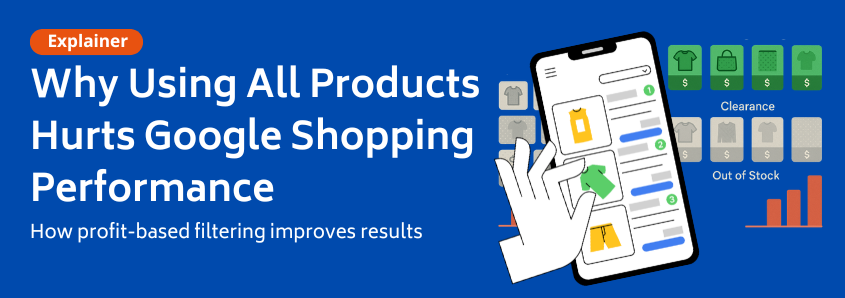
Why Your ‘All Products’ Google Shopping Campaign Is Quietly Wasting Your Money
You’ve done everything right. You set up your WooCommerce store, sourced great products, and finally launched your first Google Shopping campaign. You chose the simplest path: an “All Products” campaign to get everything in front of potential buyers. The clicks start rolling in, but the sales… not so much. Your AROAS (advertising return on ad spend) is mediocre at best, and you can’t figure out why.
If this sounds familiar, you’ve stumbled upon one of the most common and costly mistakes in e-commerce advertising: the “All Products” trap.
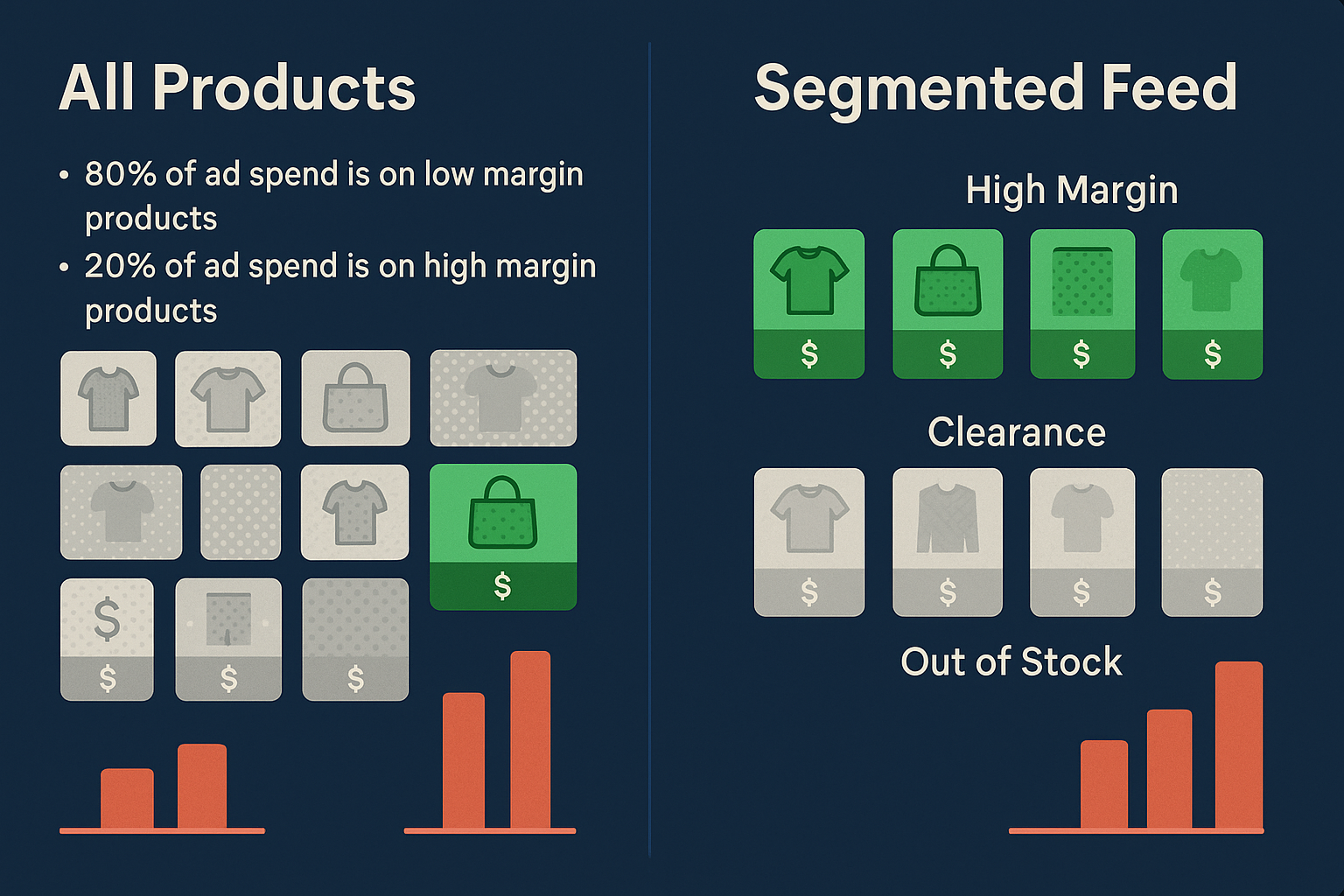
While it seems logical to show customers everything you have, this default strategy is often the silent killer of profitability. It forces Google’s algorithm to treat your high-margin, best-selling hero products the same as your low-margin clearance items, out-of-stock products, and seasonal novelties.
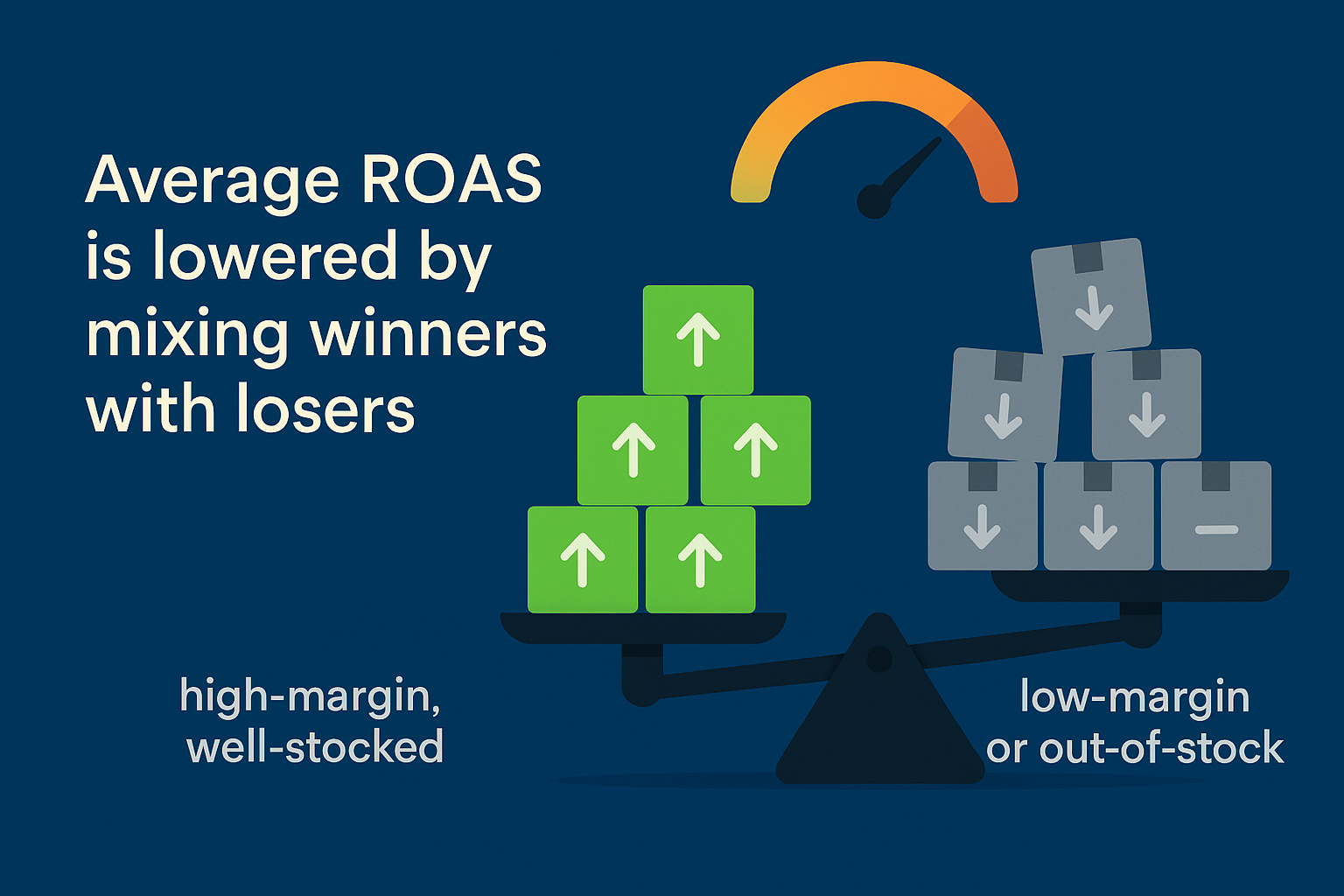
This creates an “averaging effect” that ensures you consistently under-bid on your winners and overspend on your losers. Today, we’re going to show you why a filtered, profit-driven approach isn’t just an advanced tactic; it’s an absolute necessity for survival.
The Financial Flaw of the ‘All Products’ Campaign
Imagine your store sells two products: a high-end coffee machine for €200 with a healthy €80 profit margin, and a pack of coffee filters for €5 with a slim €1 profit margin.
Your goal is a 4x ROAS, meaning for every euro you spend on ads, you want to make four euros back in revenue.
In an “All Products” campaign, Google sees both items in the same bucket. It might bid an average amount, say €1.50 per click, for search terms related to both.
- The Coffee Machine (Winner): A €1.50 click is a fantastic deal! With an €80 profit margin, you have plenty of room to bid aggressively and capture that sale. But because your campaign is being dragged down by the coffee filters, your average bid is too low, and you likely lose the impression to a competitor who is bidding more intelligently. Result: Lost opportunity.
- The Coffee Filters (Loser): A €1.50 click is a disaster. Your profit is only €1, so a single click instantly puts you in the red. Even if a click costs just €0.30, you need a very high conversion rate just to break even, let alone hit your 4x ROAS target. Result: Wasted ad spend.
This is The Averaging Trap. Your campaign’s performance is perpetually pulled toward a mediocre middle, where your best products are underfunded, and your worst products burn through your budget. You’re telling Google’s Smart Bidding algorithm to learn from a mix of good and bad signals, leading to confused, inefficient performance.
The solution isn’t to micro-manage every single product. It’s to stop thinking like a store owner putting everything on the shelf and start thinking like a savvy advertiser who only bets on the right players.
Profit-First Filtering: The Real Foundation of Success
The most powerful optimizations for Google Shopping don’t happen in the Google Ads interface. They happen before you even get there, inside your product feed.
By segmenting your products based on their financial viability within the feed itself, you can build campaigns that are profitable by design. This is called Profit-First Filtering, and it rests on two core variables: Profit Margin and Inventory.
1. Segmenting by Profit Margin
Instead of one giant bucket, you can use custom labels in your feed to group products into profit tiers. This is far more effective than just segmenting by brand or category, because even within the same category, margins can vary wildly.
For example, you could create three simple tiers:
- High Margin: Your hero products. These are the items you want to bid most aggressively on.
- Core Margin: Your reliable, everyday sellers. They have solid margins and deserve a consistent budget.
- Low Margin / Clearance: Items you’re clearing out or that have very slim profits. These should receive a very low or even zero ad budget.
Managing this at scale for hundreds or thousands of products would be impossible to do manually. This is why successful merchants use a dedicated WooCommerce product feed manager to automatically apply these custom labels based on rules you set.
2. Filtering by Inventory Status
This one seems obvious, but it’s a massive source of wasted ad spend. Why would you ever pay for a click on a product a customer can’t buy?
Every visitor who clicks your ad only to land on an “Out of Stock” page is a waste of money and a frustrating user experience. It erodes trust and tells Google your ads aren’t helpful.
A smart product feed setup ensures that as soon as a product goes out of stock in your WooCommerce store, it’s automatically paused in your advertising campaigns. The key is to have your product feed for Google Shopping synced with your inventory levels, ensuring you never pay for a dead-end click again.
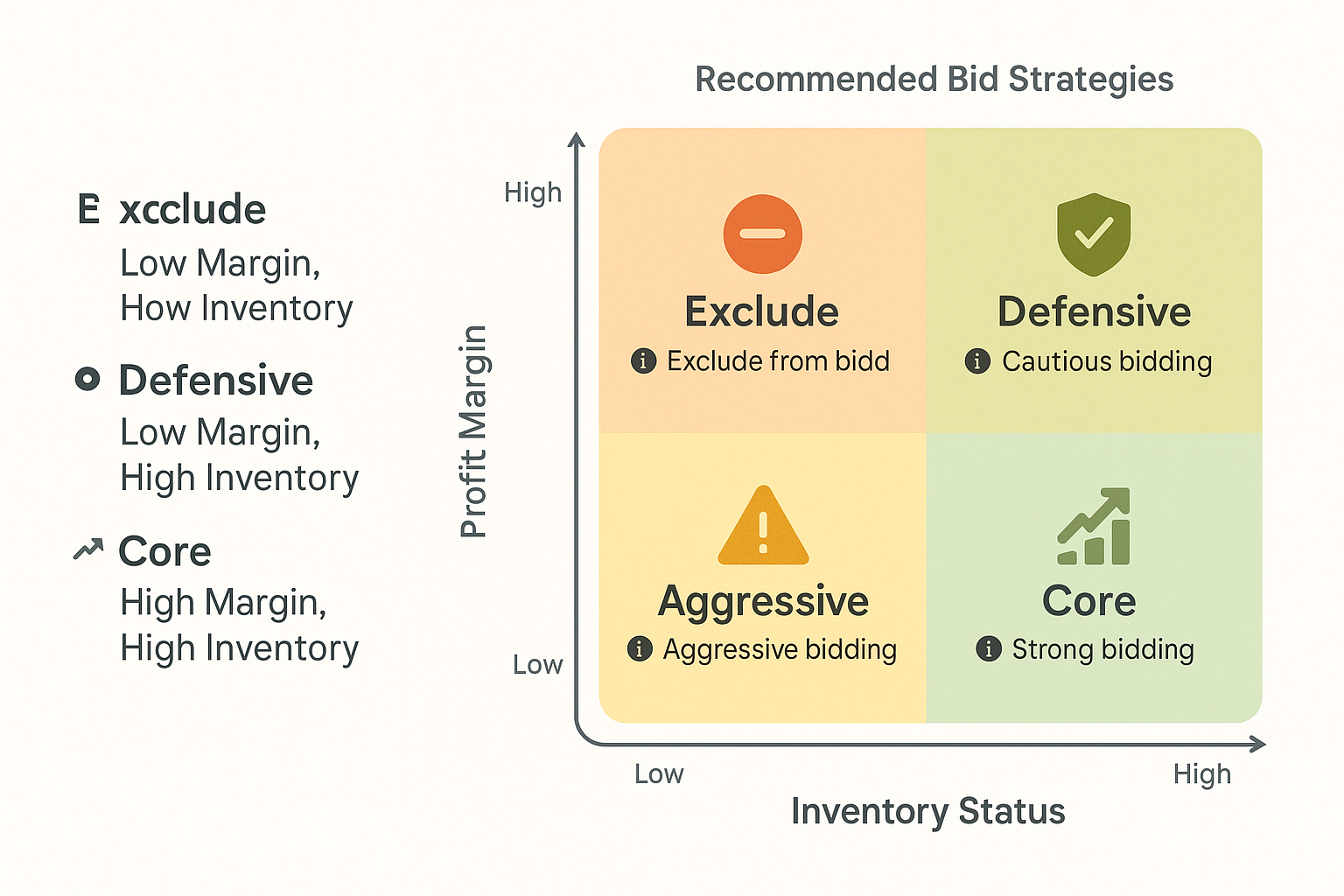
When you combine these two filtering strategies, you get a powerful framework for deciding exactly how to invest your ad budget.
A Smarter Campaign Structure That Works
Once your feed is enriched with profit tiers and synced to your inventory, you can finally build a campaign structure in Google Ads that puts your money where your profit is.
Instead of one “All Products” campaign, you create three separate campaigns, using campaign priority settings to control which one gets triggered first:
- High-Margin Campaign (Priority: High): This campaign targets only products with your “High Margin” custom label. You give it the highest priority and the largest share of your budget. You can set a more aggressive ROAS target here because you have the margin to support it.
- Core-Margin Campaign (Priority: Medium): This campaign targets your “Core Margin” products. It gets a moderate budget and a standard ROAS target. If a product exists in both this and the High-Margin campaign, the priority setting ensures the High-Margin campaign’s bid is used first.
- Low-Margin Campaign (Priority: Low): This campaign targets your “Low Margin” products. It gets a minimal budget and a very high ROAS target to ensure you’re only paying for the most profitable clicks. Many advertisers choose to exclude these products entirely, focusing their budget on the other two tiers.
This tiered approach gives you incredible control and allows Google’s Smart Bidding to work its magic. Each campaign receives clean, consistent performance data for a similar group of products, allowing the algorithm to optimize bids far more effectively.
This strategy isn’t just for Google, either. It’s a best practice that works across all major comparison shopping channels, allowing you to scale your advertising profitably and efficiently.
Frequently Asked Questions (FAQ)
Why can’t I just exclude bad products with negative keywords?
Negative keywords are essential for blocking irrelevant search terms, but they don’t solve the core problem. You might block the search “cheap coffee filters,” but your ads for the €5 filters could still show for the “eco-friendly coffee filters” search term, wasting your money. Filtering your feed removes the product from being advertised altogether, which is a more direct and foolproof way to control spend.
Is this strategy worth it if I only have 100 products?
Absolutely. Even with a smaller catalog, the 80/20 rule often applies: 20% of your products likely drive 80% of your profit. Separating those high-performers into their own campaign gives you the control to double down on what’s working, maximizing your budget no matter the size of your store.
What is a “custom label” and how do I add it?
A custom label is an extra piece of data you add to your product feed that only you and Google can see. You can use it to tag products with information like “highmargin,” “bestseller,” or “seasonal.” While you can do this manually in a spreadsheet, it’s incredibly time-consuming and prone to error. A product feed plugin allows you to set up rules (e.g., “if profit is greater than €50, label as ‘highmargin'”) that do this for you automatically.
How often should my product feed update?
Ideally, your feed should update multiple times a day. For inventory, the more frequently, the better. If a popular product sells out at 10 AM, you don’t want to keep paying for ads on it until your feed refreshes the next day. Automated, scheduled feed updates are a cornerstone of efficient advertising.
Stop Averaging, Start Profiting
Moving away from the “All Products” campaign is the single most impactful change you can make to improve your Google Shopping performance. It allows you to protect your margins, give your best products the budget they deserve, and stop wasting money on clicks that will never convert profitably.
Your journey to a healthier ROAS doesn’t start with complex bidding strategies or endless keyword lists. It starts with a clean, intelligent, and strategically filtered product feed. Take a moment to view your catalog from the perspective of profit and inventory; you might be surprised by the opportunities you uncover.


Leave a Reply
Want to join the discussion?Feel free to contribute!